
Description
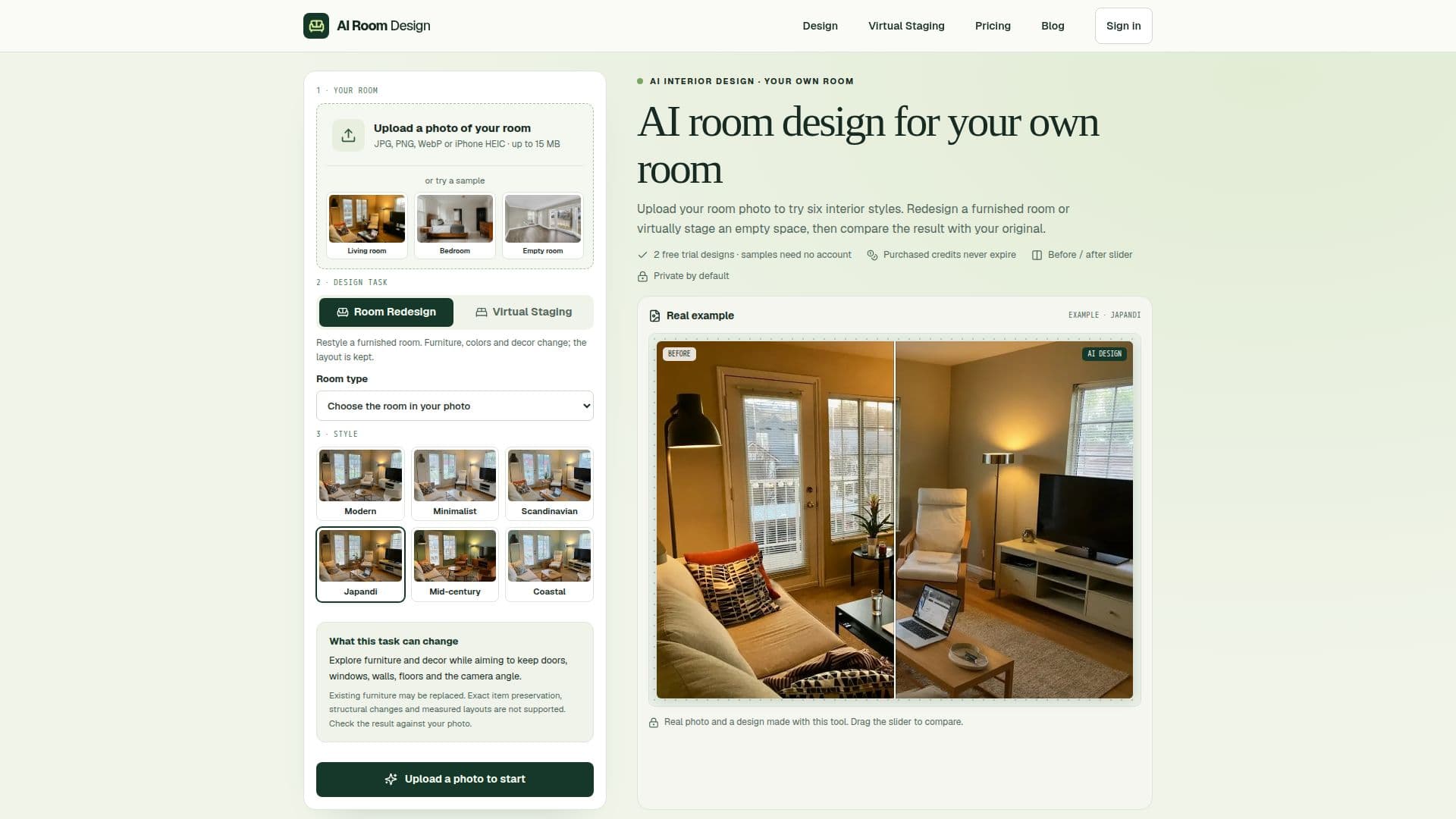
AI Room Design is an online tool that enables users to generate interior design concepts from their own room photos. It offers two primary functions: Room Redesign for furnished spaces and Virtual Staging for empty rooms. Users can upload a photo of their existing room, then select from six distinct interior styles to see how their space could be transformed.
Read More
The platform is designed for homeowners, renters, landlords, and real estate agents who want to explore design possibilities or stage properties without physical changes. It allows for a direct comparison of the original photo with the AI-generated design using a before-and-after slider, helping users visualize changes to furniture, colors, and decor while aiming to preserve the room's layout, walls, windows, and camera angle.
Key capabilities include restyling a furnished room by changing furniture, colors, and decor while keeping the layout, or virtually staging an empty room by adding furniture, rugs, and lighting. A unique recolor feature allows users to change the color of specific objects like cushions, chairs, or rugs within a generated design without affecting other elements. This helps in refining design choices.
AI Room Design operates on a one-time credit pack system, with no subscription required. New users are eligible for two free trial designs that expire after 30 days. Purchased credits never expire, and failed designs are automatically refunded. The tool emphasizes privacy, stating that photos and designs are visible only to the user within their account and are never added to a public gallery. Designs are conceptual and not measured plans, advising users to verify sizes and structures with professionals before making purchases or building.
The tool supports various room types, including living rooms, bedrooms, home offices, and dining rooms. It provides practical guides and FAQs to help users get the best results from their photos, recommending bright, level photos taken from a corner to ensure optimal AI interpretation. For commercial use, such as property listings, users are advised to label AI-generated images as virtually staged and include the original empty photo.
- CategoryAI Interior & Architecture Design
- Pricing ModelOne-time purchase
- DeploymentCloud
- PlatformsWeb
AI Room Design's Core Features
Upload your own room photo for design
Redesign furnished rooms with new furniture, colors, and decor
Virtually stage empty spaces with furniture, rugs, and lighting
Choose from 6 interior design styles
Compare before-and-after designs with a slider
Recolor individual objects within a design (cushion, armchair, rug)
One-time credit packs with no subscription
Purchased credits never expire
Automatic refunds for technically failed designs
Private designs, visible only in your account
Supports JPG, PNG, WebP, and iPhone HEIC photos up to 15 MB
Designed to preserve existing room layout, walls, windows, and camera angle
Browse sample designs without an account
Use designs commercially for property listings (with disclosure)
How to use AI Room Design?
Upload Your Room: Take a photo from a corner with good daylight, then choose 'Room Redesign' for a furnished room or 'Virtual Staging' for an empty one.
Choose Your Look: Pick the room type and one of six styles. Add a short note if something specific, like the floor or a favorite sofa, must remain.
Compare and Refine: Drag the slider to compare the design with your room. Try another style, or click an object to recolor just that part for free.
Download Your Design: Save the design you like. Downloads and comparisons of existing designs are always free.
AI Room Design's Use Cases
- Restyle Furnished Rooms
- Virtually Stage Empty Spaces
- Bedroom Design Exploration
- Living Room Makeovers
- Home Office Planning
- Dining Room Styling
- Property Listing Enhancement
- Color Scheme Testing