
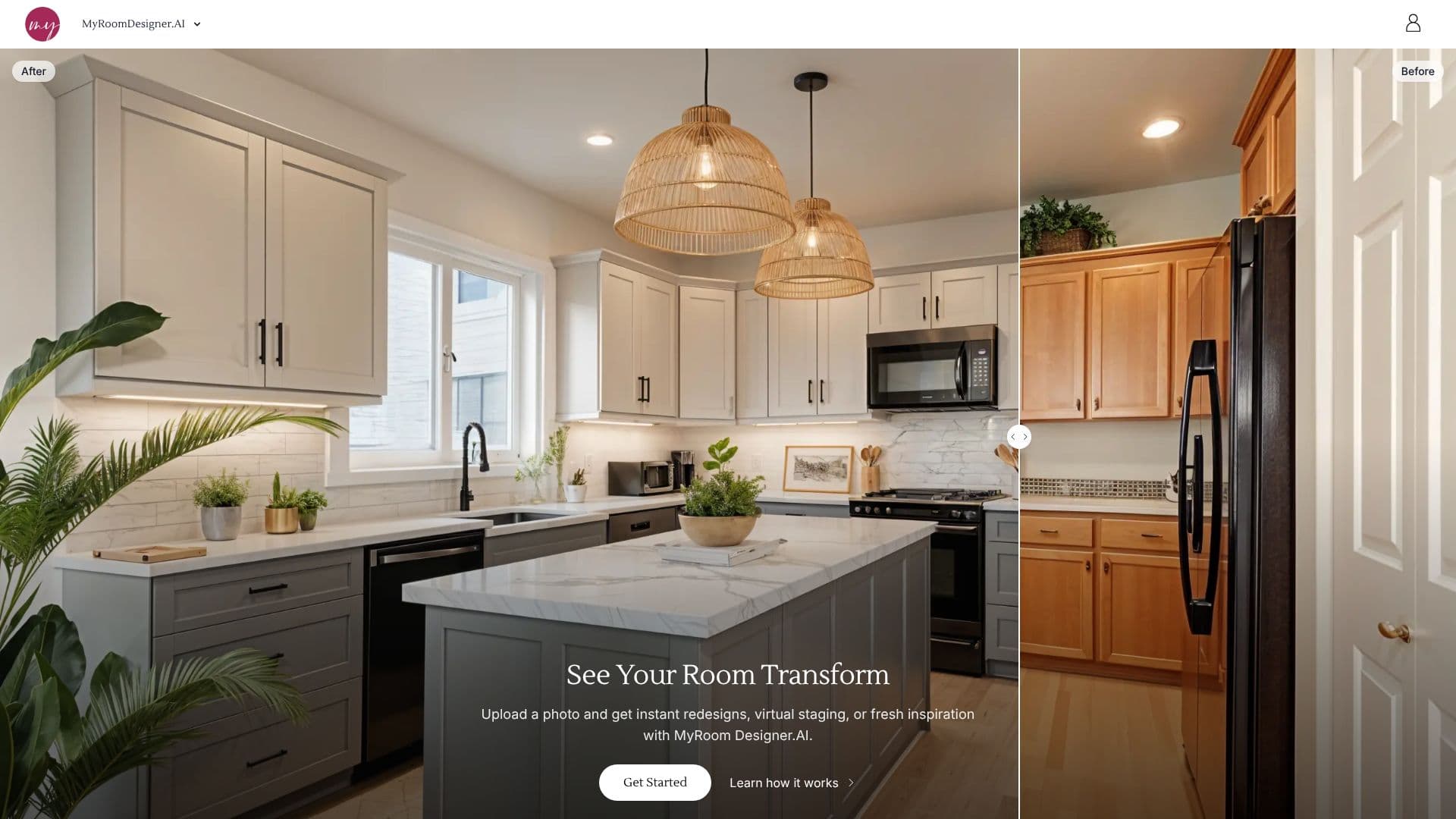
Description
My AI Room Designer offers an intuitive platform for transforming interior spaces using artificial intelligence. Users can upload a photo of their existing room and receive instant redesigns, virtual staging, or fresh design inspiration. The tool analyzes the room's layout and key features to generate optimized redesigns.
Read More
Users begin by uploading a photo of their room. They then select the room type (e.g., Living Room, Bedroom, Kitchen) and choose from a wide array of design styles, including Contemporary, Modern, Traditional, Rustic, Minimalist, and more. Color palettes can also be selected, ranging from neutrals and pastels to brights and earthy tones, or custom colors can be specified. Optionally, users can add specific products by uploading their images to be included in the design.
The core functionality involves generating design variations based on the initial photo and user preferences. Users can refine these designs by chatting with the AI, requesting specific changes like color updates or style modifications. The platform emphasizes ease of use, allowing for effortless room design and personalization. It also provides features like high-resolution upscaling, background removal, and a shopping list creator.
My AI Room Designer is suitable for homeowners looking to redecorate, individuals seeking design inspiration, and interior design professionals aiming to streamline their workflow. The tool helps visualize transformations quickly, enabling faster decision-making and more efficient project planning. It aims to simplify interior design workflows for every project, from initial ideas to confident direction.
The platform highlights its speed and accuracy compared to other tools, claiming faster photo generation, preservation of original room layouts, and high-resolution upscaling. It also offers interactive features like chatting with the AI to modify designs and finding similar real-life products to those featured in the generated designs. The service is built on the idea of making interior transformations easy to explore with AI.
- CategoryAI Interior & Architecture Design
- Pricing ModelSubscription
- DeploymentCloud
- PlatformsWeb
My AI Room Designer's Core Features
AI-powered room redesign generation
Virtual staging and inspiration
Personalized room planning
Wide selection of design styles
Customizable color palettes
Product integration from uploaded images
Interactive AI chat for design refinement
High-resolution image upscaling
Background remover tool
Shopping list creator
Find similar products feature
Analysis of room layout and features
One-click import of favorites
How to use My AI Room Designer?
Upload Your Room Photo: Start by uploading an image of your current room.
Add Your Preferences: Select room type, design style, and color palette.
Refine with AI Chat: Use chat to request specific changes or style updates.
Generate Design Variations: Receive multiple design concepts based on your input.
Explore Products: Use the 'Find Similar' feature to discover real-life items.
Customize Further: Utilize advanced tools like background removal or upscaling.
My AI Room Designer's Use Cases
- Home Redecoration
- Interior Design Inspiration
- Virtual Staging
- Product Visualization
- Client Presentations
- Mood Board Creation
- Shopping Assistance