
Description
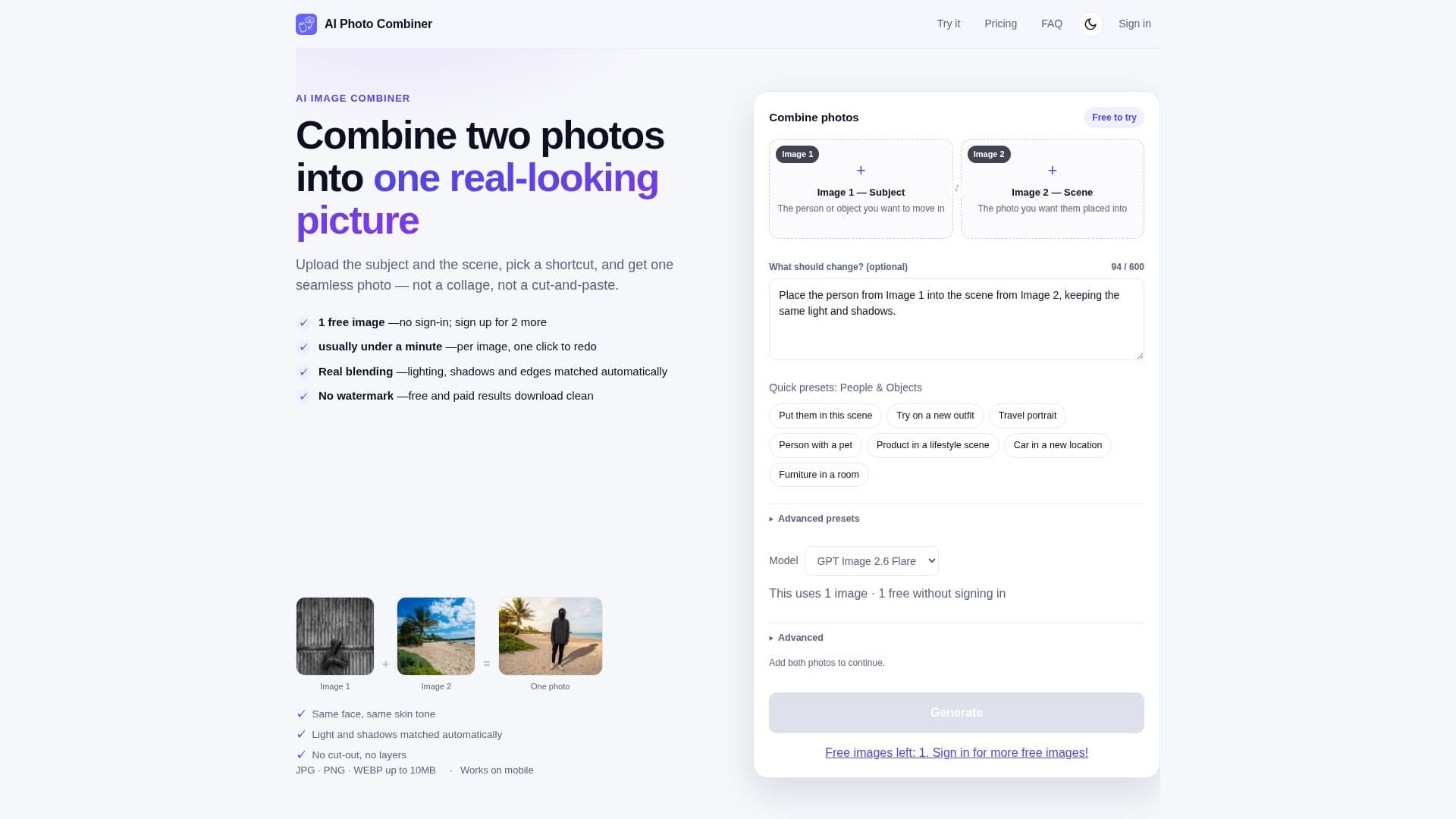
AI Photo Combiner is an online tool designed to merge two distinct photographs into a single, realistic image. Unlike traditional collage applications that simply place photos side-by-side, this platform re-renders the entire frame to create a cohesive visual. It intelligently adjusts elements such as light direction, perspective, and shadows to ensure the subject seamlessly integrates into the new scene, eliminating visible cut lines.
Read More
The process is straightforward and requires no design skills or complex software like Photoshop. Users upload two images: one designated as the subject and the other as the scene. The tool accepts JPG, PNG, and WEBP formats, with a maximum size of 10MB per image. Phone photos are automatically re-encoded to remove EXIF metadata and downscaled proportionally before upload. After uploading, users select a preset shortcut that aligns with their desired outcome, such as placing a person into a travel scene, a product onto a new surface, or changing a photo's background while preserving the subject.
Key capabilities include preserving the subject's face, hair, and skin tone while altering the surrounding context. The system automatically matches lighting, shadows, and edges, ensuring a believable final image. Generations typically complete in under a minute. If a generation fails or is blocked by the content check, the image credit is automatically refunded, ensuring users are only charged for successful results.
AI Photo Combiner offers a flexible pricing model without subscriptions. Users receive one free image without signing in, and an additional two free images upon signing up. All generated images, whether free or paid, are delivered as clean, full-resolution files without watermarks, logos, or “made with” badges. Users retain commercial rights to their results, provided they have the necessary rights to the uploaded photos and do not use the results for impersonation. Uploaded photos are stored privately and used solely for generating the requested image, never publicly listed or indexed.
- CategoryAI Photo Editors
- Pricing ModelFreemium
- DeploymentCloud
- PlatformsWeb
AI Photo Combiner's Core Features
Combine two photos into one realistic image
Seamless blending of light, shadows, and perspective
Preserves subject's face, hair, and skin tone
No watermark on free or paid results
Supports JPG, PNG, and WEBP formats
Maximum 10MB per image upload
Automatic refund for failed generations
Commercial use rights for generated images
Private storage of uploaded photos
No design skills or Photoshop required
Pre-set shortcuts for common tasks
Fast generation, usually under a minute
No subscription model, image packs available
One free image without sign-in
Two additional free images upon sign-up
How to use AI Photo Combiner?
Upload Photos: Drag and drop your subject photo (Image 1) and scene photo (Image 2) into the designated slots.
Pick a Shortcut: Select a preset option like "Put them in this scene" to automatically fill in instructions for the AI.
Adjust Text (Optional): Modify the instruction text box if you want to fine-tune the generation.
Generate Image: Press the 'Generate' button and wait for the AI to process your request, typically under a minute.
Download Result: Download your combined, seamless photo. If unsatisfied, tweak the text and regenerate.
AI Photo Combiner's Use Cases
- Person into New Scene
- Product on New Surface
- Swap Backgrounds
- Furniture into Room
- Merge Two Photos
- Add Person to Photo