ToolPotion

AI Image Combiner

AI Image Combiner is an online tool that merges two or more photos into a single frame, using AI composition to blend subjects, lighting, and styles into one natural-looking image.

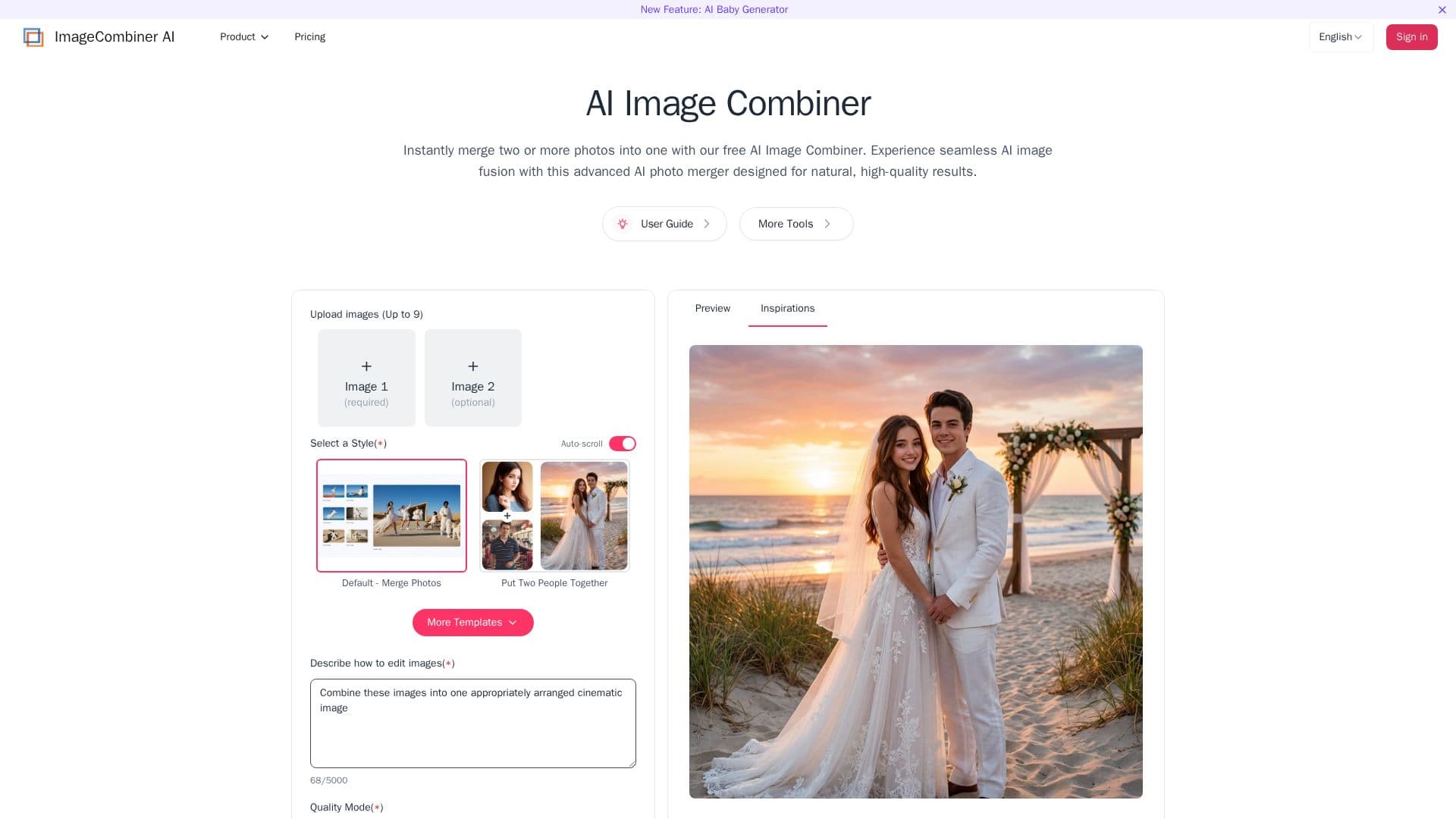
AI Image Combiner screenshot

Description

AI Image Combiner is a web-based photo merger that fuses two or more images into one composition without manual editing. It uses automatic detection to analyze the content of each image and blends them while keeping lighting and texture consistent, so the result looks like a single natural photo rather than a pasted collage.

The tool supports a range of merging scenarios, including putting two people together from different shots, adding a person to a photo, and dedicated modes such as couple photos, family portraits, wedding photos, baby generation, face merging, and adding a deceased loved one to a picture. Beyond straightforward compositing, it can apply AI style transfer to restyle images and follow custom text prompts to change lighting, atmosphere, or setting.

Users simply upload their photos and let the engine handle depth, lighting, and blending, then download the merged image. A free trial is available, with paid plans for higher-volume and professional use.

AI Image Combiner's Core Features

  • Merge two or more photos into one frame with AI composition

  • Put two people together from separate shots

  • Preset modes for couples, families, weddings, and portraits

  • AI face merger and add-a-person tools

  • AI style transfer to restyle merged images

  • Custom text prompts to adjust lighting, style, and atmosphere

  • Automatic detection that preserves lighting and texture consistency

  • Browser-based workflow requiring no editing skills

How to use AI Image Combiner?

  1. Choose a mode: Select the merge type, such as combining people or adding a person.

  2. Upload photos: Add the two or more images you want to combine.

  3. Set style or prompt: Optionally pick a style or enter a prompt to guide the result.

  4. Generate: Let the AI fuse the images into one frame.

  5. Download: Save the merged image.

AI Image Combiner's Use Cases

  • Group and couple photos
  • Memory keeping
  • Creative art
  • Ecommerce staging

FAQ from AI Image Combiner

AI Image Combiner Reviews

Loading...

Popular AI Tools Like AI Image Combiner

ImageFusion is an online AI image fusion tool that combines multiple photos into one high-quality image, using AI to blend elements, transfer styles, and create merged visuals…

AI Photo Editors

A free online platform for transforming photos with AI, letting users edit images, combine references, change styles or backgrounds, restore old photos, and generate up to 4K…

AI Photo EditorsMarketing & Creative Agencies

AI Apps

A creative AI toolkit for face swapping and photo-to-video work, offering natural-looking photo and video face swaps, head swaps, image upscaling, and image-to-video effects for…

AI Photo EditorsMedia & Entertainment

Pixlr is a free online AI photo editor and image generator. It offers tools for editing, generating AI images and videos, face swapping, background removal, and creating collages.…

FeaturedAI Photo Editors

AI Face Swap lets you swap faces in photos and videos with realistic results in seconds. It supports multi-face group swaps, celebrity swaps, style-and-face merging, and a…

AI Photo EditorsMedia & Entertainment

AI Apps

Photoleap is an all-in-one AI photo editing app for iPhone by Lightricks that changes backgrounds, removes objects, applies effects, and offers creative AI tools like…

FeaturedAI Photo Editors

An online deepfake and face-swap tool for videos, photos, and GIFs, with AI image and video generation, aimed at creators, marketers, and casual users who want fast, realistic…

AI Photo EditorsMedia & Entertainment

AI Apps

An image-to-image AI platform that transforms photos into studio-quality visuals with AI style transfer, 100+ photo and video effects, and cinematic looks. Free to start, no…

AI Photo EditorsMarketing & Creative Agencies