
Description
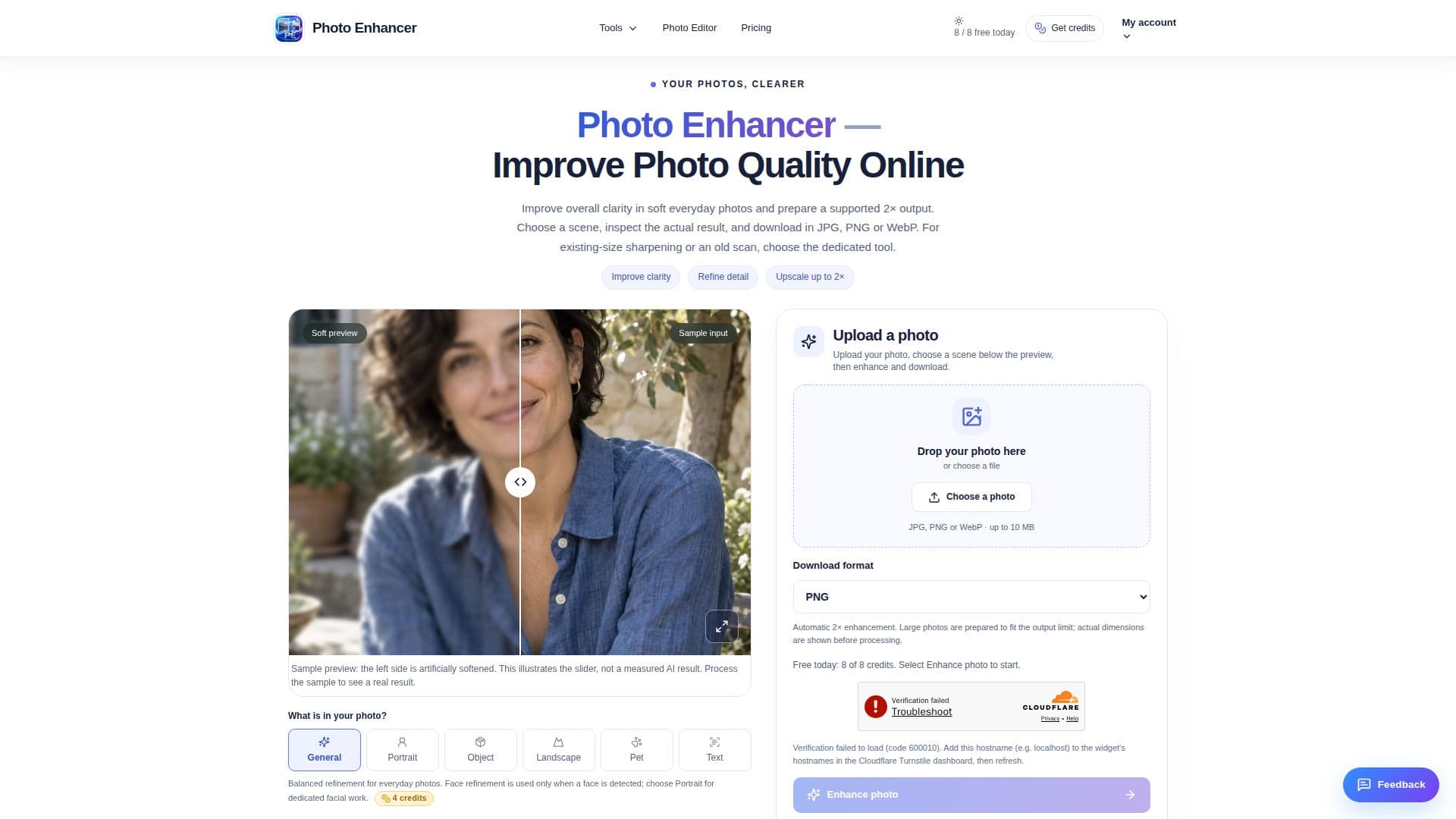
Photo Enhancer is a versatile browser-based platform designed to enhance and edit photos for various uses, including sharing, online stores, and creative projects. It provides a range of dedicated tools to address common image issues such as soft focus, small resolution, aged prints, hard-to-read screenshots, and distracting backgrounds. Users can start with Photo Enhancer to refine clarity and details in low-quality images. The platform offers six image-aware scenes—General, Portrait, Object, Landscape, Pet, and Text—to focus processing on the subject, preparing supported photos for up to 2× enhancement. Users can easily compare the enhanced result with the original.
Read More
The platform allows eligible guests to use up to 8 shared free credits per day, with costs varying by tool and settings. Credits reset at midnight UTC without rollover. Photo Enhancer uses an AI model to refine images, automatically preparing a supported 2× output. It stores inputs privately for up to 24 hours, with guest results available for one day and signed-in results for seven days.
Photo Enhancer is different from ordinary resizing, which interpolates pixels. Instead, it refines images using AI, showing actual dimensions before processing. While it can enhance existing details, it cannot recover severely blurred photos or missing sections. The platform offers a private, recoverable workflow, allowing users to delete completed outputs sooner if desired.
Pricing options include a free tier with limited daily credits and paid plans offering more credits and higher resolution outputs. The platform is suitable for various users, from casual photographers to professionals needing enhanced images for specific projects.
- CategoryAI Photo Editors
- Pricing ModelFreemium
- DeploymentCloud
- PlatformsWeb
Photo Enhancer's Core Features
Browser-based photo enhancement
Six image-aware scenes
Up to 2× enhancement
Free daily credits
AI model for image refinement
Private and secure processing
Comparison of original and enhanced images
Multiple output formats: JPG, PNG, WebP
How to use Photo Enhancer?
Upload a photo: Choose a JPG, PNG, or WebP from your device.
Select a scene: Choose from General, Portrait, Object, Landscape, Pet, or Text.
Enhance: Use the AI model to refine and enhance your image.
Download: Save the enhanced image in your preferred format.
Photo Enhancer's Use Cases
- Everyday Photos
- Product Images
- Creative Projects
- Aged Prints
- Screenshots