Description
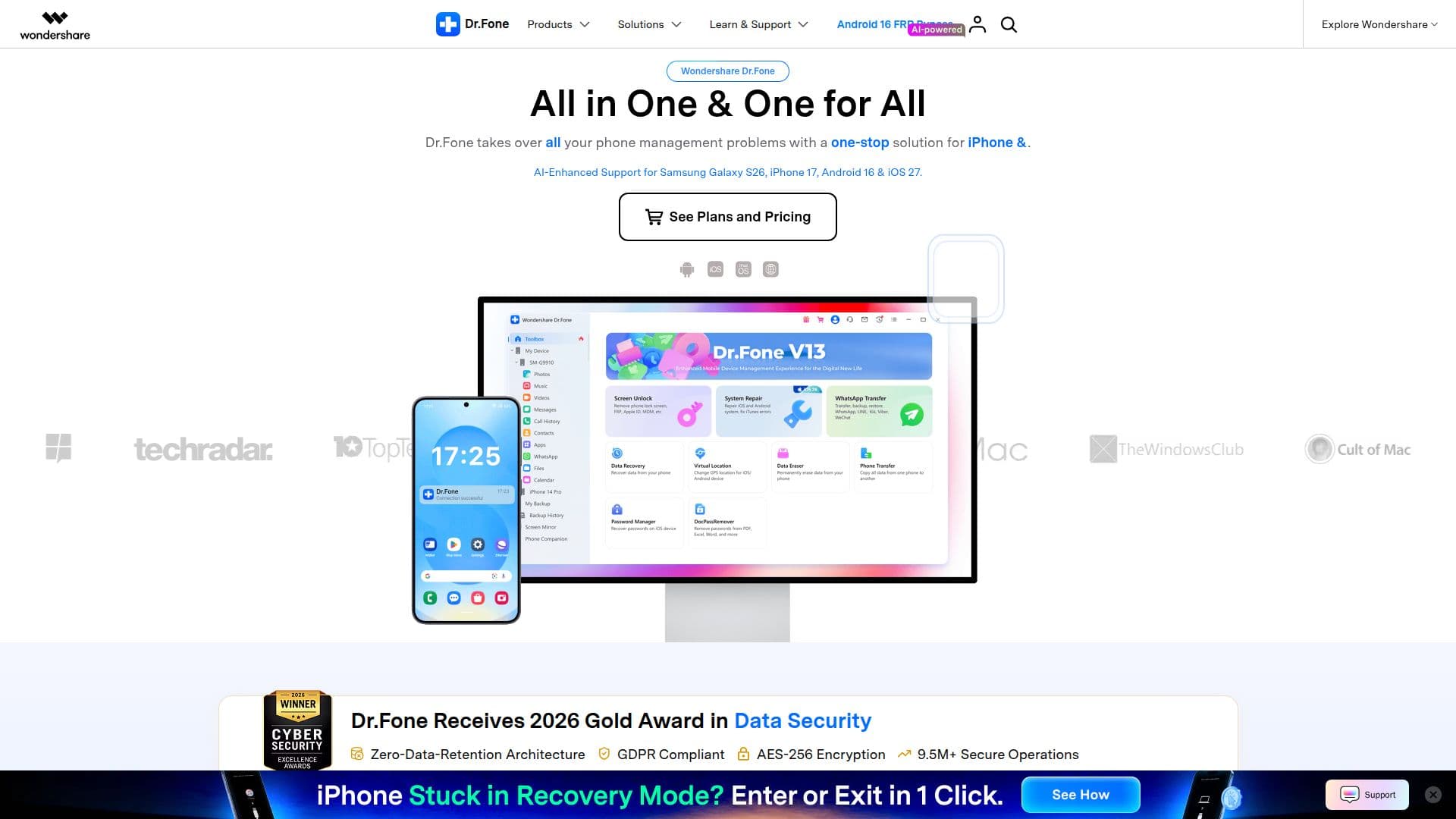
Wondershare Dr.Fone is an all-in-one mobile solution for iOS and Android devices, developed by Wondershare, a creative software company operating since 2003. It brings together phone management tasks so users can unlock, recover, repair, transfer, and manage their devices from a single desktop program.
Read More
Key capabilities include Screen Unlock for removing various lock screens, FRP, and iCloud locks; Data Recovery for retrieving lost photos, videos, messages, and files; and System Repair for fixing common iOS and Android issues such as black screens and boot loops. It also supports one-click WhatsApp transfer and backup, cross-platform phone-to-phone transfer of contacts, messages, and media, computer-based backup, permanent data erasing, screen mirroring to a PC, and instant GPS location changes.
Dr.Fone is primarily delivered as desktop software for Windows and Mac, with an Android app also available for on-device recovery, unlocking, and transfer. It supports a broad range of iPhone, iPad, iPod touch, and Android devices, and is available in multiple languages including English, German, French, Spanish, Italian, Japanese, Korean, and Chinese.
System requirements include Windows 11 through 7 or macOS 10.13 or later, a 1 GHz or faster processor, 7 GB of free disk space, and at least 1 GB of RAM. Free trial versions with partial features are offered, with paid licensing for full functionality.
- CategoryOther AI Tools
- Pricing ModelFreemium
- DeploymentDesktop app
- PlatformsWindows, macOS
Wondershare Dr.Fone's Core Features
Screen Unlock for lock screens, FRP, and iCloud locks
Data recovery for iOS and Android files and messages
One-click system repair for iOS and Android issues
WhatsApp transfer and backup between devices
Cross-platform phone-to-phone data transfer
Backup and restore via computer
GPS location change for iOS and Android
Permanent data erasing and screen mirroring to PC
How to use Wondershare Dr.Fone?
Download and install: Get the Dr.Fone desktop app for Windows or Mac, or the Android app.
Connect your device: Plug in your iPhone or Android phone to the computer.
Choose a tool: Select a feature such as Screen Unlock, Data Recovery, or System Repair.
Run the operation: Follow the on-screen steps to complete the task.
Save or transfer results: Recover, back up, or move your data as needed.
Wondershare Dr.Fone's Use Cases
- Unlock a locked phone
- Recover lost data
- Repair system issues
- Switch to a new phone
- Erase data securely