Description
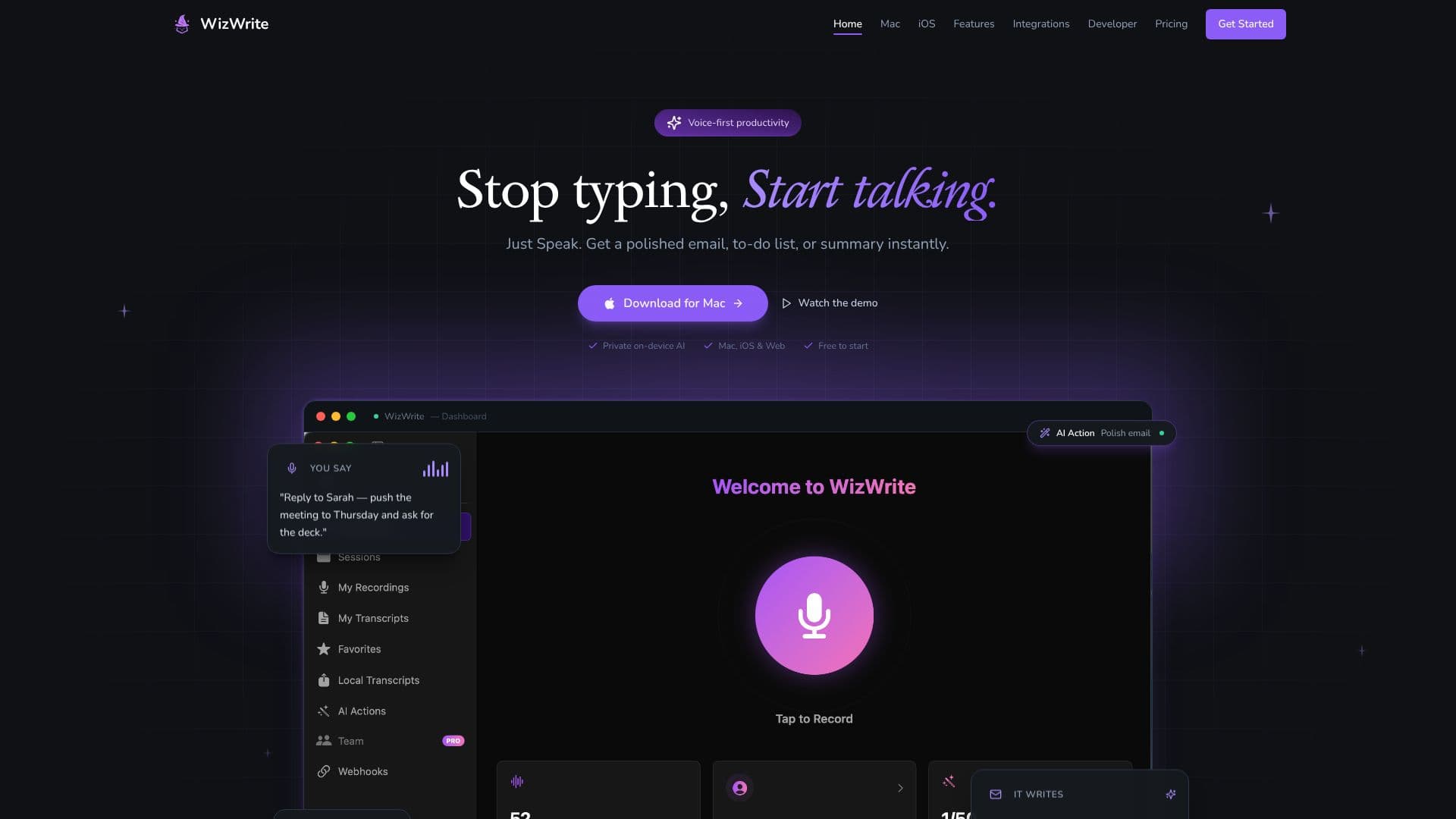
WizWrite is a voice-first productivity tool designed to eliminate typing and accelerate task completion. By leveraging on-device AI, it allows users to speak naturally and instantly generate polished content such as emails, to-do lists, and summaries. This approach significantly increases efficiency, claiming to be up to 5 times faster than traditional typing.
Read More
WizWrite operates through a simple, intuitive workflow. Users activate the tool via a hotkey or a double-tap gesture, and then speak their commands or content. The AI captures every word with high accuracy and processes it, delivering the output directly where it's needed, such as within an email draft or a notes application. This seamless integration with existing workflows is facilitated by a range of integrations.
Key capabilities include AI Actions, which can interpret spoken commands to perform specific tasks, and a choice between cloud-based processing for maximum accuracy and AI features, or a privacy-focused on-device mode using Whisper AI. This on-device mode ensures that audio never leaves the user's device, offering a secure alternative for sensitive information.
The application is built for the Apple ecosystem, offering native apps for Mac, iPhone, and iPad, with a web version also available. This cross-platform compatibility ensures that users can maintain their voice productivity across all their devices. WizWrite is targeted at professionals, teams, and individuals looking to streamline their communication and task management by adopting a voice-first approach.
The value proposition of WizWrite lies in its speed, privacy options, and deep integration with popular productivity tools. It aims to make voice input a primary method for getting work done, reducing the friction associated with manual typing and enhancing overall output.
- CategoryAI Transcription Tools
- Pricing ModelFreemium
- DeploymentCloud, On-Device
- PlatformsMac, iPhone, iPad, Web
WizWrite's Core Features
Voice-to-text transcription
AI-powered content generation (emails, to-do lists, summaries)
On-device AI processing for privacy
Cloud processing option for enhanced accuracy and AI Actions
System-wide hotkey activation
Seamless integration with popular apps (Gmail, Notion, Slack, Google Docs, Trello, Zapier)
Cross-platform availability (Mac, iPhone, iPad, Web)
Real-time transcription display
Customizable AI Actions
Webhook integration for custom workflows
5x faster than typing claim
Privacy Mode and Cloud Mode options
How to use WizWrite?
Activate: Press a hotkey (e.g., ⌘ + Space) or double-tap a modifier key from any app.
Speak: Talk naturally to WizWrite, dictating emails, tasks, or summaries.
Process: WizWrite captures and processes your voice using on-device or cloud AI.
Receive: Get polished text output instantly in your desired application or workflow.
Integrate: Connect WizWrite to tools like Gmail, Notion, Slack, and Zapier for seamless delivery.
WizWrite's Use Cases
- Email Drafting
- Task Management
- Meeting Summaries
- Note Taking
- Content Creation
- Workflow Automation