
Description
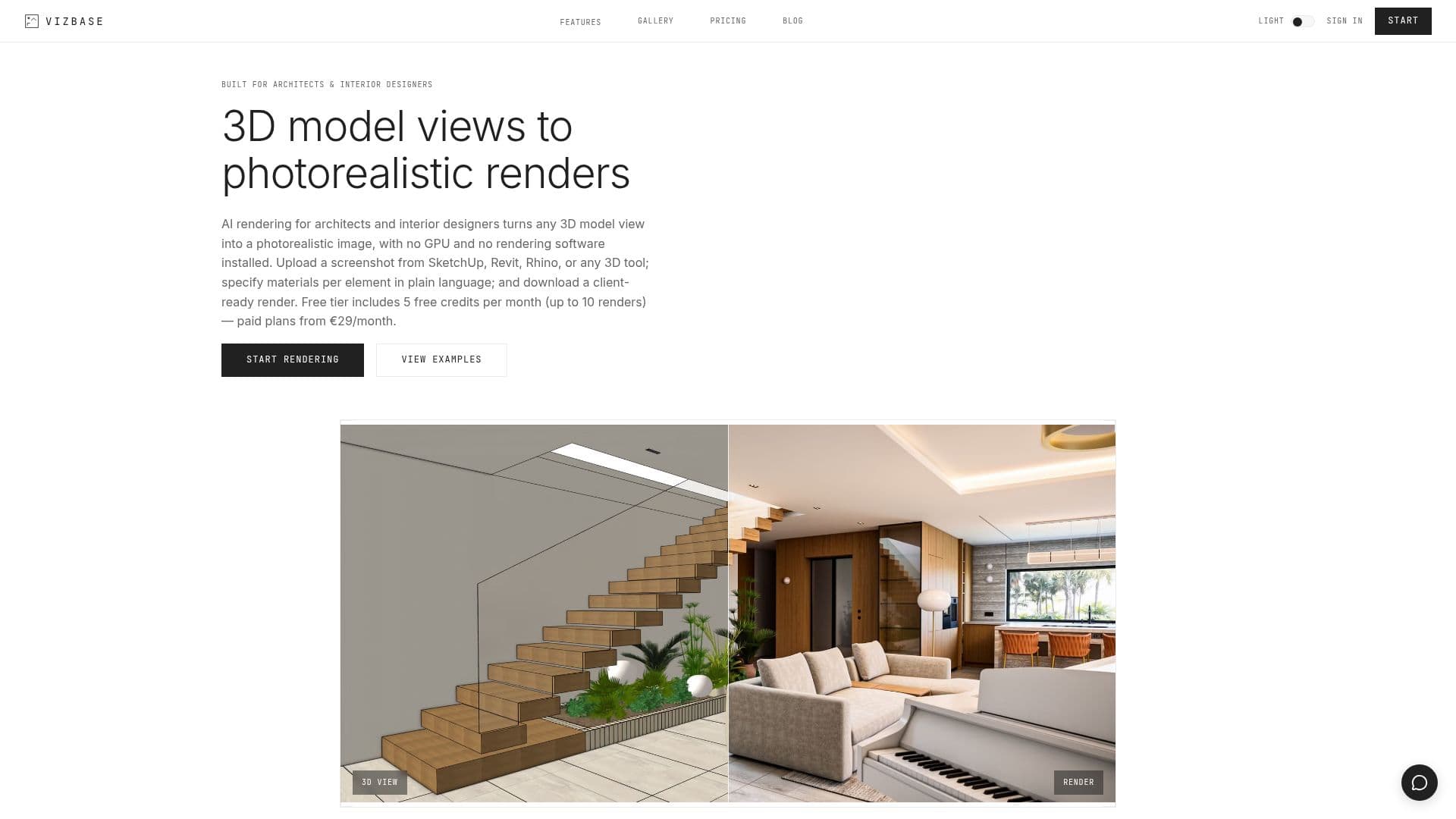
VizBase is an AI rendering platform designed specifically for architects and interior designers. It allows users to create photorealistic renders from sketches or 3D model views without the need for a GPU. The platform offers per-element material swapping, enabling designers to present multiple design options to clients in a single meeting. Users can render kitchens, bathrooms, and living rooms, with the ability to mask individual elements like walls, floors, and furniture for precise control.
Read More
The platform supports high-resolution exports at 4K, 6K, and 8K, making it suitable for client presentations and commercial use. VizBase integrates with popular tools like SketchUp, with plugins for Revit and Rhino in development. The pricing model is flexible, starting with a free tier that offers 5 credits per month, allowing up to 10 renders. Paid plans start at €29 per month, offering more credits and additional features like team seats and dedicated support.
VizBase's AI capabilities include smart auto-masking and inpainting, allowing users to refine specific areas of a render without starting over. The platform also offers a library of over 2,000 materials, which can be applied to any element in a scene. Users can upload images from various sources, including SketchUp, Revit, Rhino, and even hand sketches, to generate renders.
The platform is built in Riga, Latvia, and is part of the LIAA startup incubator. It emphasizes maintaining the original design layout, using depth guidance and scene analysis to ensure that renders reflect the designer's intent. VizBase is suitable for design studios, freelancers, and firms looking to streamline their rendering process and enhance client presentations.
- CategoryAI Interior & Architecture Design
- Pricing ModelFreemium
- DeploymentCloud
- PlatformsWeb
VizBase's Core Features
AI rendering for photorealistic images
Per-element material swapping
No GPU required
High-resolution exports up to 8K
Smart auto-masking and inpainting
Integration with SketchUp
2,000+ material library
Commercial use rights for renders
Free tier with 5 credits per month
Paid plans with team seats and support
How to use VizBase?
Upload: Submit your 3D model view
Mask Objects: Select specific objects or areas
Choose Textures: Specify textures for the render
Generate: Pick a render mode and create your render
VizBase's Use Cases
- Interior Design
- Client Presentations
- Material Swapping
- High-Resolution Exports
- Collaborative Design