Description
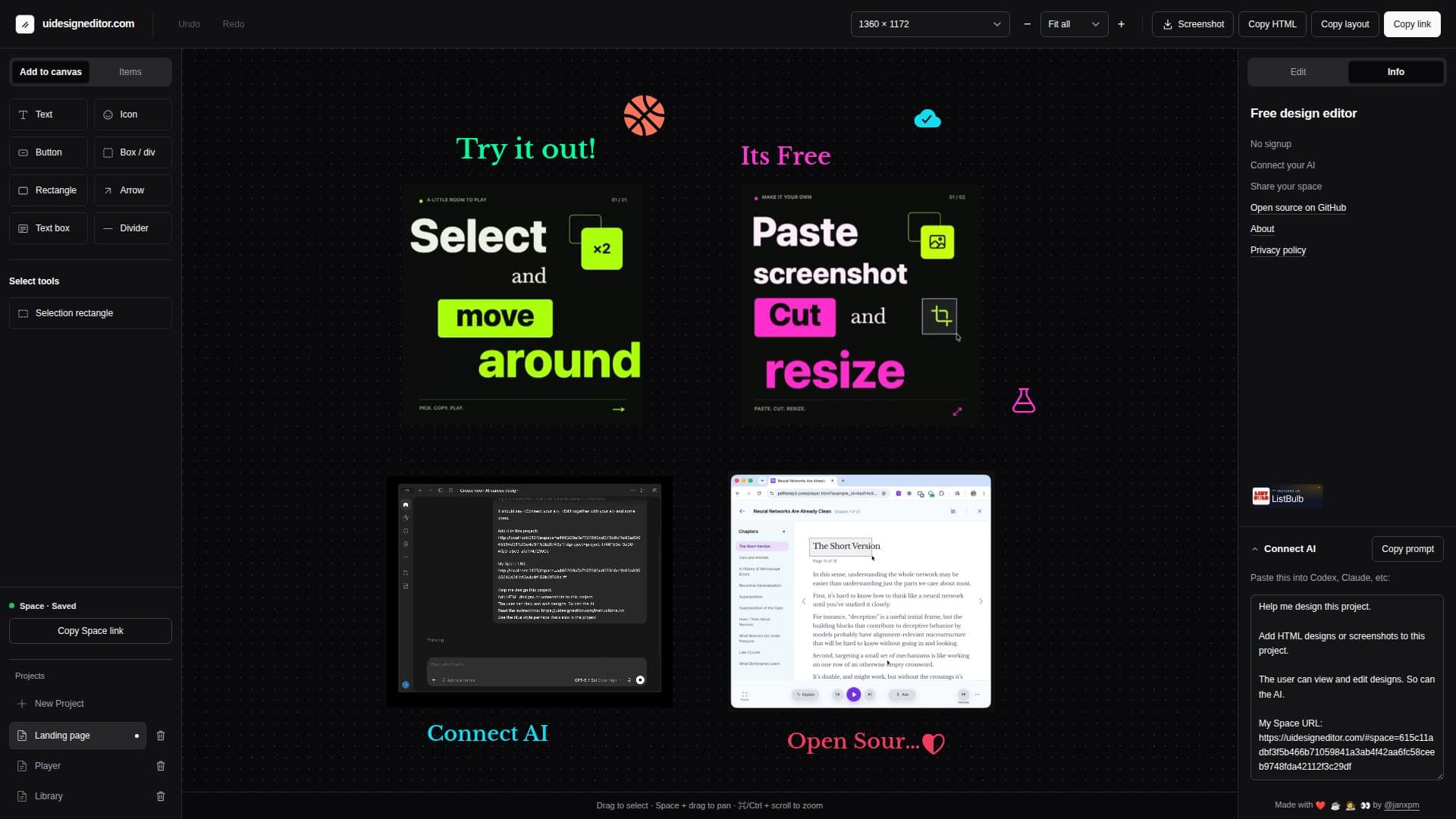
UI Design Editor is a versatile and free tool designed for creating and editing UI mockups. It offers a simple interface where users can select, cut, move, and resize elements such as text, shapes, icons, and pictures. The tool is particularly useful for quick prototyping and allows users to work collaboratively with AI assistants, making it a shared design canvas.
Read More
Users can save and share drafts, copy full HTML drafts with pictures, and save PNG screenshots. The tool supports importing images and allows for editing over screenshots, making it ideal for refining designs. It is open source, encouraging users to fork the repository and contribute improvements.
UI Design Editor creates a 'space' for each user upon visiting the website, where all projects are stored. These spaces can be shared with others or AI assistants, facilitating collaborative editing. The tool is designed to be intuitive, with features like undo history and the ability to export designs as HTML or PNG.
This tool is suitable for designers looking for a quick and efficient way to create UI mockups without the need for extensive setup or sign-up processes. Its open-source nature allows for community-driven enhancements, making it a flexible choice for various design needs.
- CategoryAI UI & UX Design Tools
- Pricing ModelFree
- DeploymentCloud
- PlatformsWeb
UI Design Editor's Core Features
Free UI design tool
No signup required
Collaborative design with AI
Move and resize elements
Edit text, shapes, icons, and pictures
Save and share drafts
Export as HTML or PNG
Open source for community contributions
How to use UI Design Editor?
Open the website to create a space
Select and edit design elements
Collaborate with AI for design proposals
Save and share your projects
UI Design Editor's Use Cases
- Quick Prototyping
- Collaborative Design
- Screenshot Editing
- HTML Export
- Open Source Contribution