ToolPotion
AI Advisor
Submit a Tool (Free)

Tomelight

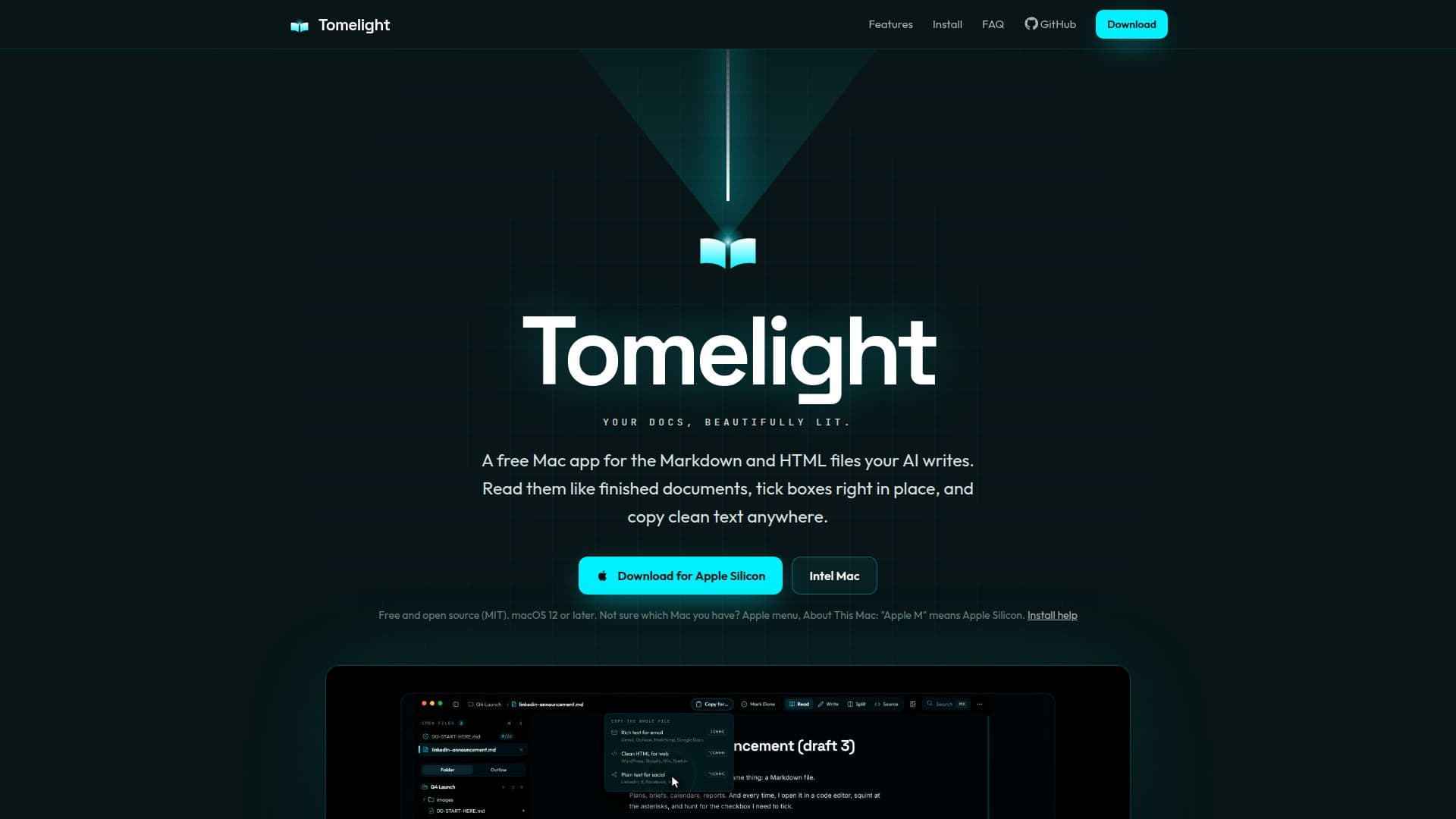
Tomelight is a free, open-source Mac application designed to enhance the reading and management of Markdown and HTML files generated by AI tools. It transforms raw text into clean, typeset documents, enabling in-place checkbox ticking, clean text copying for various platforms, and efficient image optimization to WebP format with metadata removal. This tool streamlines workflows for anyone regularly interacting with AI-generated content.

Visit Website
Share
Tomelight screenshot

Tomelight is a free, open-source Mac application specifically developed to improve the user experience when interacting with Markdown (.md) and HTML files produced by AI tools like ChatGPT, Claude, and Gemini. Instead of viewing these files as raw text filled with formatting symbols in a code editor, Tomelight renders them as clean, typeset documents, complete with proper headings, tables, lists, callouts, footnotes, code blocks, and diagrams.

Read More

The application addresses common pain points associated with AI-generated content. It eliminates the need to manually edit Markdown syntax to mark tasks as complete, offering clickable checkboxes that save changes directly to the file. When copying content for email, web, or social media, Tomelight provides clean rich text for platforms like Gmail and Outlook, class-free HTML for WordPress and Beehiiv, or plain text with real bullets and no stray symbols for social posts, including live character counts for X (280) and LinkedIn (3,000).

Beyond reading, Tomelight offers a 'Write mode' that functions like a standard document editor, providing a toolbar for bolding, lists, checklists, tables, and links, while saving the underlying content as clean Markdown. A split view allows users to see both the raw file and a live preview simultaneously. The 'Tidy' feature can fix broken bullets and messy AI formatting with a single click. For images, Image Studio optimizes photos to WebP, automatically setting sizes and formats for various uses like blog posts or social media, and crucially, removes private data such as GPS location and camera details.

Additional features include the ability to open entire folders with files organized in tabs, an outline view, quick open functionality, and a command palette. It refreshes live when an AI agent rewrites a file, ensuring users always see the latest version. Sticky notes can be pinned to any section without altering the original file, surviving subsequent AI rewrites. Users can also highlight sections in four colors to provide feedback to their AI, which can then be pasted directly into AI models. The app supports reading multiple files at once, with independent scrolling panes and optional scroll lock for comparison. Tomelight is designed to be a small, self-contained app with no network requests, accounts, analytics, or update pings, ensuring user privacy. It offers four themes and is built for keyboard navigation. Documents can be exported as PDF or standalone HTML pages, and text zoom is available. Being MIT licensed and open source, its code is publicly available on GitHub.

  • CategoryAI Document & PDF Tools
  • Pricing ModelFree
  • DeploymentDesktop app
  • PlatformsmacOS

  • Opens Markdown and HTML files as clean, typeset documents

  • Clickable checkboxes for task management, saving directly to file

  • Clean copy for email, web, and social media (Rich Text, HTML, Plain Text)

  • Live character counts for X (280) and LinkedIn (3,000)

  • Write mode with document editor features (bold, lists, tables, links)

  • Split view for raw file and live preview

  • Tidy feature to fix messy AI formatting

  • Image Studio for WebP conversion, resizing, and metadata removal

  • Supports iPhone HEIC photos and downloads as zip

  • Sticky notes that attach to sections and survive AI rewrites

  • Highlighting for AI feedback (4 colors)

  • Read multiple files simultaneously with independent scrolling

  • No account, analytics, or network requests (privacy-focused)

  • Four themes and keyboard-centric navigation

  • Export documents as PDF or standalone HTML

  1. Open File: Double-click any Markdown or HTML file to open it as a clean, typeset document.

  2. Manage Tasks: Click checkboxes within the document to mark tasks as done; changes save instantly to the file.

  3. Copy Content: Use the copy function to get clean rich text, HTML, or plain text for emails, web, or social media.

  4. Optimize Images: Utilize Image Studio to convert photos to WebP, resize them, and remove private metadata.

  5. Edit Documents: Switch to Write mode to edit content with a familiar toolbar, saving changes as Markdown.

  6. Provide Feedback: Highlight sections in different colors and generate feedback to paste into your AI agent.

  7. Organize Files: Open entire folders to view files in tabs, using outline and quick open features for navigation.

  • Reading AI-Generated Content
  • Managing AI Checklists
  • Copying Clean Text
  • Optimizing Images for Web
  • Editing Markdown Documents
  • Providing AI Feedback
  • Comparing Document Versions
  • Organizing Project Files

Tomelight Reviews

Loading...

Popular AI Tools Like Tomelight

2markdown

AI Apps

2markdown is a browser-based Markdown converter and viewer with 37 tools for turning PDFs, Word docs, HTML, tables, and public web content into clean Markdown, aimed at writers,…

AI Document & PDF Tools

Ranked #91 for Extracting text from images

View Tool

AI Apps

Browser-based Markdown converter and viewer with 37 tools for turning PDFs, Word docs, HTML, tables, and public web content into clean Markdown, aimed at writers,…2markdown is a browser-based Markdown converter and viewer with 37 tools for turning PDFs, Word docs, HTML, tables, and public web content into clean Markdown, aimed at writers,…

AI Document & PDF Tools
Ranked #91 for Extracting text from images

MarkItDown

AI Apps

MarkItDown is a free online converter that turns PDF, Word, PowerPoint, Excel, HTML, images, and more into clean, structured Markdown optimized for AI workflows, LLM prompts, and…

AI Document & PDF Tools

Ranked #30 for Extracting text from images

View Tool

AI Apps

Free online converter that turns PDF, Word, PowerPoint, Excel, HTML, images, and more into clean, structured Markdown optimized for AI workflows, LLM prompts, and…MarkItDown is a free online converter that turns PDF, Word, PowerPoint, Excel, HTML, images, and more into clean, structured Markdown optimized for AI workflows, LLM prompts, and…

AI Document & PDF Tools
Ranked #30 for Extracting text from images

PDFtoMD

AI Apps

PDFtoMD is a free online AI tool that converts any PDF, including scans, into clean, structured Markdown in seconds, preserving headings, lists, and paragraphs for editing and AI…

AI Document & PDF Tools

Ranked #229 in AI Document & PDF Tools

View Tool

AI Apps

Free online AI tool that converts any PDF, including scans, into clean, structured Markdown in seconds, preserving headings, lists, and paragraphs for editing and AI…PDFtoMD is a free online AI tool that converts any PDF, including scans, into clean, structured Markdown in seconds, preserving headings, lists, and paragraphs for editing and AI…

AI Document & PDF Tools
Ranked #229 in AI Document & PDF Tools

MarkItDown Online Converter transforms files, webpages, tables, and API sources into clean Markdown. It supports various formats, making it ideal for review, RAG, search, and LLM…

AI Document & PDF Tools

Ranked #208 in AI Document & PDF Tools

View Tool

Transforms files, webpages, tables, and API sources into clean Markdown. It supports various formats, making it ideal for review, RAG, search, and LLM…MarkItDown Online Converter transforms files, webpages, tables, and API sources into clean Markdown. It supports various formats, making it ideal for review, RAG, search, and LLM…

AI Document & PDF Tools
Ranked #208 in AI Document & PDF Tools

t0md

AI Apps

t0md is a free online converter that transforms PDF, Word, PowerPoint, HTML, and JSON documents into clean Markdown format. It offers in-browser conversion without sign-up and…

AI Document & PDF Tools

Ranked #87 for Cleaning & formatting data

View Tool

AI Apps

Free online converter that transforms PDF, Word, PowerPoint, HTML, and JSON documents into clean Markdown format. It offers in-browser conversion without sign-up and…t0md is a free online converter that transforms PDF, Word, PowerPoint, HTML, and JSON documents into clean Markdown format. It offers in-browser conversion without sign-up and…

AI Document & PDF Tools
Ranked #87 for Cleaning & formatting data

MySkills

AI Apps

MySkills offers a suite of browser-first tools designed for developers and professionals. It enables users to convert Markdown to PDF, extract text from PDFs into Markdown, remove…

AI Document & PDF Tools
View Tool

AI Apps

Offers a suite of browser-first tools designed for developers and professionals. It enables users to convert Markdown to PDF, extract text from PDFs into Markdown, remove…MySkills offers a suite of browser-first tools designed for developers and professionals. It enables users to convert Markdown to PDF, extract text from PDFs into Markdown, remove…

AI Document & PDF Tools
See the Top 250 AI Apps

MarkAny Markdown Converter transforms various file types into Markdown and vice versa. It supports batch processing, automatic OCR for images, and provides an editable preview for…

AI Document & PDF Tools

Ranked #235 in AI Document & PDF Tools

View Tool

Transforms various file types into Markdown and vice versa. It supports batch processing, automatic OCR for images, and provides an editable preview for…MarkAny Markdown Converter transforms various file types into Markdown and vice versa. It supports batch processing, automatic OCR for images, and provides an editable preview for…

AI Document & PDF Tools
Ranked #235 in AI Document & PDF Tools

AnyDoc to MD allows users to convert various document formats, including Word and PDF, into clean Markdown. It supports batch processing and OCR, making it ideal for AI workflows…

AI Document & PDF Tools

Ranked #195 in AI Document & PDF Tools

View Tool

AnyDoc to MD allows users to convert various document formats, including Word and PDF, into clean Markdown. It supports batch processing and OCR, making it ideal for AI workflows…

AI Document & PDF Tools
Ranked #195 in AI Document & PDF Tools
1 of 8