Description
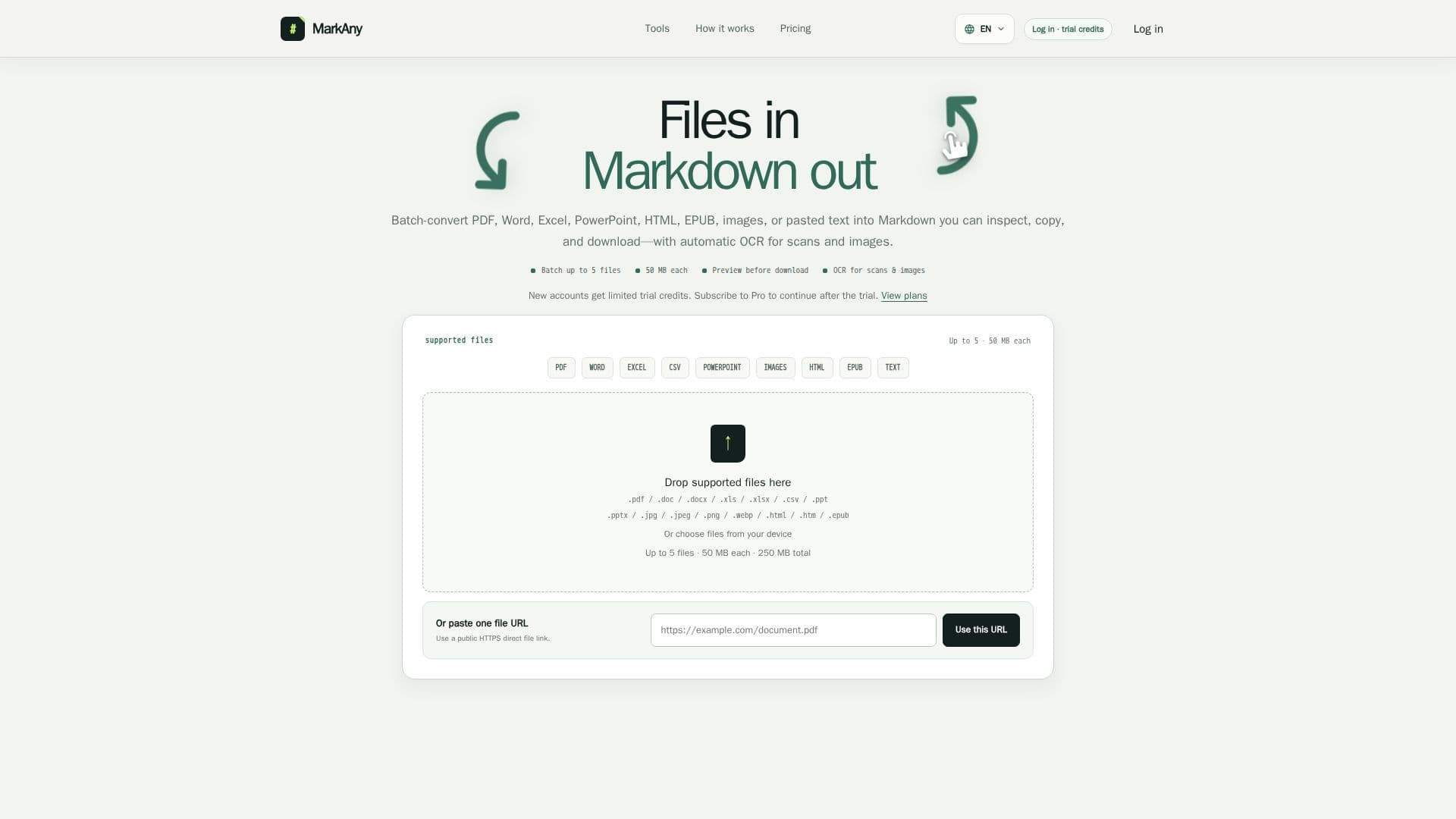
MarkAny Markdown Converter is a versatile tool designed to convert a wide range of file types into Markdown format and back again. Supporting formats such as PDF, Word, Excel, PowerPoint, HTML, EPUB, and images, it allows users to batch process up to five files at a time, each with a maximum size of 50 MB. The tool automatically applies OCR to scanned documents and images, ensuring text extraction is as accurate as possible.
Read More
The conversion process is browser-based, meaning that all operations occur locally without the need for server uploads, enhancing privacy and speed. Users can preview and edit the converted Markdown before exporting it to formats like DOCX, PDF, HTML, images, EPUB, PowerPoint, and Excel. This flexibility makes it an excellent choice for developers, technical writers, content teams, students, and researchers who need to manage and convert documents efficiently.
MarkAny offers a freemium pricing model, where new users receive five free conversions upon signing up. For unlimited conversions, users can subscribe to the Pro plan, available monthly or annually. The tool is particularly useful for those who need to maintain a single Markdown source that can be exported into multiple formats, facilitating seamless content management and distribution.
While MarkAny excels in converting structured content, users should review complex layouts and OCR results to ensure accuracy. The tool does not guarantee the deletion of uploaded files, so users should avoid uploading sensitive information. Overall, MarkAny Markdown Converter is a robust solution for anyone looking to streamline their document conversion processes.
- CategoryAI Document & PDF Tools
- Pricing ModelFreemium
- DeploymentCloud
- PlatformsWeb
MarkAny Markdown Converter's Core Features
Batch conversion up to five files
Automatic OCR for images and scans
Editable formatted preview
Browser-based processing
Supports multiple file formats
Free trial with five conversions
Pro subscription for unlimited use
Local image asset handling
How to use MarkAny Markdown Converter?
Add your file: Drop a file or paste a public HTTPS link
Convert: Let MarkAny process the content into Markdown
Review: Check the editable preview for accuracy
Download: Export the final document in your desired format
MarkAny Markdown Converter's Use Cases
- Document Conversion
- Content Management
- Research Notes
- Technical Writing
- Image Text Extraction