Description
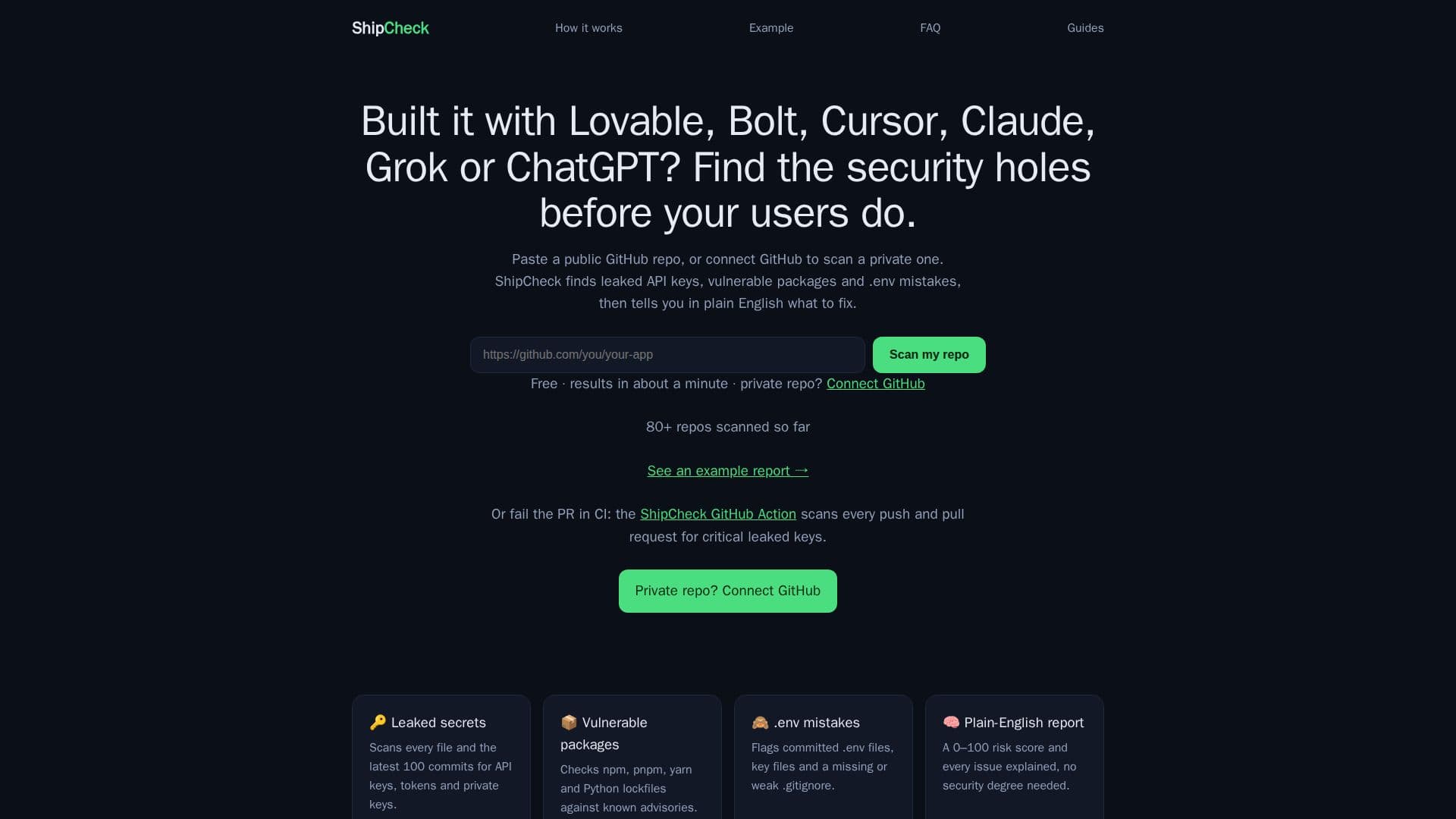
ShipCheck offers a comprehensive security scanning service for developers building applications, particularly those utilizing modern AI frameworks and tools such as Lovable, Bolt, Cursor, Claude, Grok, or ChatGPT. The platform allows users to scan both public and private GitHub repositories by simply pasting a public URL or connecting their GitHub account for private access.
Read More
The core functionality of ShipCheck revolves around identifying three primary categories of security risks: leaked secrets, vulnerable packages, and .env file mistakes. It thoroughly scans every file and the latest 100 commits within a repository to detect exposed API keys, tokens, and private keys. For package vulnerabilities, it checks npm, pnpm, yarn, and Python lockfiles against known security advisories. Additionally, ShipCheck flags common .env related errors, such as committed .env files, key files, or a missing/weak .gitignore configuration.
Upon completion of a scan, ShipCheck generates a plain-English report, providing a risk score ranging from 0 to 100. Every identified issue is explained clearly, eliminating the need for a specialized security degree to understand the findings. For critical issues, the free scan provides the file and line number. The optional Fix Pack enhances this by offering exact file and line locations for all issues, step-by-step remediation commands, and paste-ready prompts specifically tailored for Lovable, Bolt, and Cursor to assist in fixing vulnerabilities.
Security is a paramount concern for ShipCheck. Each scan is executed within a secure, isolated, and throwaway container with no network access during analysis. The platform explicitly states that it never runs user code, never stores it, and masks all secret values before any analysis. Access to GitHub repositories is read-only, limited to the specific repos selected by the user, and can be revoked at any time through GitHub settings. After a scan, users have the option to display a live ShipCheck badge on their README to demonstrate their commitment to security.
- CategorySecurity & Privacy
- Pricing ModelFreemium
- DeploymentCloud
- PlatformsWeb
ShipCheck's Core Features
Scan Public GitHub Repositories
Scan Private GitHub Repositories via GitHub Connect
Detect Leaked API Keys, Tokens, and Private Keys
Scan Latest 100 Commits for Secrets
Identify Vulnerable npm, pnpm, yarn, and Python Packages
Flag .env File Mistakes (committed .env, key files, weak .gitignore)
Generate 0-100 Risk Score
Provide Plain-English Security Reports
Explain Why Each Issue Matters
Show File and Line for Critical Issues (Free Scan)
Offer Exact File and Line for All Issues (Fix Pack)
Provide Step-by-Step Fixes with Commands (Fix Pack)
Generate Paste-Ready Prompts for Lovable, Bolt, Cursor (Fix Pack)
Include One Free Re-scan to Verify Fixes (Fix Pack)
Support Live ShipCheck Badge for README
Secure, Isolated Scan Environment (throwaway containers, no network access)
Read-Only GitHub Access
No Code Storage After Scan
Secret Values Masked During Analysis
Revoke GitHub Access Anytime
How to use ShipCheck?
Connect Repository: Paste a public GitHub repository URL or connect your GitHub account to select private repositories for scanning.
Initiate Scan: Start the security scan to analyze your codebase for vulnerabilities.
Review Report: Receive a plain-English report with a risk score and detailed explanations of all identified security issues.
Implement Fixes: Utilize the provided step-by-step instructions and prompts (with Fix Pack) to remediate vulnerabilities.
Re-scan (Optional): Perform a free re-scan (with Fix Pack) to confirm that all security fixes have been successfully applied.
Display Badge (Optional): Add a live ShipCheck badge to your README to showcase your commitment to security.
ShipCheck's Use Cases
- Pre-Launch Security Audit
- Continuous Integration Security
- Dependency Vulnerability Management
- .env File Misconfiguration Detection
- Leaked Secret Remediation
- Developer Security Education
- Open-Source Project Security
- Private Repository Security