
Description
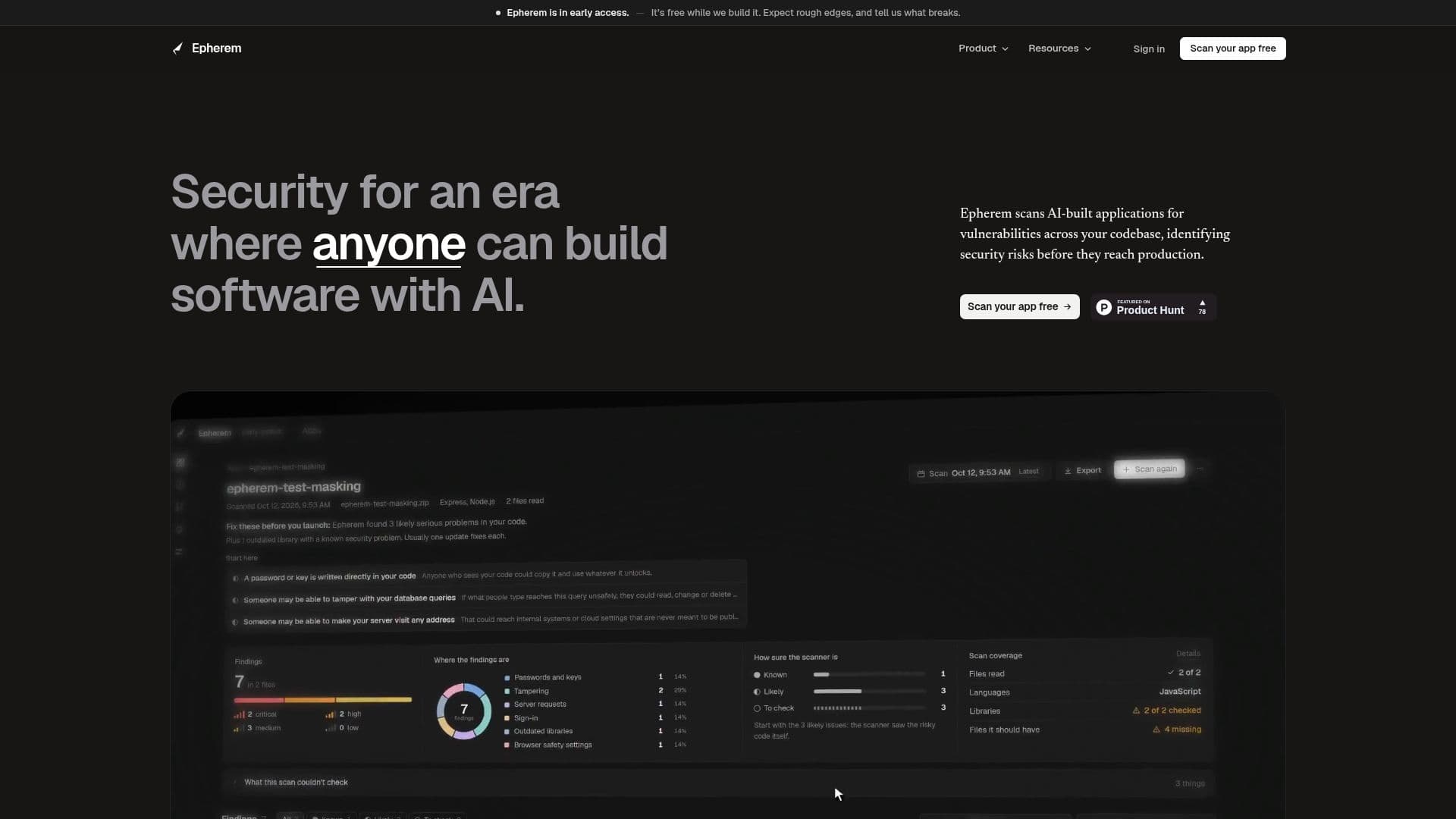
Epherem is a free security scanning tool designed for applications built with AI tools. It allows developers to upload a ZIP file or connect their GitHub repository to scan for common security mistakes. The tool performs 55 checks to identify issues such as exposed keys, open database tables, missing login checks, and unsafe input handling. Each finding is explained in plain language, with a suggested fix and a prompt for AI tools like Cursor, Lovable, or Claude Code to implement the changes.
Read More
Epherem is particularly useful for apps built with platforms like Lovable, Bolt, v0, Replit, Cursor, and Claude Code. It checks your code, settings files, and package lists without running your app, ensuring that your code remains secure. The tool categorizes findings into known issues, likely issues, and findings that need checking, providing a comprehensive report that details the file, line, and code snippet where the issue was found.
During its early access phase, Epherem is free to use, allowing up to 5 scans per day. It is built and run by Kirtik, an individual based in Singapore, and is not associated with any company. The tool emphasizes transparency about its limitations, clearly stating what it can and cannot check. It supports JavaScript, TypeScript, and Python, with partial coverage for other languages.
Epherem's reports are designed for the developers who built the app, offering clear explanations and actionable insights. The tool does not claim to replace penetration testing but serves as an automated first check to identify potential security vulnerabilities in AI-built applications.
- CategoryAI Cybersecurity Tools
- Pricing ModelFree
- DeploymentCloud
- PlatformsWeb
Epherem's Core Features
Free security scanning for AI-built apps
55 checks for common security mistakes
Upload ZIP or connect GitHub
Findings explained in plain language
Suggested fixes with AI tool prompts
Supports JavaScript, TypeScript, and Python
Free during early access, 5 scans a day
Reports categorize issues for easy prioritization
How to use Epherem?
Upload: Submit a ZIP file or connect GitHub
Scan: Epherem analyzes your code for security issues
Review: Examine the report for findings and suggested fixes
Fix: Use AI tool prompts to address issues
Rescan: Run another scan to verify changes
Epherem's Use Cases
- AI App Security
- Code Review
- Developer Assistance
- Continuous Improvement
- Educational Tool