Description
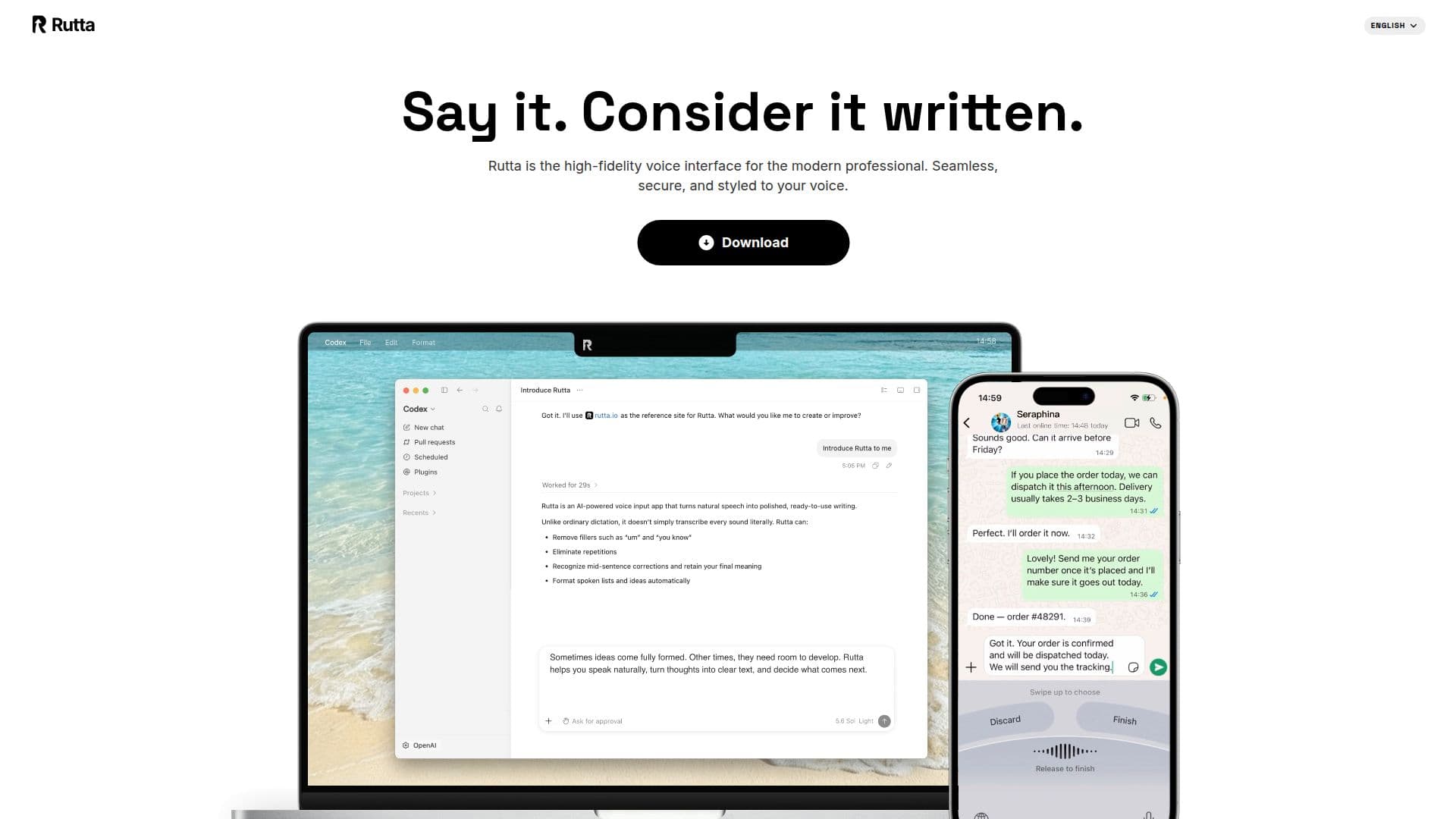
Rutta is an AI voice input app designed for both Mac and mobile devices, allowing users to speak naturally and have their thoughts transformed into clear, ready-to-use text. This innovative tool records speech, transcribes it, and rewrites rough phrasing into polished text, which is then sent back to the user's current writing context, whether it be messages, emails, documents, or AI chat.
Read More
On Mac, Rutta operates seamlessly by recording audio, streaming transcription, and assisting in rewriting thoughts. Users can expect a smooth experience as Rutta helps refine their ideas into coherent text. The app is currently available for macOS, with mobile distribution links expected to be available once the App Store or TestFlight distribution opens.
Rutta supports multilingual voice input, including Chinese and English, making it suitable for diverse writing workflows. The app is designed for professionals who require a high-fidelity voice interface, ensuring that their unique tone and style are captured accurately. Rutta features a personal dictionary for automatic word addition and manual management of industry-specific jargon, enhancing its usability for various fields.
Privacy is a key focus for Rutta. The app offers an on-device voice engine option that processes speech locally on Apple Silicon or GPU, ensuring zero network latency and no reliance on remote servers. Additionally, Rutta guarantees zero data retention, meaning that raw audio recordings are never stored on cloud databases or used to train public AI models. End-to-end encryption ensures that custom terms and notes remain accessible only to the user.
Rutta is trusted by a variety of professionals, including founders, writers, and software engineers, who appreciate the ease of replying to messages and generating content quickly. Users have reported that speaking into Rutta allows them to capture ideas and notes efficiently, making it a valuable tool for anyone looking to enhance their productivity through voice input.
- CategoryAI Transcription Tools
- Pricing ModelFreemium
- DeploymentCloud, On-device
- PlatformsMac, Mobile
Rutta's Core Features
Multilingual support
On-device voice processing
Personal dictionary management
Automatic transcription
End-to-end encryption
Real-time text polishing
Cross-device synchronization
Integration with various applications
How to use Rutta?
Record: Speak naturally into Rutta to capture your thoughts.
Transcribe: Rutta transcribes your speech into text in real-time.
Polish: The app rewrites rough phrasing into clear text.
Send: Rutta sends the polished text back to your current writing context.
Rutta's Use Cases
- Voice Messaging
- Content Drafting
- Meeting Notes
- AI Interaction
- Code Review