ToolPotion
AI Advisor
Submit a Tool (Free)

Retypit

AI AppsAI Photo EditorsFreemium · Web Browser (Mobile & Desktop)

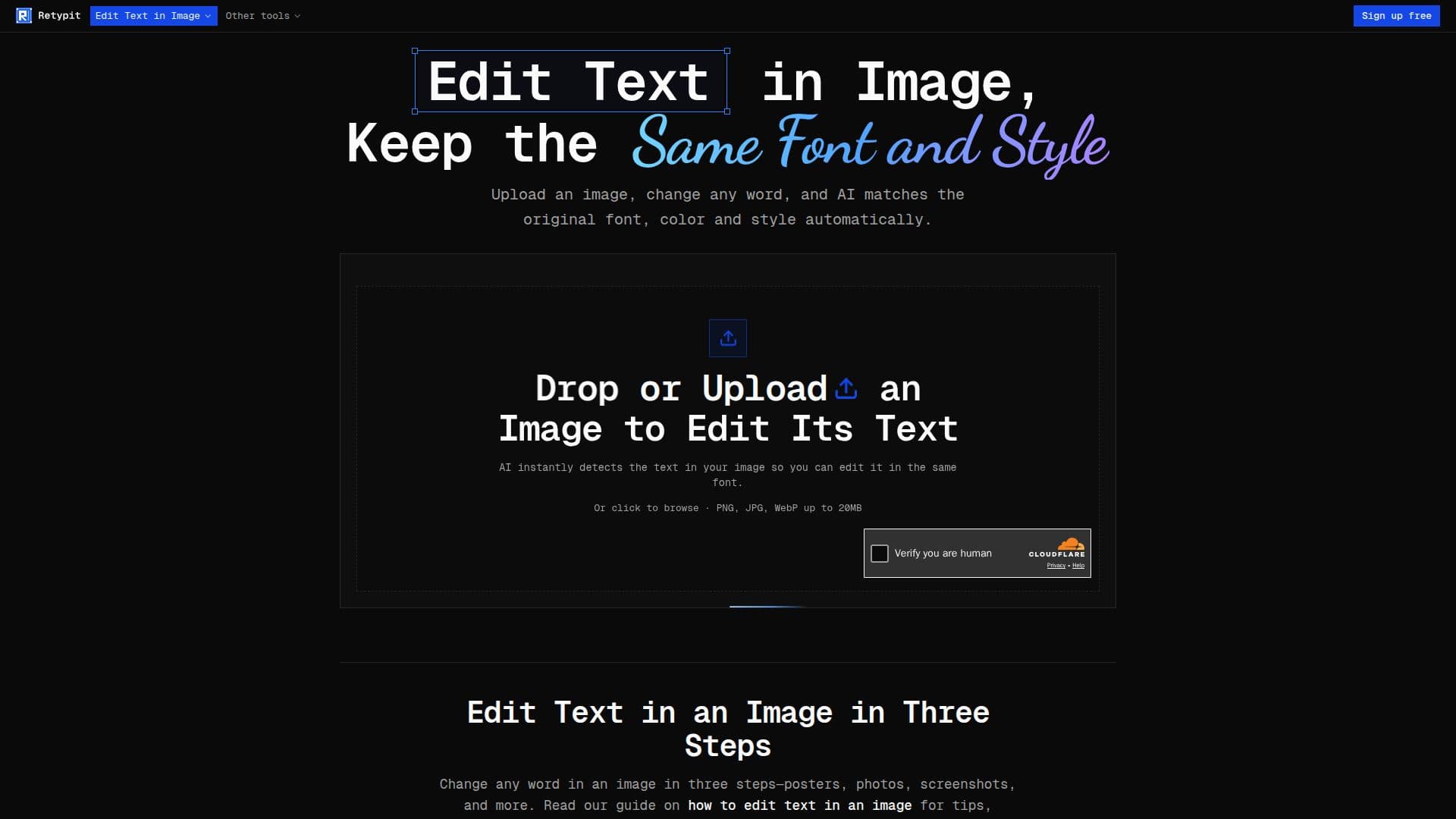
Retypit is an online AI tool that allows users to edit text within images while preserving the original font, color, and style. It enables quick modifications to screenshots, photos, posters, and other graphics without requiring design software like Photoshop. Users can upload an image, select the text lines, retype them, and download the updated graphic with seamless integration of the new words.

Visit Website
Share
Retypit screenshot
Retypit screenshot

Retypit is an innovative online AI tool designed to simplify text editing within images. It allows users to modify words in photos, screenshots, posters, menus, product packaging, and even AI-generated images with typos, all while maintaining the original font, color, and style. The platform eliminates the need for complex design software like Photoshop or manual font identification, making image text editing accessible and efficient for a wide range of users.

Read More

The tool operates through a straightforward three-step process: upload, edit, and download. Users simply upload their JPG, PNG, or WebP image (up to 20MB), and Retypit's AI automatically detects and numbers each line of text. Users then select the desired lines, type in their new wording, and click 'Run'. The AI references the original text's characteristics—including font, color, texture, shadow, and perspective—to render the new words, ensuring they blend seamlessly into the image without altering backgrounds, faces, or other elements.

Retypit is particularly useful for correcting typos, updating information, or changing labels without redesigning the entire graphic. It supports various text styles, including ornate script, decorative lettering, and textured text, which traditional font libraries often struggle with. The platform works directly in mobile and desktop browsers, requiring no software installation. It also offers a free credit for new accounts, allowing users to experience its capabilities before committing to paid credits. Additionally, Retypit ensures that downloaded images retain their original resolution and are free of watermarks.

Compared to traditional image editing software like Photoshop, Retypit focuses specifically on in-place text replacement, offering a low learning curve and quick results. It's ideal for tasks such as updating event details on flyers, fixing UI text in screenshots, changing prices on photographed menus, correcting product labels, or modifying captions on memes and social media graphics. The tool also provides tips for optimal results, such as keeping replacement text length similar to the original and using high-resolution images for better AI analysis.

  • CategoryAI Photo Editors
  • Pricing ModelFreemium
  • DeploymentCloud
  • PlatformsWeb Browser (Mobile & Desktop)

  • Edit text in images online

  • Preserves original font, color, and style

  • AI-powered text detection and rewriting

  • Supports JPG, PNG, and WebP formats

  • No Photoshop or design software required

  • Works in mobile and desktop browsers

  • Automatic text line numbering

  • In-place text replacement

  • Handles stylized, script, and textured fonts

  • Maintains original image resolution

  • No watermarks on downloaded images

  • Parallel processing for multiple images

  • Option to remove text entirely

  • Free credit for new accounts

  • Edit text in AI-generated images

  1. Upload Image: Drop a JPG, PNG, or WebP file (up to 20MB) into the Retypit interface. The AI will automatically analyze and detect every line of text, numbering each one.

  2. Select and Retype Text: Click on a numbered line of text you wish to change (or select multiple lines). Type your new wording into the designated field.

  3. Run Edit: Click the 'Run' button. Retypit's AI will process the request, referencing the original text's font, color, style, and texture to render your new words seamlessly.

  4. Download Result: Once the edit is complete, access your history and click 'Download' to save your updated image with the new text integrated in the original style.

  • Update Posters & Flyers
  • Edit Text in Screenshots
  • Modify Restaurant Menus
  • Correct Product Photos
  • Fix AI Image Typos
  • Adjust Memes & Social Graphics
  • Rename Storefront Signs
  • Update UI Mockups

Retypit Reviews

Loading...

Popular AI Tools Like Retypit

ReWords AI

AI Apps

ReWords AI is an online tool that allows users to edit text in image files without needing the original design files. It matches the original font, style, and background, making…

AI Photo Editors
View Tool

AI Apps

Online tool that allows users to edit text in image files without needing the original design files. It matches the original font, style, and background, making…ReWords AI is an online tool that allows users to edit text in image files without needing the original design files. It matches the original font, style, and background, making…

AI Photo Editors
See the Top 250 AI Apps

Edit Image Text is an online AI tool that allows users to modify existing text within images, photos, screenshots, JPGs, PNGs, and WebP files. It enables replacement of words…

AI Photo Editors

Ranked #87 for Extracting text from images

View Tool

Online AI tool that allows users to modify existing text within images, photos, screenshots, JPGs, PNGs, and WebP files. It enables replacement of words…Edit Image Text is an online AI tool that allows users to modify existing text within images, photos, screenshots, JPGs, PNGs, and WebP files. It enables replacement of words…

AI Photo Editors
Ranked #87 for Extracting text from images

Pictext

AI Apps

Pictext is an AI image text editor that allows users to replace or remove text in images while maintaining the original style and layout. It is free to try and operates entirely…

AI Photo Editors
View Tool

AI Apps

AI image text editor that allows users to replace or remove text in images while maintaining the original style and layout. It is free to try and operates entirely…Pictext is an AI image text editor that allows users to replace or remove text in images while maintaining the original style and layout. It is free to try and operates entirely…

AI Photo Editors
See the Top 250 AI Apps

PhoText

AI Apps

PhoText (Tugaigai) is an online AI tool for editing text inside images. It lets you change, add, or remove words in a picture with one click, automatically matching the original…

AI Photo Editors
View Tool

AI Apps

Online AI tool for editing text inside images. It lets you change, add, or remove words in a picture with one click, automatically matching the original…PhoText (Tugaigai) is an online AI tool for editing text inside images. It lets you change, add, or remove words in a picture with one click, automatically matching the original…

AI Photo Editors
See the Top 250 AI Apps

EditTextInImage is an AI tool that allows users to change text in images without design skills. Upload an image, specify the original and replacement text, and generate edits…

AI Photo Editors

Ranked #239 in AI Photo Editors

View Tool

AI tool that allows users to change text in images without design skills. Upload an image, specify the original and replacement text, and generate edits…EditTextInImage is an AI tool that allows users to change text in images without design skills. Upload an image, specify the original and replacement text, and generate edits…

AI Photo Editors
Ranked #239 in AI Photo Editors

ImageTextEditor allows users to edit, add, remove, extract, and translate text within images online. It offers a browser-based workflow, enabling users to upload images, modify…

AI Photo Editors
View Tool

Allows users to edit, add, remove, extract, and translate text within images online. It offers a browser-based workflow, enabling users to upload images, modify…ImageTextEditor allows users to edit, add, remove, extract, and translate text within images online. It offers a browser-based workflow, enabling users to upload images, modify…

AI Photo Editors
See the Top 250 AI Apps

TextRaze

AI Apps

TextRaze is an AI photo editor that allows users to edit text in images. Select a text area, input the original and new text, and generate the edited image. Ideal for updating…

AI Photo Editors
View Tool

AI Apps

AI photo editor that allows users to edit text in images. Select a text area, input the original and new text, and generate the edited image. Ideal for updating…TextRaze is an AI photo editor that allows users to edit text in images. Select a text area, input the original and new text, and generate the edited image. Ideal for updating…

AI Photo Editors
See the Top 250 AI Apps

PhoText

AI Apps

PhoText is an online tool for editing text in images. It allows users to modify, erase, and replace text without needing complex software skills. The tool supports various image…

AI Photo Editors

Ranked #42 for Extracting text from images

View Tool

AI Apps

Online tool for editing text in images. It allows users to modify, erase, and replace text without needing complex software skills. The tool supports various image…PhoText is an online tool for editing text in images. It allows users to modify, erase, and replace text without needing complex software skills. The tool supports various image…

AI Photo Editors
Ranked #42 for Extracting text from images
1 of 8