
Description
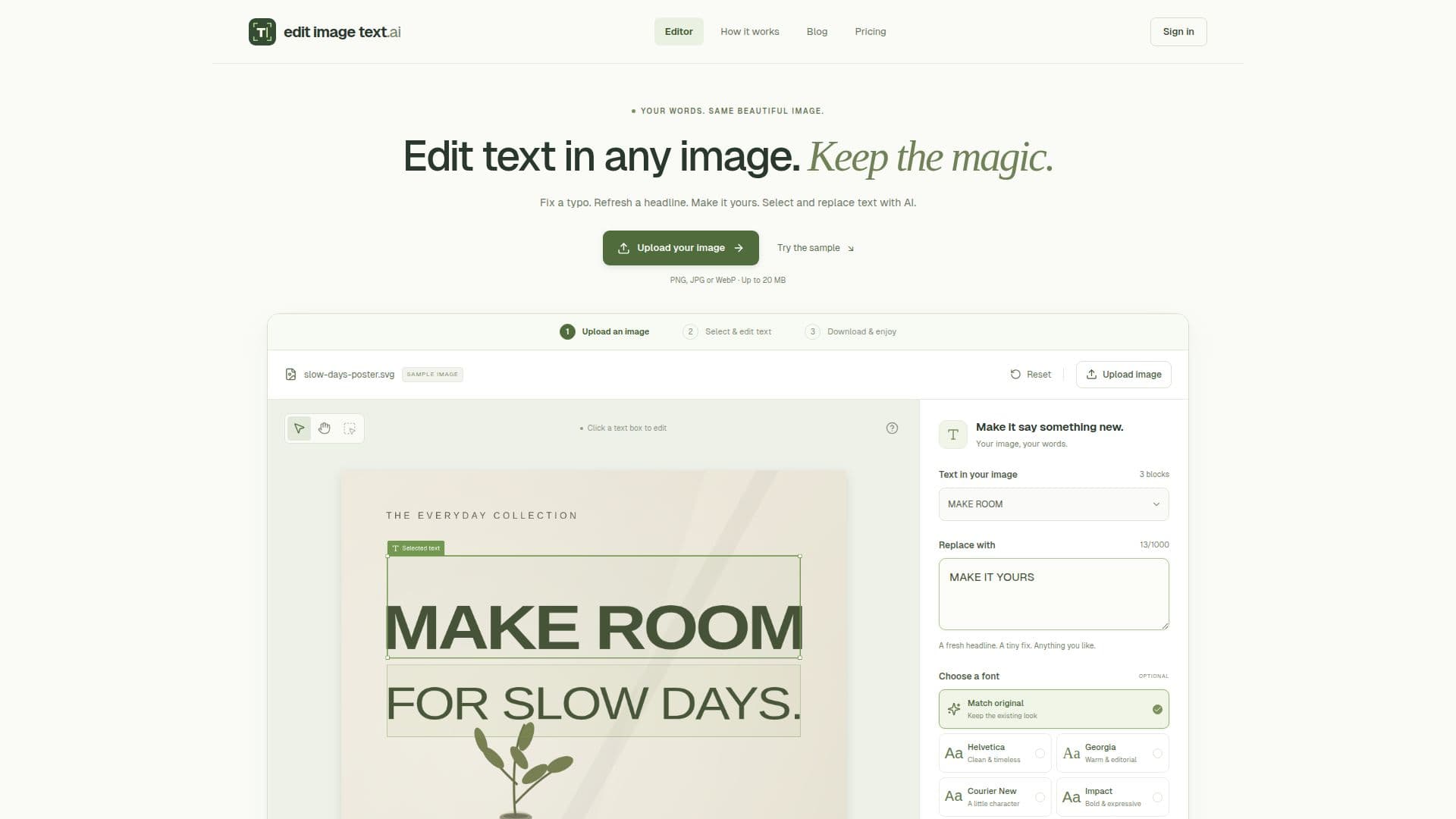
Edit Image Text provides an intuitive online platform for modifying text directly within various image formats, including photos, posters, menus, and screenshots. The tool leverages AI to detect existing text, allowing users to select and replace words without needing to rebuild the entire image from scratch. This capability is particularly useful for correcting typos, refreshing headlines, or customizing visual content while preserving the original design integrity.
Read More
The process is streamlined into three main steps: uploading an image, selecting and editing the desired text, and then downloading the modified result. Users can choose to have the AI attempt to match the original font, color, and layout, or they can opt for a new font from the available options. The platform supports uploads of PNG, JPG, and WebP files, with a maximum size of 20 MB and 40 megapixels. Output can be downloaded in either PNG for lossless quality or JPEG for a smaller file size.
Edit Image Text offers a flexible credit-based pricing model. New accounts receive 30 welcome credits to start. Text detection costs 1 credit, while edits vary based on output resolution: 20 credits for 1K, 30 for 2K, and 70 for 4K. Beyond the free credits, users can subscribe to monthly plans like Starter ($9.90/month for 1,000 credits) or Pro ($19.90/month for 3,000 credits). One-time credit packs are also available, such as 50 credits for $5.00 or 1,500 credits for $39.90. Subscription credits are allocated monthly and do not roll over, while one-time pack credits are valid for three months. The tool is designed for anyone needing quick and efficient text modifications in images without requiring complex graphic design software.
- CategoryAI Photo Editors
- Pricing ModelFreemium
- DeploymentCloud
- PlatformsWeb
Edit Image Text's Core Features
Edit text in images online
Replace words in photos, screenshots, JPGs, PNGs, and WebP files
AI-powered text detection and replacement
Match original font, color, and layout
Choose new fonts for replacement text
Upload images up to 20 MB and 40 megapixels
Download edited images as PNG or JPEG
Free sample editing available without sign-up
Credit-based system for edits
Monthly subscription plans for credits
One-time credit packs available
Option to continue editing latest result
Tutorials and tips on blog for guidance
Automatic text detection or manual selection
Adjust output resolution (1K, 2K, 4K)
How to use Edit Image Text?
Upload Image: Drop in a PNG, JPG, or WebP image up to 20 MB.
Select Text: Sign in for automatic text detection, or manually draw a box around the words to edit.
Edit Text: Enter your replacement text and choose to match the original font style or select a new one.
Generate & Review: AI blends the new words into the image. Review the result for spelling and alignment.
Download Image: Select PNG for lossless output or JPEG for a smaller file, then download your edited image.
Continue Editing: Choose 'Edit again' to make further changes to the same image or other text blocks.
Edit Image Text's Use Cases
- Correcting Typos in Images
- Updating Headlines on Graphics
- Customizing Product Shots
- Modifying Menu Items
- Editing Screenshot Text
- Personalizing Image Content
- Translating Text in Visuals
- A/B Testing Ad Copy