Description
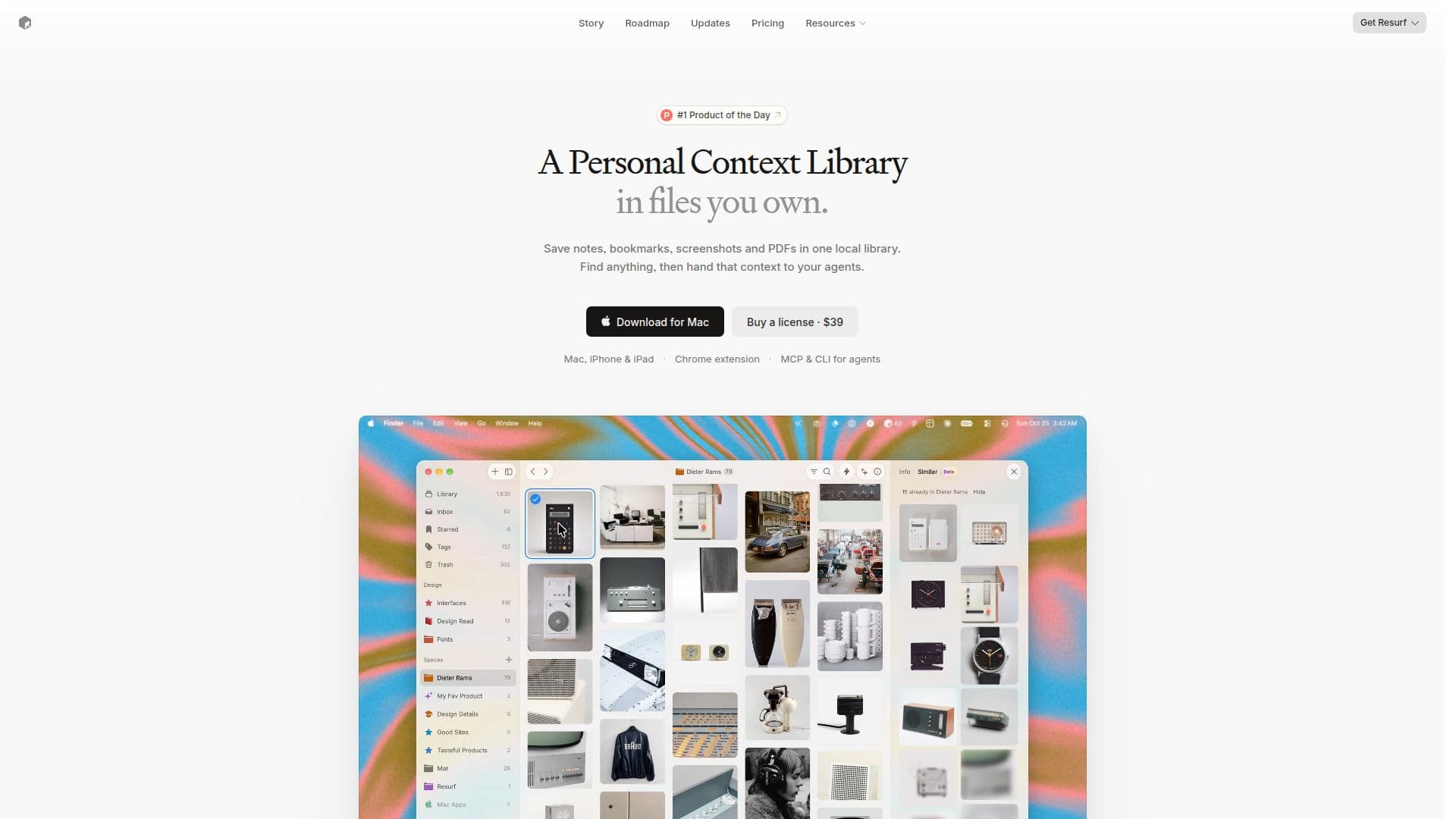
Resurf is a comprehensive personal knowledge base and bookmark manager designed for Mac, iPhone, and iPad, offering a fully local and private solution for organizing digital content. Users can save notes, bookmarks, screenshots, and PDFs into a single, unified library that resides directly on their devices. This ensures privacy by default and allows for complete offline access and search capabilities.
Read More
The platform supports quick capture of information from various sources, including a global shortcut on Mac for notes, links, and screenshots, as well as saving links from the iPhone share sheet. Content can be organized efficiently using Spaces and Tags, making it easy to categorize items by project, research topic, or idea. A visual bookmark library allows users to browse saved bookmarks, images, and screenshots together, enhancing the discovery process.
One of Resurf's key features is its robust search functionality, which includes full-text search across notes, saved articles, PDF text, and even words embedded within screenshots. This ensures that users can quickly find any piece of information they have saved. Additionally, Resurf integrates with AI agents, allowing users to hand off specific context from their library to tools like Claude, Cursor, or Codex via MCP (My Context Protocol) or the command-line interface (CLI) on Mac. This capability is further enhanced by AI summaries for articles, links, and PDFs, speeding up content review.
Resurf also supports a "Bring Your Own AI" model, enabling users to connect their own API keys from services like OpenAI, Anthropic, Gemini, or OpenRouter, or even run models locally with Ollama. This flexibility allows users to leverage their preferred AI tools directly with their personal library. The application also offers features like voice memos for capturing thoughts, and highlighting and annotation tools for articles and PDFs, keeping notes alongside the source material. For synchronization, Resurf provides optional private iCloud sync, eliminating the need for a separate Resurf account.
- CategoryAI Knowledge Management
- Pricing ModelOne-time purchase
- DeploymentLocal
- PlatformsmacOS, iOS, iPadOS, Chrome Extension
Resurf's Core Features
Local Personal Context Library
Cross-Device Sync (Mac, iPhone, iPad)
Offline Browsing and Search
Quick Capture with Global Shortcut
Spaces & Tags for Organization
Visual Bookmark Library
Full-Text Search (Notes, Articles, PDFs, Screenshots)
AI Context Handoff to Agents (Claude, Cursor, Codex)
Bring Your Own AI (OpenAI, Anthropic, Gemini, OpenRouter, Ollama)
AI Summaries for Articles and PDFs
Voice Memos
Highlight & Annotate Articles and PDFs
Chrome Extension for Capture
MCP & CLI for AI Agents
Native Rendering for Various Formats (Articles, PDFs, Images, Audio, Video, Code)
How to use Resurf?
Install Resurf: Download and install the Resurf app on your Mac, iPhone, or iPad.
Capture Content: Use the global shortcut on Mac, the Chrome extension, or the iPhone share sheet to save notes, links, screenshots, and documents.
Organize Your Library: Utilize Spaces and Tags to categorize and manage your saved content by project, topic, or idea.
Search and Retrieve: Use the local full-text search to quickly find specific information across all your saved notes, articles, PDFs, and screenshots.
Integrate with AI: Hand off relevant context from your library to AI agents like Claude or Cursor via MCP or the CLI, or connect your own AI models.
Review and Annotate: Revisit articles faster with AI summaries, and highlight or annotate PDFs and articles directly within the app.
Resurf's Use Cases
- Personal Knowledge Management
- Research & Inspiration
- Content Curation
- AI Agent Context Provision
- Offline Information Access
- Visual Content Organization
- Idea Capture
- Document Annotation