
Description
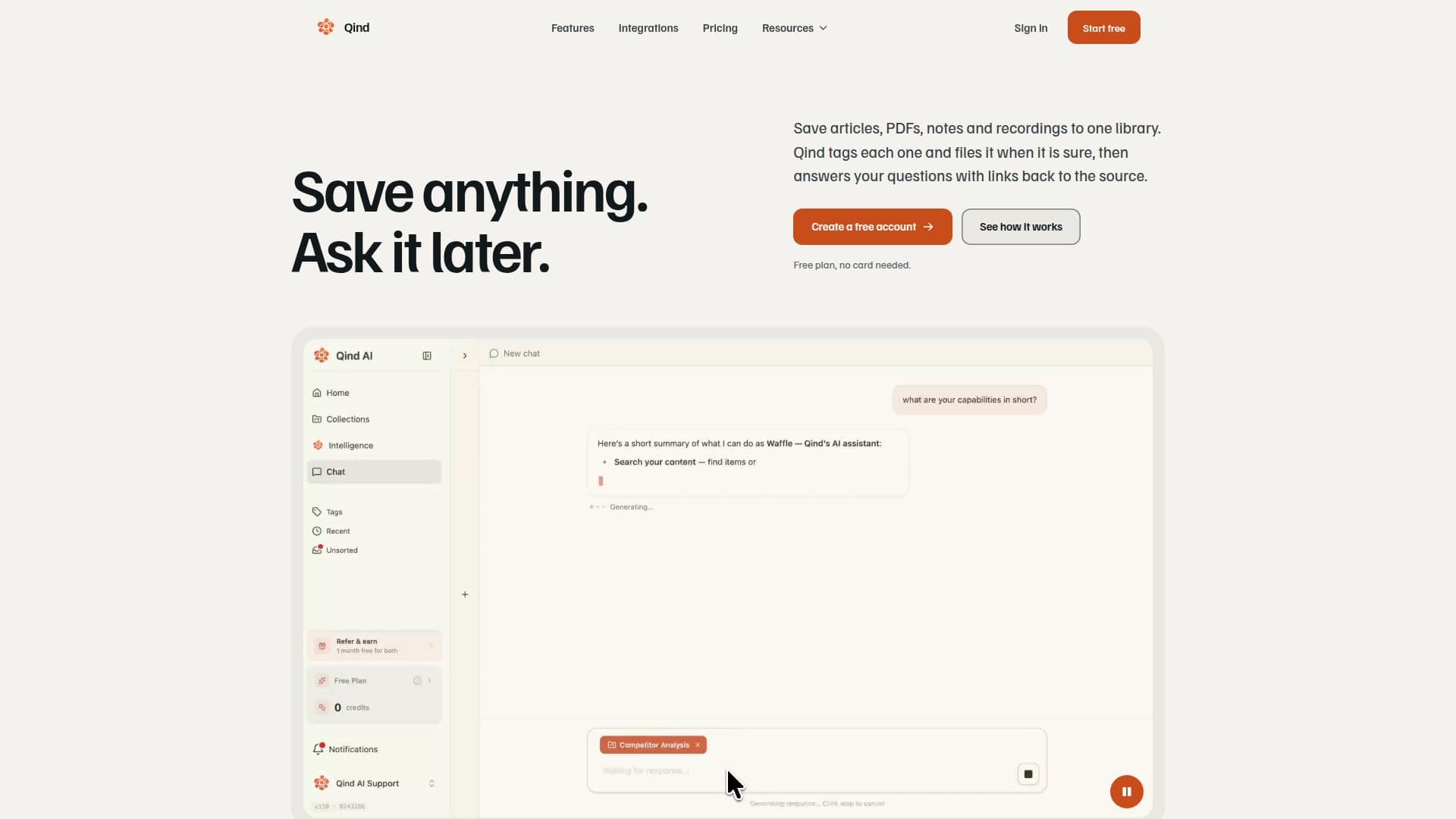
Qind is a comprehensive knowledge management platform designed to help individuals and professionals capture, organize, and retrieve information efficiently. It allows users to save a wide array of content, including web articles, PDFs, Office documents, Markdown files, images, audio, and video, into a unified, searchable library. The platform aims to solve the common problem of scattered information across bookmarks, downloads, and notes, providing a central home for all saved knowledge.
Read More
At its core, Qind leverages AI to automate the organization process. When an item is saved, Qind automatically tags it based on its content and files it into relevant collections. For items where confidence in categorization is lower, they are placed in an "Unsorted" section for user review. Users can also opt for AI-generated summaries for every saved item, providing quick insights into the content. A key feature is the ability to interact with the knowledge base using natural language queries, allowing users to ask questions and receive answers drawn from their saved items, complete with citations back to the original sources.
Qind supports various input methods, including a web clipper browser extension for Chrome, Edge, and Firefox to save pages, highlights, or screen captures. Users can upload files directly, write notes, or record audio within the web app, with recordings automatically transcribed. Integration with AI assistants like Claude, ChatGPT, and Cursor via MCP (Multi-Client Protocol) allows users to save content and query their Qind library directly from their chat interfaces. Planned integrations include direct imports from Google Drive, Notion, OneDrive, Evernote, Raindrop, and Obsidian.
The platform emphasizes data privacy and security. All data is encrypted in transit and at rest, and users retain full ownership, with options to export their library or delete their account at any time. Qind explicitly states that it does not train AI models on user content, and its AI providers operate under terms that prohibit such training. Pricing includes a free plan with up to 100 saved items and limited AI chat, a Pro plan for unlimited items and AI chat, and a Pro Plus plan offering deep AI insights, weekly intelligence digests, and priority support, with both monthly and annual billing options available in Euros.
- CategoryAI Knowledge Management
- Pricing ModelFreemium
- DeploymentCloud
- PlatformsWeb, Chrome
Qind's Core Features
Save articles, PDFs, notes, images, audio, and video to one library
Automatic content tagging and filing into collections
Natural language chat with your knowledge base
AI summaries for every saved item
Web clipper browser extension for Chrome, Edge, and Firefox
Upload various file types: PDFs, Office documents, Markdown, images, audio, video
Encrypted data in transit and at rest
Content is not used to train AI models
Weekly or monthly digest of saved items and organization status
Search by meaning and keywords across all saved content
Cited answers to questions with links back to original sources
Connect Qind to AI assistants via MCP (Claude, ChatGPT, Cursor, VS Code, Codex, Gemini CLI)
Import Chrome bookmarks and keep them in sync
Export your entire library at any time
Create and record notes directly in the web app
How to use Qind?
Create Account: Sign up for a free Qind account without needing a credit card.
Save Content: Use the web clipper browser extension, upload files, write notes, or record audio directly in the web app.
Organize Automatically: Qind automatically tags and files your saved items into collections; review items waiting in "Unsorted" if needed.
Summarize Content: Turn on optional AI summaries to get a brief overview of each saved item.
Ask Questions: Use natural language to query your entire library or specific collections to get answers with source citations.
Integrate AI Assistants: Connect Qind to your AI assistant (e.g., Claude, ChatGPT) via MCP to search, save, and interact with your library from within your chat.
Qind's Use Cases
- Personal Knowledge Management
- Research & Study
- Developer Documentation
- Content Curation
- Meeting Notes & Audio
- Competitive Analysis
- Project Information Hub
- Learning & Development