
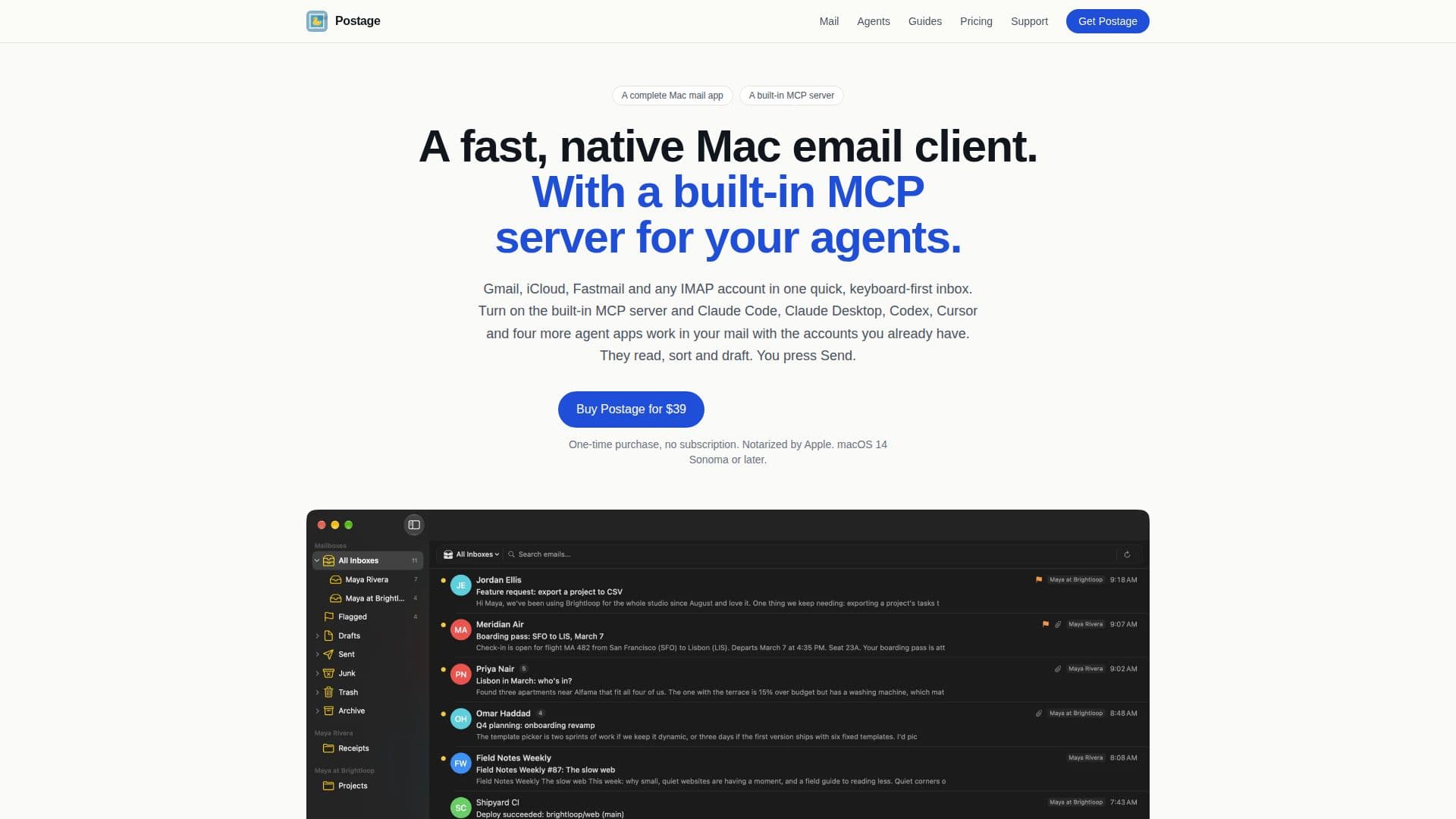
Description
Postage is a fast, native Mac email client designed to streamline email management across various IMAP accounts, including popular services like Gmail, iCloud, Fastmail, and Yahoo, as well as custom domains. It offers a unified inbox experience, allowing users to manage all their correspondence from a single, keyboard-first interface with familiar Mac shortcuts.
Read More
A standout feature of Postage is its integrated localhost MCP (Mail Client Protocol) server. This server facilitates secure interaction with AI agents such as Claude Code, Codex, Claude Desktop, Cursor, VS Code, Windsurf, Zed, and Gemini CLI. These agents can read, organize, and draft emails, significantly enhancing productivity. The setup for these agents is designed for simplicity, often requiring just one click, and each agent receives its own revocable token stored securely in the user's Keychain.
Security and user control are paramount. The MCP server operates strictly on localhost (127.0.0.1), ensuring it's not accessible from the internet. Users maintain ultimate authority over outgoing communications: any email drafted by an AI agent opens in a standard compose window for review, allowing for edits or direct sending. Agents cannot send emails without explicit user approval, unless this setting is specifically enabled by the user, with all such actions logged for transparency.
Postage offers flexible access levels for agents: "Read only," "Organize and draft," and "Full." These levels dictate what actions an agent can perform, from merely reading messages to organizing the inbox and preparing drafts. Even at the "Full" access level, deleting emails means moving them to Trash, never permanent deletion, and agent actions are rate-limited to 100 changes per minute. All agent-initiated changes are logged and can be undone for up to a week, even after quitting the application.
The application is built with SwiftUI, ensuring a responsive and native Mac experience. It prioritizes user privacy by not relying on Postage servers, requiring no account creation, and incorporating no analytics. Passwords are kept in the user's Keychain, and remote images are blocked until explicitly loaded. Postage is available as a one-time purchase of $39, including all future updates, and supports macOS 14 Sonoma or later. It does not offer a subscription model, free tier, or require an API key for its own functionality.
- CategoryAI Email Assistants
- Pricing ModelOne-time purchase
- DeploymentDesktop (macOS)
- PlatformsmacOS 14 Sonoma or later
Postage's Core Features
Unified inbox for all IMAP accounts (Gmail, iCloud, Fastmail, Yahoo, custom domains)
Native Mac email client with Mac-standard keyboard shortcuts
Built-in localhost MCP server for AI agent integration
One-click setup for eight AI agent apps (Claude Code, Codex, Cursor, etc.)
Three access levels for agents: Read only, Organize and draft, Full
Per-client revocable tokens stored in Keychain for security
Agents draft emails, users review and press Send (configurable for agent auto-send)
Activity log with undo functionality for all agent changes (up to one week)
Email bodies marked as untrusted input for agents to prevent hostile instructions
Multi-select actions with undo for organizing mail (archive, delete, move, flag, mark read)
Recipient autocomplete and quoted threads for compose window
Drafts synced to Drafts folder for access across devices
Per-account signatures and From picker
Private by design: no Postage servers, no account, no analytics
Supports macOS 14 Sonoma or later
How to use Postage?
Install Postage: Download the .dmg file after purchase and drag the app to your Applications folder.
Add Email Accounts: Open Postage and add your IMAP email accounts; presets are available for major providers.
Configure Agents (Optional): Go to Settings > Agents to enable the MCP server and set up your preferred AI agents.
Set Agent Access Levels: Assign Read only, Organize and draft, or Full access to each connected agent.
Review Agent Drafts: When an agent drafts an email, it will open in a compose window for your review and sending.
Manage Agent Actions: Monitor agent activity in Settings > Agents and use the undo feature for any batch changes.
Postage's Use Cases
- Unified Email Management
- AI-Assisted Email Organization
- Drafting Email Replies with AI
- Secure Agent Interaction
- Automated Inbox Triage
- Email Content Analysis
- Preventing Malicious Instructions
- Streamlined Workflow for Professionals