
Description
Mailpipe serves as an AI reply assistant specifically designed for Apple Mail users, streamlining the process of drafting email responses. It allows users to connect their preferred AI agents, such as Codex CLI, DeepSeek Harness, Claude Code, OpenCode, OpenClaw, and Hermes Agent, directly to their Apple Mail application. This integration enables the AI to prepare draft replies, which users can then review, edit, or regenerate as needed.
Read More
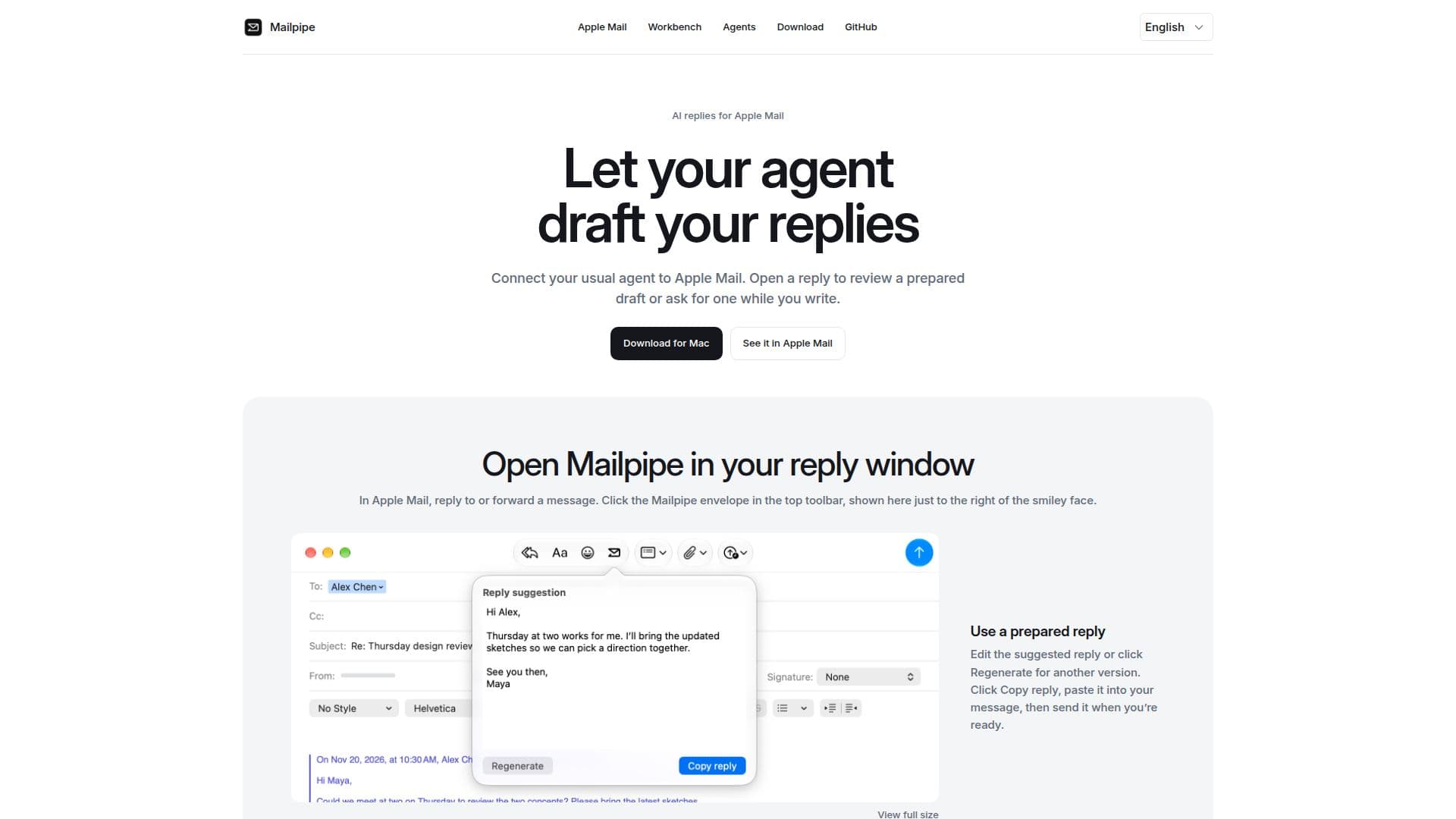
The tool operates by appearing as an envelope icon in the Apple Mail compose toolbar when replying to or forwarding a message. Users can either utilize a pre-drafted reply provided by their connected agent or initiate a draft on demand if one hasn't been prepared. The system also includes a feature to identify and select existing drafts for saved forwarded messages, ensuring continuity in communication.
Mailpipe enhances email management by offering a menu bar option to review drafts alongside the original message, facilitating easy comparison and editing. Users can configure the tool to process messages based on specific subjects or include all new messages from their Apple Mail accounts. A crucial privacy feature is its ability to filter out recognizable verification codes, automatic replies, and promotional content on the user's Mac, ensuring that only relevant new messages within the authorized scope are sent to the AI agent.
Regarding data privacy, Mailpipe ensures that only the subject and body of authorized messages are sent to the connected agent, with attachments explicitly excluded. All generated drafts remain on the user's Mac. For advanced users, DeepSeek Harness integration allows Mailpipe to read public diffs from GitHub pull requests linked in emails, requiring user confirmation for GitHub account access. The tool is open source, with its Swift code available for review on GitHub, promoting transparency in how messages are processed and drafts are handled. Installation involves downloading, unzipping, and enabling the extension within Apple Mail settings, followed by configuring a supported AI agent.
- CategoryAI Email Assistants
- Pricing ModelOpen Source
- DeploymentRuns locally
- PlatformsmacOS
Mailpipe's Core Features
AI reply drafting for Apple Mail
Integration with multiple AI agents (Codex CLI, DeepSeek Harness, Claude Code, OpenCode, OpenClaw, Hermes Agent)
Generate and review replies within Apple Mail compose toolbar
Option to regenerate alternative reply versions
Copy and paste drafts into messages
On-demand draft generation
Review drafts from the menu bar
Filter out verification codes, auto-replies, and promotions
Processes only subject and body of authorized messages
Excludes attachments from AI processing
Drafts remain on user's Mac
DeepSeek Harness integration for GitHub pull request diffs
Open-source with MIT license
Configurable message processing scope (by subject or all accounts)
How to use Mailpipe?
Download & Install: Download and unzip Mailpipe, then drag it to your Applications folder and open it.
Install Agent: Install a supported AI agent (e.g., Codex CLI, DeepSeek Harness) and configure its model.
Configure Mailpipe: Select your installed agent within Mailpipe and test it with a sample message.
Enable Extension: Enable Mailpipe in Apple Mail by navigating to Settings → Extensions.
Authorize Access: Return to Mailpipe to confirm which mail accounts it is authorized to process.
Generate Reply: In Apple Mail, open a reply window, click the Mailpipe envelope icon, and use a prepared draft or click 'Generate Draft'.
Mailpipe's Use Cases
- Drafting Email Replies
- Managing Workshop Inquiries
- Processing All Incoming Mail
- Reviewing GitHub Pull Requests
- Filtering Irrelevant Messages