Description
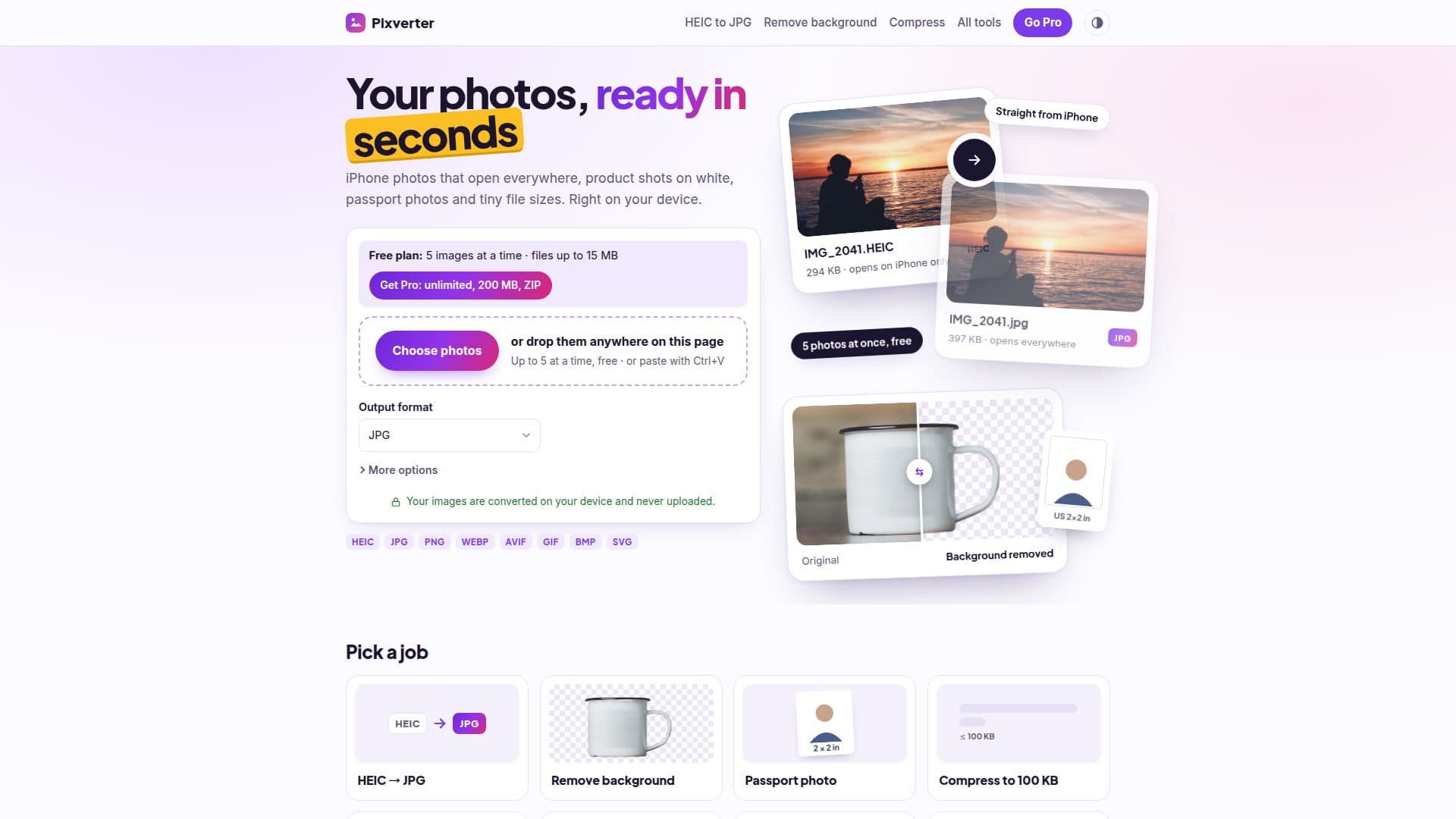
Pixverter offers a comprehensive suite of image processing tools accessible directly through your web browser. This platform is designed for quick and efficient handling of various image tasks, from basic format conversions to more advanced manipulations like background removal. A key advantage is that all processing occurs on your device, ensuring privacy as no images are uploaded to external servers.
Read More
The tool supports a wide range of conversions, including popular formats like HEIC to JPG, PNG, and WebP. Beyond conversion, users can compress images to reduce file size and resize them to specific dimensions, catering to different needs such as web optimization or social media sharing. One of its standout features is the AI-powered background removal, which allows users to create clean product photos, suitable for marketplaces like Amazon and Etsy.
Pixverter operates on a freemium model. The free plan allows processing up to 5 images at a time, with a file size limit of 15 MB per image. This tier includes background removal for images up to 1500 px and image-to-SVG conversion for images up to 1000 px, all without watermarks or requiring a sign-up. For users with higher demands, the Pro plan offers unlimited batch processing, supports files up to 200 MB, retains full resolution, and provides ZIP downloads and a passport print sheet feature.
The platform emphasizes user privacy, utilizing privacy-friendly, cookie-free analytics that record only aggregated page views. It explicitly states that it does not use advertising or tracking cookies. Files and content processed by users remain on their device, ensuring data security. Pixverter also leverages open-source components for its functionality, including ONNX Runtime Web for AI model runtime and ormbg/MODNet for background removal, demonstrating transparency in its technology stack.
- CategoryAI Photo Editors
- Pricing ModelFreemium
- DeploymentCloud
- PlatformsWeb
Pixverter's Core Features
Image Conversion (HEIC to JPG, PNG, WebP)
Image Compression
Image Resizing
AI Background Removal
Image to SVG Conversion
Passport Photo Creation
In-browser Processing (No Uploads)
No Sign-up Required (Free Plan)
No Watermarks (Free Plan)
Batch Processing (up to 5 images free)
File Size Limit (15 MB free, 200 MB Pro)
Unlimited Batches (Pro Plan)
ZIP Downloads (Pro Plan)
Full Resolution Retention (Pro Plan)
Passport Print Sheet (Pro Plan)
How to use Pixverter?
Select Job: Choose the desired image processing task (e.g., convert, compress, remove background).
Add Images: Drag and drop or select images from your device.
Configure Settings: Adjust conversion format, compression level, or resize dimensions as needed.
Process Images: Initiate the processing, which occurs locally in your browser.
Download Results: Save the processed images to your device.
Pixverter's Use Cases
- Image Format Conversion
- Optimizing Web Images
- Creating Product Photos
- Resizing for Social Media
- Generating Vector Graphics
- Preparing Passport Photos
- Batch Image Processing