Description
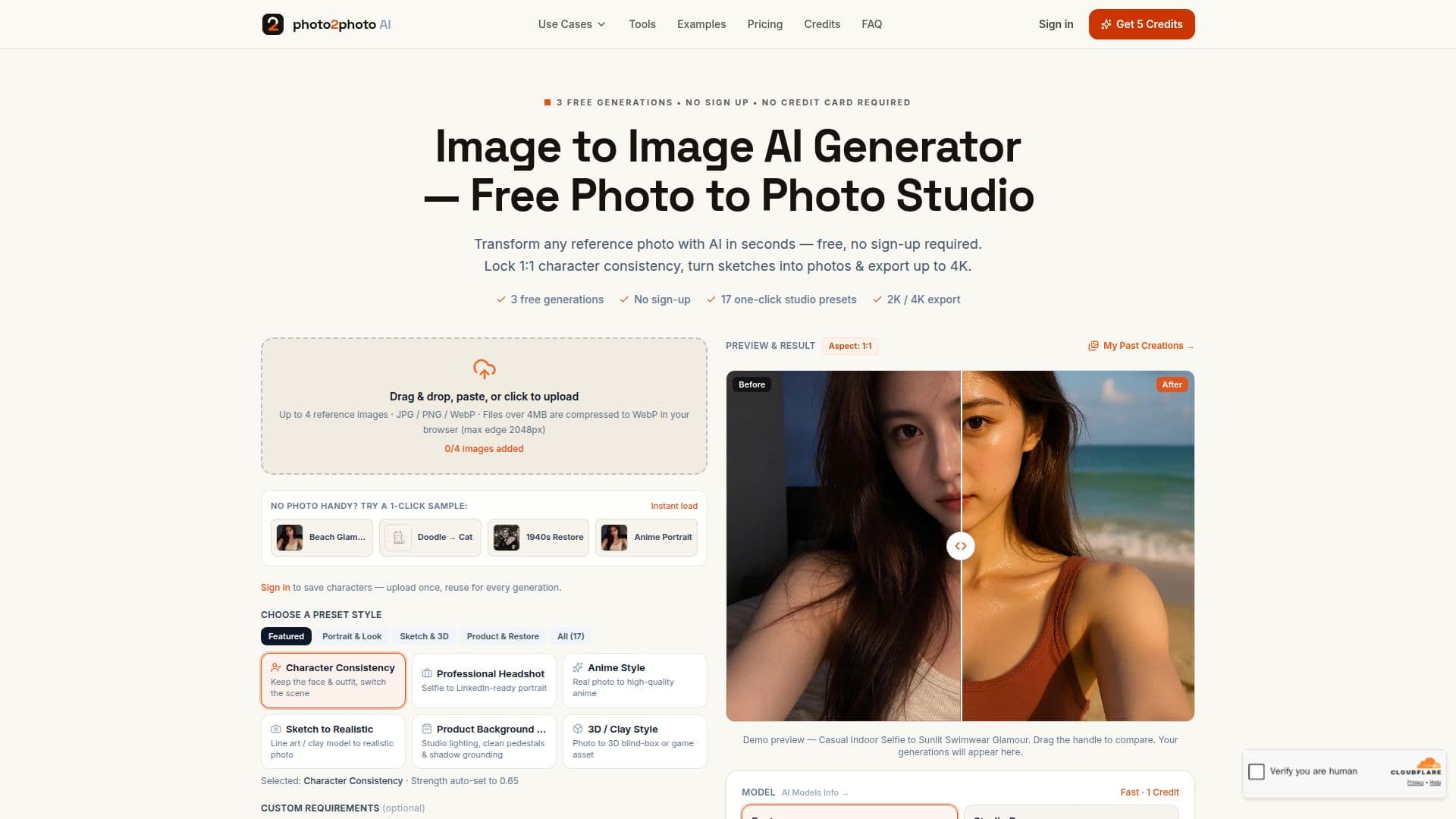
Photo2Photo AI is an intuitive, browser-based AI image-to-image studio designed to transform existing photos into new images with remarkable consistency and style. Unlike traditional text-to-image generators, Photo2Photo AI uses a reference photo as its starting point, preserving the original identity, composition, or subject while allowing for changes in style, scene, lighting, or details. This makes it ideal for maintaining character consistency across multiple images, converting sketches into realistic photos, or staging e-commerce product visuals.
Read More
The platform offers a variety of one-click presets, enabling users to achieve professional results without complex prompt engineering. Key capabilities include locking facial features, hairstyles, and outfits across different scenes, transforming crude doodles into photorealistic masterpieces, and restoring old, damaged photographs with colorization. It also supports converting photos into diverse artistic styles such as anime, 3D clay figures, and layered papercraft.
Photo2Photo AI supports uploading JPG, PNG, and WebP formats, with automatic compression for larger files. Generations typically complete within 5–25 seconds, depending on the chosen model tier and resolution. Users can select between "Fast" mode for rapid drafts or "Studio Pro" for commercial-grade lighting and detail. The tool also offers high-resolution exports up to 4K, suitable for print and professional use.
Privacy is a core aspect of Photo2Photo AI; free outputs are automatically deleted after 24 hours, and paid outputs after 30 days. User photos are never used to train AI models or shared. The platform operates on a pay-as-you-go credit model, with credits that never expire and no monthly subscriptions. Every new visitor receives 3 free generations without sign-up, and signing in adds 5 more free credits. Paid credit packs start from $9.90 for 150 credits, offering full commercial usage rights and automated refunds for failed generations.
- CategoryAI Photo Editors
- Pricing ModelFreemium
- DeploymentCloud
- PlatformsBrowser-based
Photo2Photo AI's Core Features
Image-to-image AI generation
1:1 character consistency preservation
Sketch to realistic photo conversion
Old photo restoration and colorization
E-commerce product visual staging
Professional business portraits and headshots
Multi-engine AI architecture (ByteDance Seedream 5.0 Flash, Black Forest Labs FLUX.1 Kontext Pro, Google Gemini Nano Banana 2.1)
Up to 4K resolution export (1K, 2K HD, 4K Ultra)
17 one-click studio presets
No prompt engineering required
Support for JPG, PNG, WebP image formats
Upload up to 4 reference images
Automated refunds for failed generations
Full commercial usage rights for generated images
No credit expiration for purchased packs
Browser-based access, no installation needed
How to use Photo2Photo AI?
Upload Reference Photos: Drag and drop, paste, or browse to upload up to 4 images in JPG, PNG, or WebP format. Files over 4MB are compressed client-side.
Choose Style & Parameters: Select from 17 one-click style presets or describe a custom edit. Adjust transformation strength, model tier, and aspect ratio.
Generate & Export: Click "Generate" and wait 5–25 seconds for the AI to process. Compare results with the interactive Before/After slider.
Download Results: Choose your desired resolution (up to 4K) and download the generated image instantly. Free generations include a subtle watermark.
Photo2Photo AI's Use Cases
- Character Consistency
- Sketch to Realistic Photo
- Product Background Swap
- Old Photo Restoration
- Photo to Anime Style
- 3D Clay Figure Generation
- Professional Headshots
- Creative Art & Style Transfer