ToolPotion
AI Advisor
Submit a Tool (Free)

OpenDocs

AI AppsAI Document & PDF ToolsFreemium · Web, CLI

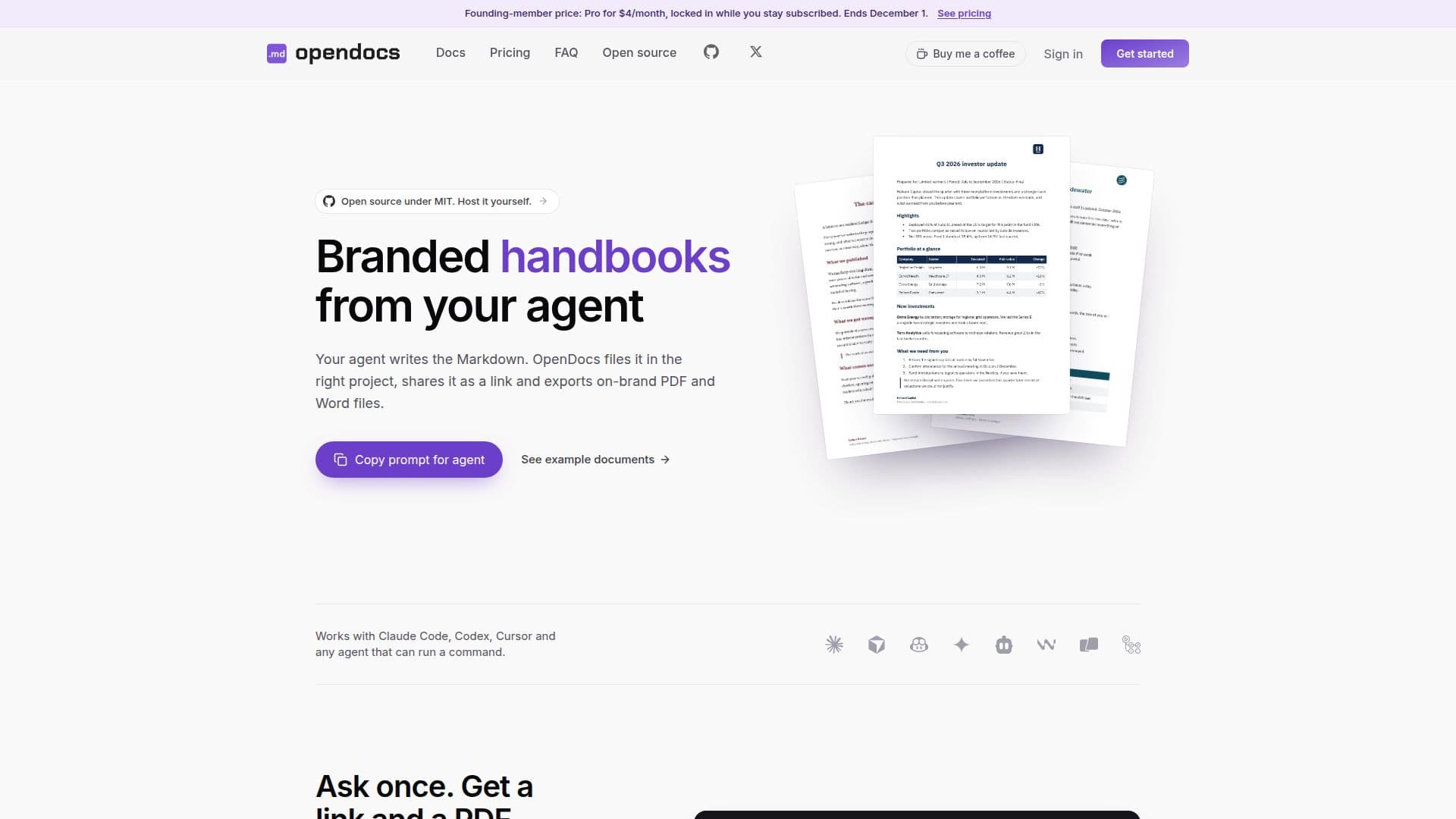
OpenDocs is a private-by-default publishing layer that transforms Markdown files into organized, shareable links and branded PDF and Word documents. It integrates seamlessly with AI agents like Claude Code and Cursor, allowing users to generate and publish professional documents with a single command. This tool streamlines document creation and sharing for Markdown-native teams.

Visit Website
Share
OpenDocs screenshot
OpenDocs screenshot

OpenDocs serves as a dedicated publishing layer for teams that primarily work with Markdown, especially those leveraging AI agents for content generation. It addresses the common challenge of sharing Markdown files effectively by converting them into organized, shareable links and professionally branded PDF and Word documents. The platform is designed to integrate effortlessly with various AI coding tools and agents, including Claude Code, Cursor, Codex, Copilot, Gemini CLI, Cline, and OpenClaw, enabling a streamlined workflow where agents write the Markdown and OpenDocs handles the publishing and formatting.

Read More

The core functionality revolves around a simple command-line interface (CLI) or an AI agent skill. Users can instruct their AI agent to publish a Markdown file, and OpenDocs will automatically generate a clean, readable URL and export on-brand PDF and Word files. This eliminates the need for manual conversion processes involving HTML, print CSS, or headless browsers, allowing AI agents to focus their processing power on writing rather rather than document plumbing.

OpenDocs offers extensive branding customization, allowing users to set their colors, fonts, logos, and footers once. These settings are then automatically applied to all exported PDF and Word documents, ensuring consistent brand identity across all communications. The platform also supports project-based organization, similar to code repositories, enabling documents to be grouped by client, product, or team for easy management and retrieval.

Key features include persistent, readable URLs that remain constant through updates, version history tracking with rollback capabilities, and flexible sharing options ranging from private workspace visibility to public links or specific email-based sharing. OpenDocs is open-source under the MIT license, providing options for self-hosting with Docker, which unlocks all features without subscription costs. For those using the hosted service, a Free plan is available for up to 50 documents, with Pro and Team plans offering unlimited documents, Word export, custom domains, and enhanced support.

The tool is particularly beneficial for AI workflows that generate numerous Markdown files, such as architecture docs, changelogs, specs, and runbooks. It transforms these raw Markdown outputs into easily consumable and shareable formats, reducing friction in fast-paced development and documentation processes. By providing a one-line shortcut for agents to publish and export, OpenDocs ensures that the agent's work is not only created efficiently but also delivered effectively.

  • CategoryAI Document & PDF Tools
  • Pricing ModelFreemium
  • DeploymentCloud, Self-Hosted
  • PlatformsWeb, CLI

  • Markdown to Branded PDF/Word Export

  • AI Agent Integration (Claude Code, Cursor, Codex)

  • Shareable Document Links

  • Automatic Branding (Logo, Colors, Fonts, Footer)

  • Project-Based Document Organization

  • Version History and Rollback

  • CLI and REST API Access

  • Open Source (MIT License)

  • Custom Domain Support

  • Workspace and Public Document Sharing

  • Batch Document Export

  • Conflict Warnings for Concurrent Edits

  • Anonymous 24-hour Links

  • Email-based Sharing for External Users

  1. Install OpenDocs: Paste the setup prompt into your AI agent to install the OpenDocs skill or CLI.

  2. Sign Up: Your agent will guide you through signing up with an emailed code directly from the terminal.

  3. Write Markdown: Have your AI agent write the desired content in Markdown format.

  4. Publish Document: Instruct your agent to publish the Markdown file using a simple command like `opendocs publish doc.md`.

  5. Export Branded Files: Ask your agent to export the document as a branded PDF or Word file, e.g., `opendocs export report.md --format pdf`.

  6. Share and Organize: Share the generated link or file with your team or clients, and organize documents into projects.

  • Product Requirement Documents (PRDs)
  • Code Reviews
  • Technical Specifications & ADRs
  • Security & Performance Audits
  • Migration Plans
  • Handbooks & Memos
  • Investor Updates
  • Client Proposals

OpenDocs Reviews

Loading...

Popular AI Tools Like OpenDocs

t0md

AI Apps

t0md is a free online converter that transforms PDF, Word, PowerPoint, HTML, and JSON documents into clean Markdown format. It offers in-browser conversion without sign-up and…

AI Document & PDF Tools

Ranked #84 for Cleaning & formatting data

View Tool

AI Apps

Free online converter that transforms PDF, Word, PowerPoint, HTML, and JSON documents into clean Markdown format. It offers in-browser conversion without sign-up and…t0md is a free online converter that transforms PDF, Word, PowerPoint, HTML, and JSON documents into clean Markdown format. It offers in-browser conversion without sign-up and…

AI Document & PDF Tools
Ranked #84 for Cleaning & formatting data

MarkItDown

AI Apps

MarkItDown is a free online converter that turns PDF, Word, PowerPoint, Excel, HTML, images, and more into clean, structured Markdown optimized for AI workflows, LLM prompts, and…

AI Document & PDF Tools

Ranked #30 for Extracting text from images

View Tool

AI Apps

Free online converter that turns PDF, Word, PowerPoint, Excel, HTML, images, and more into clean, structured Markdown optimized for AI workflows, LLM prompts, and…MarkItDown is a free online converter that turns PDF, Word, PowerPoint, Excel, HTML, images, and more into clean, structured Markdown optimized for AI workflows, LLM prompts, and…

AI Document & PDF Tools
Ranked #30 for Extracting text from images

Tomelight

AI Apps

Tomelight is a free, open-source Mac application designed to enhance the reading and management of Markdown and HTML files generated by AI tools. It transforms raw text into…

AI Document & PDF Tools
View Tool

AI Apps

Free, open-source Mac application designed to enhance the reading and management of Markdown and HTML files generated by AI tools. It transforms raw text into…Tomelight is a free, open-source Mac application designed to enhance the reading and management of Markdown and HTML files generated by AI tools. It transforms raw text into…

AI Document & PDF Tools
See the Top 250 AI Apps

AnyDoc to MD allows users to convert various document formats, including Word and PDF, into clean Markdown. It supports batch processing and OCR, making it ideal for AI workflows…

AI Document & PDF Tools

Ranked #202 in AI Document & PDF Tools

View Tool

AnyDoc to MD allows users to convert various document formats, including Word and PDF, into clean Markdown. It supports batch processing and OCR, making it ideal for AI workflows…

AI Document & PDF Tools
Ranked #202 in AI Document & PDF Tools

MarkItDown Online Converter transforms files, webpages, tables, and API sources into clean Markdown. It supports various formats, making it ideal for review, RAG, search, and LLM…

AI Document & PDF Tools

Ranked #218 in AI Document & PDF Tools

View Tool

Transforms files, webpages, tables, and API sources into clean Markdown. It supports various formats, making it ideal for review, RAG, search, and LLM…MarkItDown Online Converter transforms files, webpages, tables, and API sources into clean Markdown. It supports various formats, making it ideal for review, RAG, search, and LLM…

AI Document & PDF Tools
Ranked #218 in AI Document & PDF Tools

PDFtoMD

AI Apps

PDFtoMD is a free online AI tool that converts any PDF, including scans, into clean, structured Markdown in seconds, preserving headings, lists, and paragraphs for editing and AI…

AI Document & PDF Tools

Ranked #239 in AI Document & PDF Tools

View Tool

AI Apps

Free online AI tool that converts any PDF, including scans, into clean, structured Markdown in seconds, preserving headings, lists, and paragraphs for editing and AI…PDFtoMD is a free online AI tool that converts any PDF, including scans, into clean, structured Markdown in seconds, preserving headings, lists, and paragraphs for editing and AI…

AI Document & PDF Tools
Ranked #239 in AI Document & PDF Tools

2markdown

AI Apps

2markdown is a browser-based Markdown converter and viewer with 37 tools for turning PDFs, Word docs, HTML, tables, and public web content into clean Markdown, aimed at writers,…

AI Document & PDF Tools

Ranked #88 for Extracting text from images

View Tool

AI Apps

Browser-based Markdown converter and viewer with 37 tools for turning PDFs, Word docs, HTML, tables, and public web content into clean Markdown, aimed at writers,…2markdown is a browser-based Markdown converter and viewer with 37 tools for turning PDFs, Word docs, HTML, tables, and public web content into clean Markdown, aimed at writers,…

AI Document & PDF Tools
Ranked #88 for Extracting text from images

Foglio

AI Apps

Foglio is a simple document editor offering a private, clutter-free space for creating work documents and personal notes. It features smart templates, AI writing assistance, and…

AI Document & PDF Tools

Ranked #96 in AI Note-Taking Apps

View Tool

AI Apps

Simple document editor offering a private, clutter-free space for creating work documents and personal notes. It features smart templates, AI writing assistance, and…Foglio is a simple document editor offering a private, clutter-free space for creating work documents and personal notes. It features smart templates, AI writing assistance, and…

AI Document & PDF Tools
Ranked #96 in AI Note-Taking Apps
1 of 8