Description
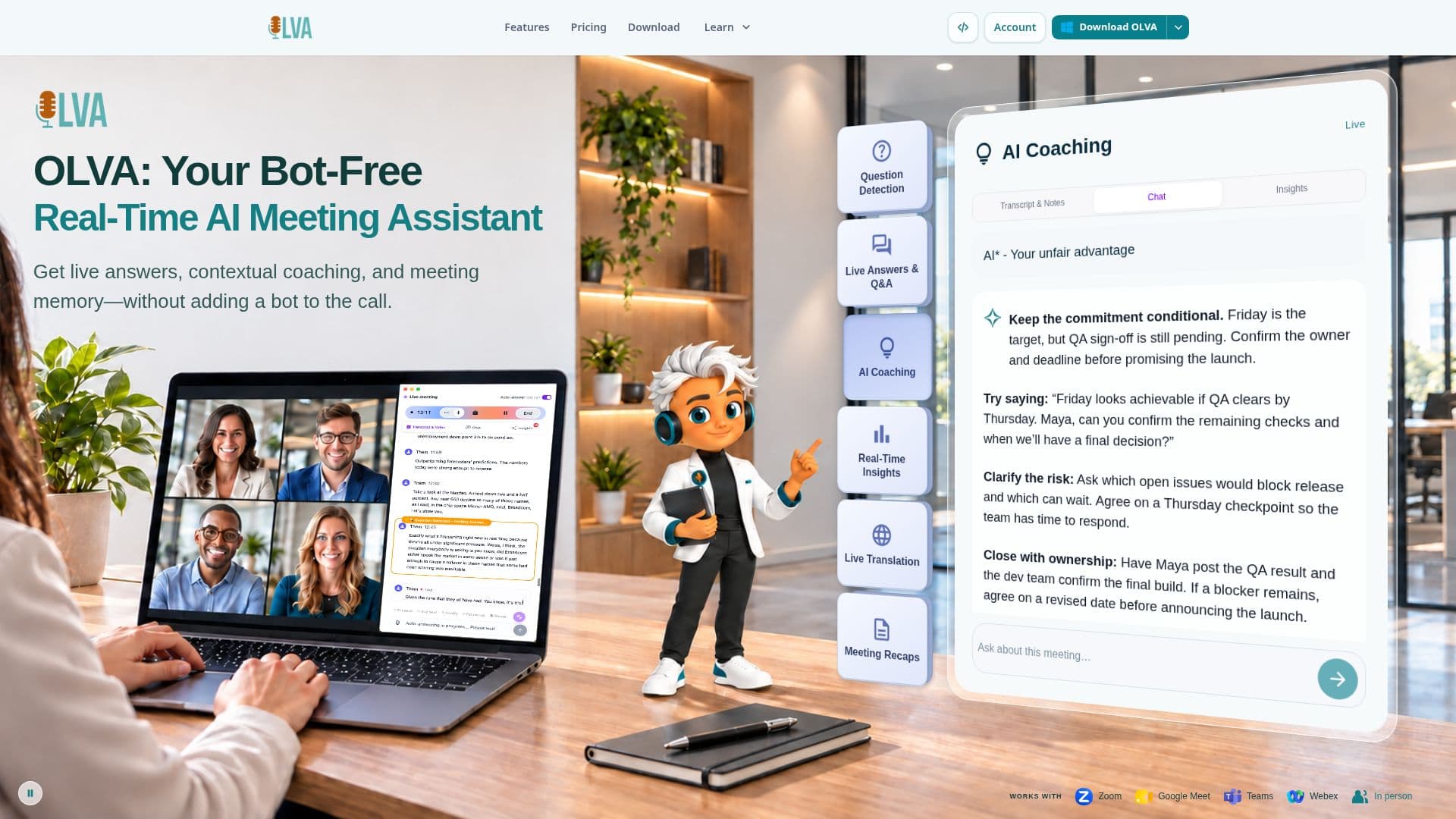
OLVA is an innovative AI meeting assistant designed to provide real-time intelligence and support during various types of conversations, including online meetings and in-person discussions. Unlike traditional AI notetakers, OLVA operates as a private desktop and mobile companion, ensuring it never joins your meeting as a visible bot or participant. This unique approach allows users to maintain normal consent and notice practices while still benefiting from advanced AI capabilities.
Read More
The core functionality of OLVA revolves around live meeting assistance. It offers real-time transcription with speaker diarization and useful cues, automatically detects questions, and provides live answers grounded in the active transcript and connected context. Users can also receive live AI coaching, suggested follow-up questions, meeting-so-far recaps, and clarification of what was said, all while the conversation is still happening. This focus on in-meeting support differentiates OLVA from tools that primarily concentrate on post-call summaries.
Beyond live assistance, OLVA provides comprehensive post-meeting features. These include automatic meeting note and summary generation, detailed post-meeting minutes with action items, decisions, next steps, and risks, and automatic sticky note generation. Users can also leverage post-meeting Q&A across multiple meetings, add personal meeting notes, and manage meeting folders. A notable feature is the ability to generate editable PowerPoint slide decks directly from conversations, utilizing transcripts, insights, and meeting Q&A.
OLVA supports multilingual conversations with up to 87 language and regional options, offering live transcript translation and a dual-language conversation mode for real-time bidirectional translation. It integrates with popular platforms like Notion, Slack, and Google Drive, and provides outbound webhooks for developers to build custom automations. The platform is compatible with macOS, Windows, iOS, and Android, making it versatile for various professional settings, including client visits, classes, and discussions away from the desk.
Privacy is a key aspect of OLVA's design. It does not store meeting audio or video on its systems; audio is processed in real-time for transcription and then discarded. Transcripts are stored securely and privately to the user's account, and OLVA explicitly states it does not train its AI models on customer meeting content. Users retain control over their data, with options to access, manage, and delete content. Pricing includes a Free tier with limited meeting time, and various paid plans (Starter, Plus, Pro, Ultra) that offer increased meeting time, history, and context limits, catering to different usage needs.
- CategoryAI Meeting Assistants
- Pricing ModelFreemium
- DeploymentDesktop, Mobile
- PlatformsmacOS, Windows, iOS, Android
OLVA's Core Features
Bot-Free Meeting Intelligence: Operates as a private companion without joining meetings as a visible participant.
Live Transcription: Real-time transcription with speaker diarization and language detection.
Automatic Question Detection: Identifies questions in live conversations.
Live Answers: Generates contextual answers during meetings based on transcript and connected context.
Live AI Coach: Provides coaching prompts and follow-up suggestions in real-time.
Real-time Insights: Offers fact checks, definitions of jargon, and signals during meetings.
Multilingual Support: Up to 87 language options with live transcript translation and dual-language mode.
Automatic Meeting Notes & Summaries: Generates notes and comprehensive post-meeting minutes.
Post-Meeting Q&A: Allows querying across past meetings for information.
Slide Deck Generation: Creates editable PowerPoint presentations from meeting conversations.
Meeting Folder Management: Organizes meetings and associated files.
File Attachment for Context: Uses documents (PDF, Word, etc.) to inform live answers.
Notion Integration: Exports reviewed meeting output to Notion.
Slack Integration: Connects with Slack for workflow enhancements.
Outbound Webhooks: Enables developers to build custom automations and integrations.
How to use OLVA?
Install OLVA: Download and install the OLVA application on your macOS, Windows, iOS, or Android device.
Start a Meeting: Begin your online meeting (Zoom, Meet, Teams, etc.) or an in-person conversation.
Activate OLVA: Launch OLVA alongside your meeting; it will capture audio from your device without joining as a participant.
Get Live Assistance: Observe real-time transcription, question detection, and receive live answers, coaching, or insights.
Add Context: Open the context manager to add personal notes or attach files (PDF, Word) for document-aware answers.
Review Post-Meeting: Access automatic summaries, minutes, action items, and conduct Q&A across your meeting history.
Generate Outputs: Create editable PowerPoint slide decks from conversations or export meeting data to Notion or other integrated platforms.
OLVA's Use Cases
- Live Meeting Assistance
- Multilingual Conversations
- Automated Meeting Documentation
- Sales Call Handoff
- Project Action Item Routing
- Customer Success Escalation
- Content Creation from Meetings
- Enhanced Meeting Memory