Description
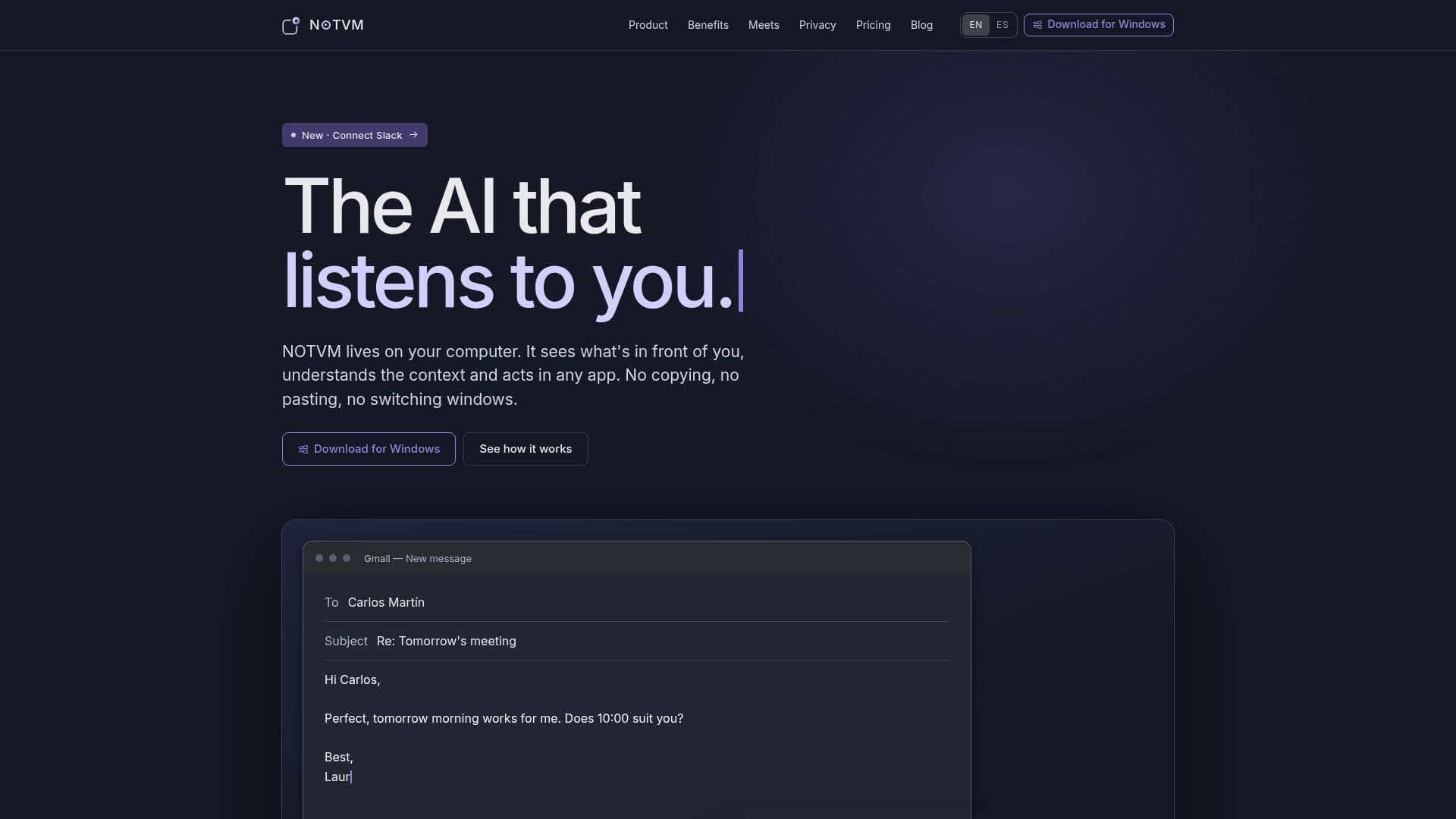
NOTVM is an innovative desktop application designed for macOS and Windows users, aiming to streamline productivity by integrating AI capabilities directly into your workflow. This tool acts as an intelligent assistant that observes your screen, understands the context, and performs tasks across any application you are using. By eliminating the need for manual copying, pasting, or window switching, NOTVM allows users to focus on their core tasks.
Read More
The application offers a range of features including smart dictation, contextual replies, and advanced PDF analysis. Users can dictate into any text field, with NOTVM organizing ideas and matching the tone to the app in use. It can summarize, explain, rewrite, translate, or reply to text without leaving the current application. Additionally, NOTVM provides advanced PDF analysis, extracting key information such as dates and obligations from lengthy documents and comparing them with your own files.
NOTVM also supports integrations with popular services like Gmail, Drive, Calendar, and Slack, enhancing its utility across different platforms. It offers a personal memory feature, allowing users to search by meaning rather than file name, across local documents, emails, and authorized conversations. The application is designed to learn from user behavior, spotting patterns in repeated tasks and offering automation suggestions.
The pricing structure of NOTVM is tailored to different working styles, ensuring that there is a suitable plan for every user. It is particularly beneficial for teams, offering features like team management, company memory, and security policies. With its focus on privacy, NOTVM ensures that your data remains on your computer, providing a secure AI experience.
- CategoryAI Personal Assistants
- Pricing ModelFreemium
- DeploymentDesktop
- PlatformsmacOS, Windows
NOTVM's Core Features
Smart dictation
Contextual replies
Advanced PDF analysis
Personal memory
File search
Integrations with Gmail, Drive, Calendar, Slack
Task automation
Team management and admin
How to use NOTVM?
Install: Download and install NOTVM on your macOS or Windows device
Configure: Set up integrations with apps like Gmail, Drive, and Slack
Use: Utilize features like smart dictation and PDF analysis in your daily tasks
Optimize: Allow NOTVM to learn your patterns and automate repetitive tasks
NOTVM's Use Cases
- Smart Dictation
- PDF Analysis
- Task Automation
- Contextual Replies
- File Search