Description
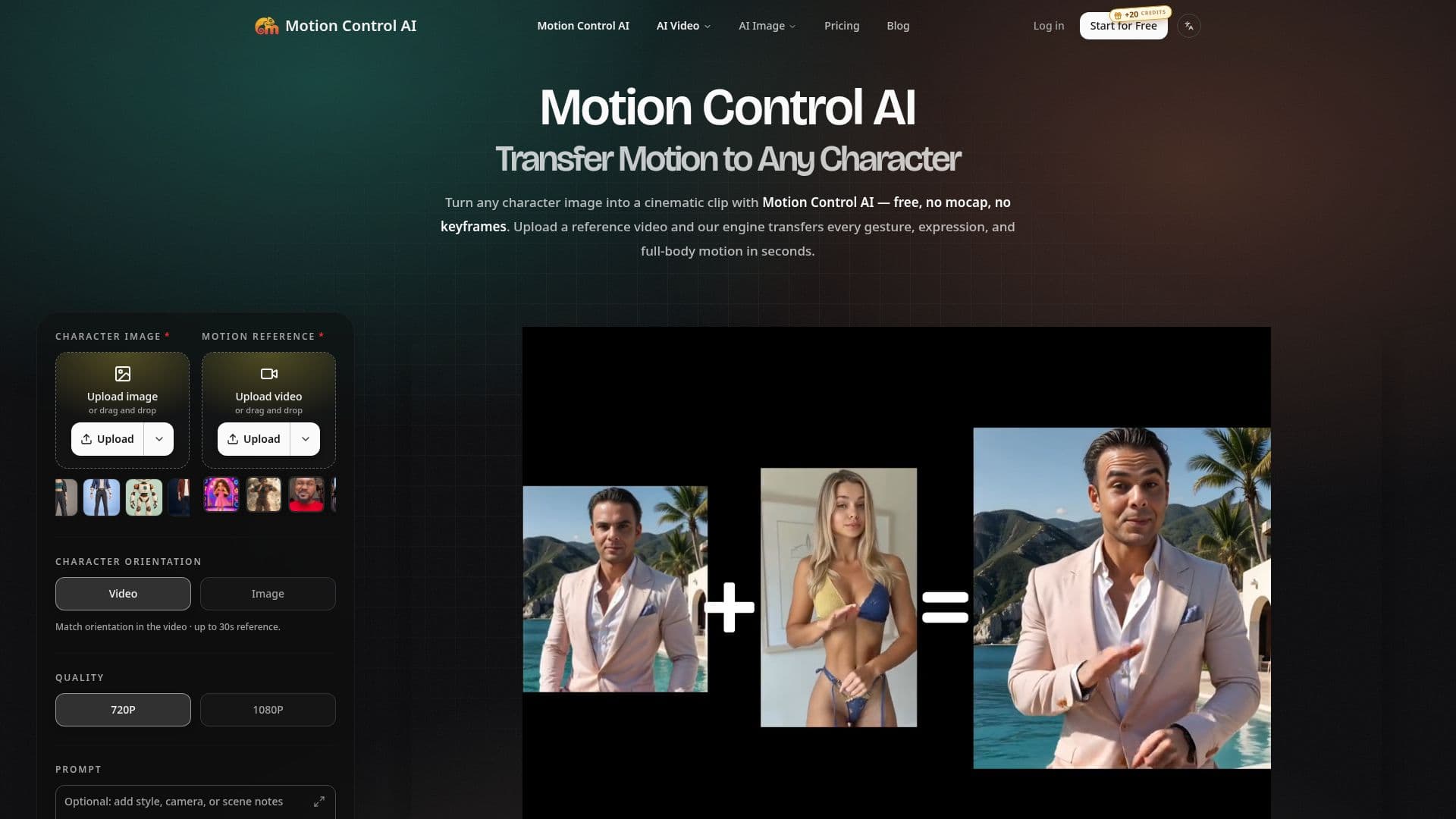
Motion Control AI is an online video generator designed to transfer motion, gestures, and expressions from a reference video onto any character image. This tool simplifies the animation process by eliminating the need for traditional methods like mocap suits, keyframe animation, or extensive technical setup. Users can upload a character image and a reference video, then generate a polished clip in minutes.
Read More
The platform is optimized for controllable image-to-video motion generation, allowing creators to produce content for ads, social media, product pages, and storyboards. It supports various character types, including human photos, anime art, cartoon drawings, pixel art sprites, and 3D model renders, ensuring versatility across different art styles. The process involves three simple steps: uploading a character image, uploading a reference video, and clicking generate. The Motion Control AI engine handles pose extraction, retargeting, and rendering automatically.
Motion Control AI offers a freemium model, providing trial credits upon sign-up to test the workflow before committing to a paid plan. Generations typically complete in 1–3 minutes on the default queue, with priority queue options for faster results. The tool also includes a dedicated Kling AI Motion Control feature, powered by Kling 2.6 and 3.0 engines, which supports reference-based motion transfer with lip sync, audio preservation, and 720p/1080p output up to 30 seconds.
Beyond character animation, Motion Control AI provides tools for AI Product Rotation Video, enabling users to create smooth product spins from still images for e-commerce showcases. It also features AI Performance Capture, allowing users to record their own acting takes to direct character videos with precise timing, expressions, gestures, and lip sync. All generated videos are watermark-free and come with full commercial use rights, making them suitable for professional applications. The service runs entirely in a modern browser, requiring no downloads or installations.
- CategoryAI Video Generators
- Pricing ModelFreemium
- DeploymentCloud
- PlatformsWeb
Motion Control AI's Core Features
Full-body motion transfer from video to image
Hand, gesture, and facial precision in animations
Character identity locked for up to 30 seconds
Supports image-to-video motion generation
No mocap, keyframes, or technical setup required
Generates videos in 1–3 minutes (default queue)
Priority queue for under 60-second results
Supports 30-second video clips
Includes Kling AI Motion Control with lip sync and audio preservation
Offers 720p/1080p output resolution
AI Product Rotation Video from still photos
AI Performance Capture for actor-led character direction
Watermark-free output with commercial rights
Browser-based, no app download needed
Private uploads, never used for training
How to use Motion Control AI?
Upload Character Image: Provide a still image of the character you wish to animate.
Upload Reference Video: Select a video demonstrating the motion, gestures, or expressions to transfer.
Choose Settings: Review generation estimates, resolution choices, and plan details.
Generate Video: Initiate the generation process to create your animated clip.
Review and Download: Preview the generated video, refine inputs if needed, and download the final output.
Motion Control AI's Use Cases
- Social Media Content
- Brand & Product Marketing
- Indie Filmmaking & Previs
- Educational Content
- AI Virtual Influencers
- Game & VTuber Creation
- Product Rotation Videos
- Actor-Led Character Animation