
Description
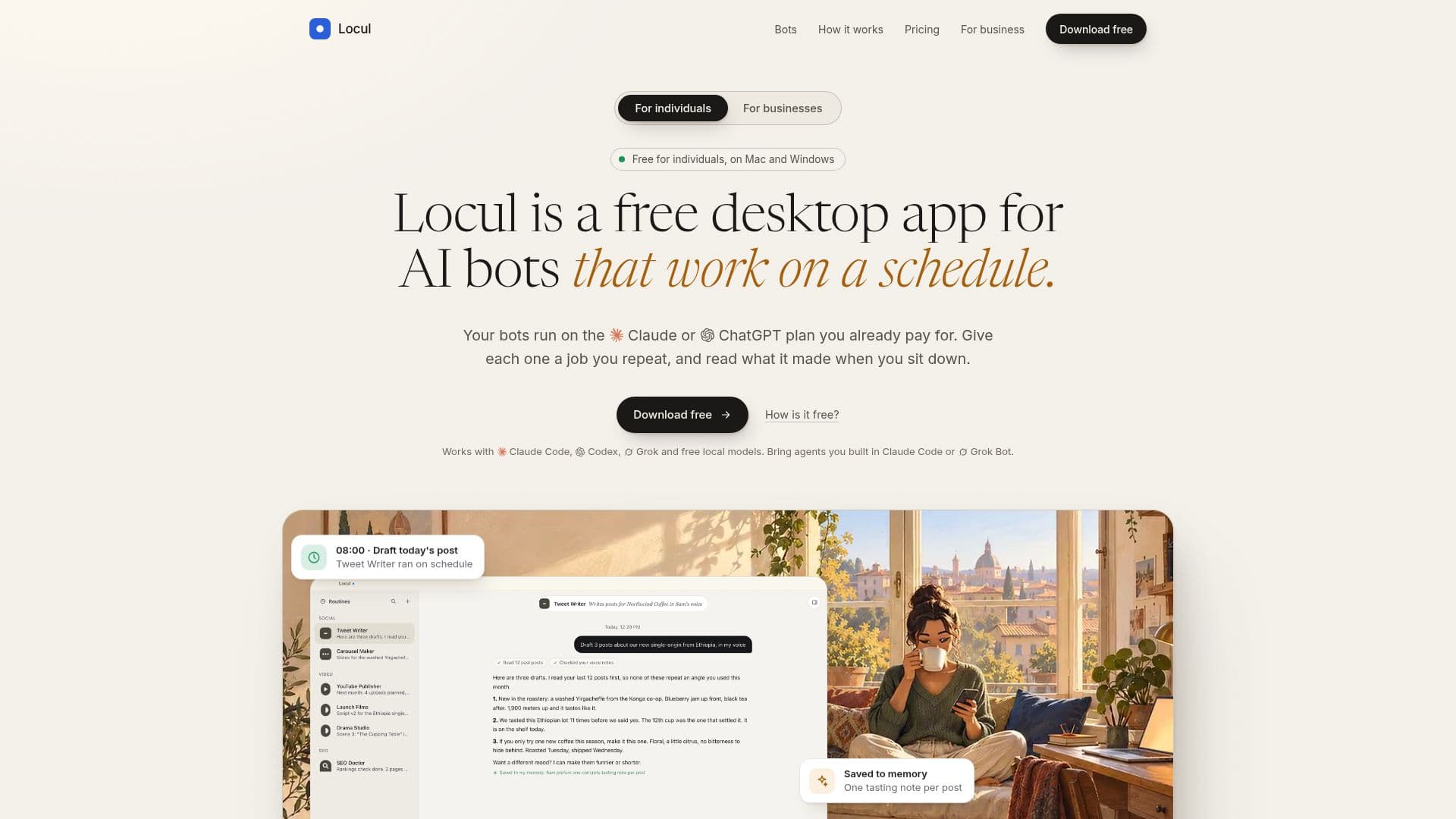
Locul is a versatile desktop application designed to create and manage a team of AI bots that operate on a schedule. Available for Mac and Windows, it leverages your existing Claude Code, Codex, Grok, or ChatGPT subscriptions, allowing you to run multiple AI agents on your personal computer. For those without a paid AI plan, Locul also supports free open models via platforms like Ollama, LM Studio, llama.cpp, vLLM, or Jan, making advanced AI automation accessible to a wider audience.
Read More
The application enables users to assign specific jobs to individual bots, each with its own folder, notes, and routine. Bots can be scheduled to run at specific times, such as every weekday at 8 AM or on the first of each month, ensuring tasks are completed even when the Locul window is closed. A key safety feature is that bots draft content and wait for approval; nothing is posted or sent without explicit user consent.
Locul offers a flexible model selection, allowing users to pick a different AI model for each bot. For example, a writing bot might use Claude, a research bot ChatGPT, and a note-sorting bot a free local model. Bots can also collaborate, forming a "bot swarm" where they ask each other for help to complete complex tasks, presenting only the finished draft to the user.
For businesses, Locul provides a private AI solution that can run on a company's own servers, private cloud, or firm's computers. This ensures data privacy and compliance, as client files and sensitive information remain within the company's infrastructure and never go to external AI providers. The business version includes a shared team memory, allowing all bots and team members to draw upon a collective knowledge base, improving consistency and onboarding for new hires.
Locul also features a marketplace where users can discover and purchase pre-built bots that perform specific jobs, complete with sample outputs to demonstrate their capabilities. Users can also list their own custom-built bots for sale, earning a percentage of each transaction. The platform emphasizes privacy, with all user files, notes, and bot data stored locally on the user's computer, ensuring no data is sent to Locul's servers.
- CategoryAI Agent Builders
- Pricing ModelFreemium
- DeploymentDesktop, On-Premise, Private Cloud
- PlatformsMac, Windows
Locul's Core Features
Desktop app for Mac and Windows
Runs AI bots on a schedule
Supports Claude Code, Codex, Grok, ChatGPT, and local models
Individual bots for specific jobs with dedicated folders and routines
Bots draft content and await user approval before sending/posting
Model selection per bot (e.g., Claude for writing, ChatGPT for research)
Bots can collaborate and ask each other for help
Marketplace for buying and selling pre-built bots
Private AI deployment for businesses on own servers or private cloud
Shared team memory for business accounts
Local storage of user files and bot data on personal computer
Import agents built in Claude Code or Grok Bot
Export all data at any time
Seat management for business plans
Audit trail for every question, answer, and data access
How to use Locul?
Download Locul: Install the free desktop app on your Mac or Windows PC.
Link AI Plan: Connect your existing Claude, ChatGPT, or Grok subscription, or set up a free local model.
Create a Bot: Give each bot a specific job, such as drafting posts or checking rankings.
Configure Routine: Set a schedule for your bot to run, like every weekday or once a month.
Approve Outputs: Review and approve bot-generated drafts before they are posted or sent.
Explore Marketplace: Browse and purchase pre-built bots for specific tasks, or list your own.
Locul's Use Cases
- Automated Content Drafting
- Scheduled Data Checks
- Client Communication Automation
- Internal Knowledge Management
- Private AI for Regulated Firms
- SEO Optimization
- Financial Reporting
- Legal Document Review
- App Store Optimization
- YouTube Content Publishing