Description
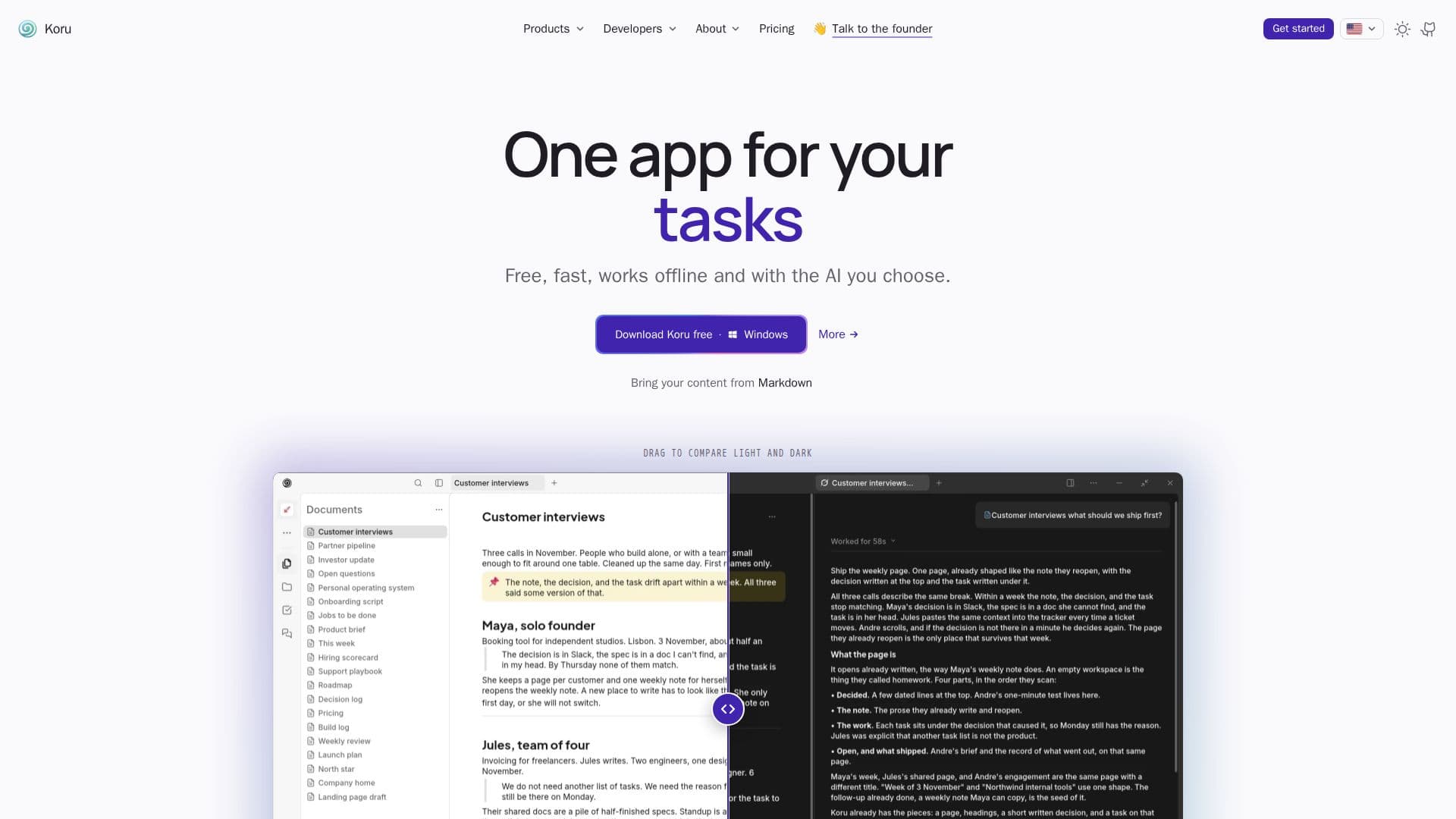
Koru is a comprehensive, free, and open-source application designed for managing notes, documents, files, and tasks. It operates entirely offline on Windows, macOS, and Linux, providing users with a private and secure workspace. A key feature of Koru is its "Bring Your Own AI" approach, allowing users to integrate and run their chosen AI agents, such as Claude, Codex, Gemini, Grok, GitHub Copilot, and OpenCode, directly within the application. These agents can work on documents through Koru's local MCP (Multi-Agent Communication Protocol) server, ensuring data privacy as audio and documents remain on the user's device.
Read More
The application emphasizes privacy and data ownership, with its code publicly available on GitHub under the MPL-2.0 license. Koru includes an offline voice input feature that performs speech recognition locally, meaning audio data never leaves the device. It supports peer-to-peer synchronization between devices, end-to-end encrypted, without requiring a central cloud service. For those desiring an always-on backup and cross-device access, Koru offers an optional paid service called Koru Cloud, which provides 100 GB of storage for $9.99 per month after a 7-day free trial.
Koru is designed to facilitate a smooth transition for users from other platforms, supporting imports from Evernote, Notion, OneNote, Google Docs, Markdown, and TextBundle. It caters to developers with features like real code blocks, syntax coloring, and the ability to run coding agents in terminal tabs alongside documents. Users can create multiple profiles for different aspects of their lives (work, school, personal), each containing independent workspaces. The platform is continuously evolving, with a public roadmap that includes planned features like calendar integration, AI delegated agent runs, iOS and Android apps, self-hosted sync, OCR for image/PDF text search, and a web clipper.
While the core Koru Local application is free, Koru Cloud enhances its capabilities with always-on sync and backup. Koru Teams, a collaborative workspace where humans and AI agents work together on projects, is currently in development. This future offering aims to allow AI teammates to research, write, and build alongside human teams, with full transparency and control over agent actions. Koru's vision is to redefine productivity and human-computer interaction, fostering a future where human intelligence and AI agents seamlessly collaborate.
- CategoryAI Note-Taking Apps
- Pricing ModelFreemium
- DeploymentLocal, Cloud (Optional)
- PlatformsWindows, macOS, Linux
Koru's Core Features
Free and open-source application
Offline functionality for notes, documents, files, and tasks
Bring Your Own AI: Integrate and run chosen AI agents (e.g., Claude, Codex, Grok)
Local MCP server for AI agent interaction with documents
Offline voice input with on-device speech recognition
Peer-to-peer sync between devices with end-to-end encryption
Native applications for Windows, macOS, and Linux
Import notes from Evernote, Notion, OneNote, Google Docs, Markdown, and TextBundle
Export to Markdown or TextBundle, or entire workspace backup
Support for code blocks with syntax coloring and terminal tabs for developers
Mermaid diagrams for flowcharts and sequence diagrams
Multiple profiles and independent workspaces
Optional Koru Cloud for always-on sync, backup, and 100 GB storage
Tasks, lists, and reminders (in nightly builds)
Workspace backup functionality
How to use Koru?
Download and Install: Get the native Koru app for Windows, macOS, or Linux from the official website.
Create Workspaces: Start a new workspace for notes, documents, and tasks, or create multiple profiles for different areas of your life.
Import Existing Content: Bring in notes and files from platforms like Evernote, Notion, OneNote, Google Docs, or Markdown.
Integrate AI Agents: Connect your preferred AI agents (e.g., Claude, Codex) as tabs to work on your documents via Koru's local MCP server.
Utilize Voice Input: Capture thoughts using the offline voice input feature, which processes speech recognition directly on your device.
Sync Devices: Link your computers with a QR code for direct, end-to-end encrypted peer-to-peer synchronization.
Manage Files: Organize documents, add code blocks, create Mermaid diagrams, and use full-text search to find content.
Enable Cloud Sync (Optional): Subscribe to Koru Cloud for an always-on copy of your workspaces, backup, and 100 GB of storage.
Koru's Use Cases
- Personal Note Taking
- Document Management
- Task and Project Management
- Developer Notes
- AI Agent Integration
- Cross-Device Synchronization
- Voice Dictation
- Knowledge Base Creation
- Secure Data Storage