
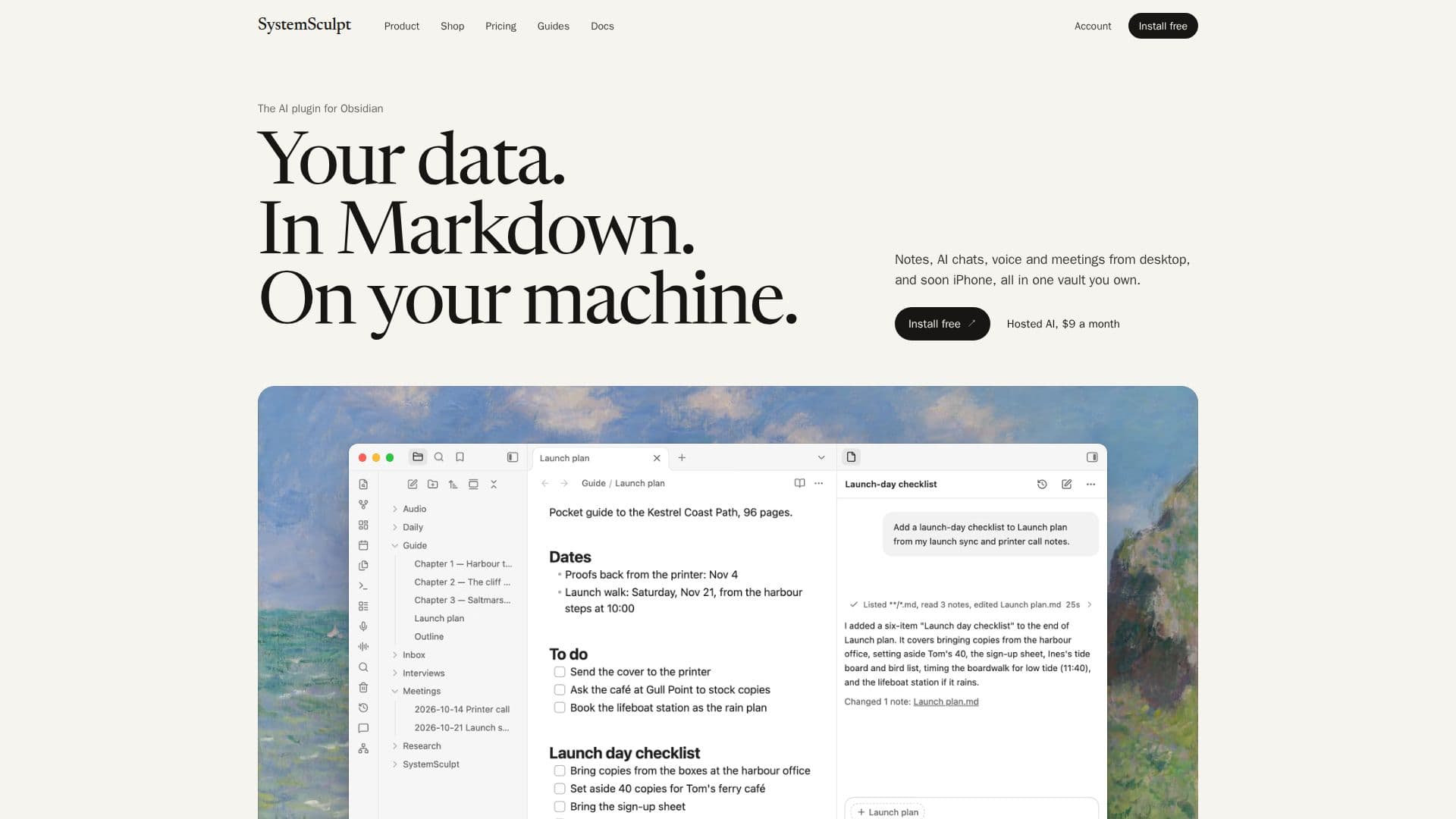
Description
SystemSculpt is an AI plugin designed for Obsidian, a popular knowledge base application. It allows users to integrate AI capabilities directly into their Obsidian vault, ensuring that all notes, AI chats, voice notes, and meeting briefs are saved as plain Markdown files on their local computer. This approach prioritizes user data ownership and privacy, as content remains within the user's vault.
Read More
The plugin offers flexible AI integration options. On desktop, users can connect their own installed and signed-in Claude Code or Codex accounts, eliminating the need for a separate SystemSculpt account or API key for these services. For mobile use and additional features, SystemSculpt provides its own hosted AI, which is accessible on both desktop and mobile devices. New users are often eligible for one-time starter credits for the hosted AI without requiring a credit card.
Key capabilities include AI chat functionality within the vault, allowing users to interact with their notes. The plugin also supports voice note transcription and the generation of meeting briefs, all saved as Markdown. Users have control over how AI interacts with their notes, with options like "Ask before edits," where changes require approval, or "Auto" mode for more autonomous note creation and editing, while still prompting for moves or deletions. Semantic search is also available, indexing vault content to find related notes by meaning, even if different words are used.
SystemSculpt is free to install and use with personal Claude Code or Codex accounts on desktop. A "Pro" subscription is available for $9 USD per month or $90 USD per year, which unlocks hosted AI features on desktop and mobile, along with a monthly allowance of hosted credits. Additional credit packs can be purchased as one-time top-ups that do not expire. The plugin is open source under the MIT license, providing transparency into its operations. It is compatible with Obsidian on desktop, iOS, and Android, with a dedicated iPhone app for note and voice capture planned for future release.
- CategoryAI Note-Taking Apps
- Pricing ModelFreemium
- DeploymentPlugin
- PlatformsObsidian (Desktop, iOS, Android)
SystemSculpt's Core Features
AI Chat Integration for Obsidian
Local Markdown Storage for Notes and Chats
Support for Claude Code and Codex (Desktop)
SystemSculpt Hosted AI (Desktop & Mobile)
Voice Note Transcription
Meeting Brief Generation
Approval Modes for AI Edits (Ask before edits, Auto)
Semantic Search for Related Notes
Audio File and YouTube Video Transcription
Image and Document Processing (PDF to text)
Open Source Plugin (MIT License)
Cross-Device Compatibility (Obsidian Desktop, iOS, Android)
Free Installation and Basic Use
Monthly and Yearly Pro Subscriptions
One-Time Hosted Credit Packs
How to use SystemSculpt?
Install Plugin: Open Obsidian Settings, navigate to Community plugins, find "SystemSculpt AI," then select Install and Enable.
Choose AI Backend: In the chat run line, select between Claude Code, Codex (for desktop with your own accounts), or SystemSculpt (for hosted AI).
Sign In for Hosted AI: For hosted AI, go to Settings → SystemSculpt AI → Account, then Sign in or Sign up and complete the browser flow.
Send First Message: Choose your backend and mode, type @ to select a note, then ask a question or give a command.
Manage Edits: Review AI-suggested changes in "Ask before edits" mode, or allow "Auto" mode to create and edit notes, with prompts for moves/deletions.
Utilize Semantic Search: Enable "Similar notes" in Settings → SystemSculpt AI → Knowledge to build an index and find related notes by meaning.
Transcribe Audio: Use the audio processor to convert audio files or YouTube links into detailed notes, meeting briefs, or clean transcripts.
SystemSculpt's Use Cases
- AI-Assisted Note-Taking
- Meeting Summarization
- Voice Note Transcription
- Document Processing
- Semantic Information Retrieval
- Content Creation & Editing
- Research & Knowledge Management
- Personal Knowledge Base Enhancement