
Description
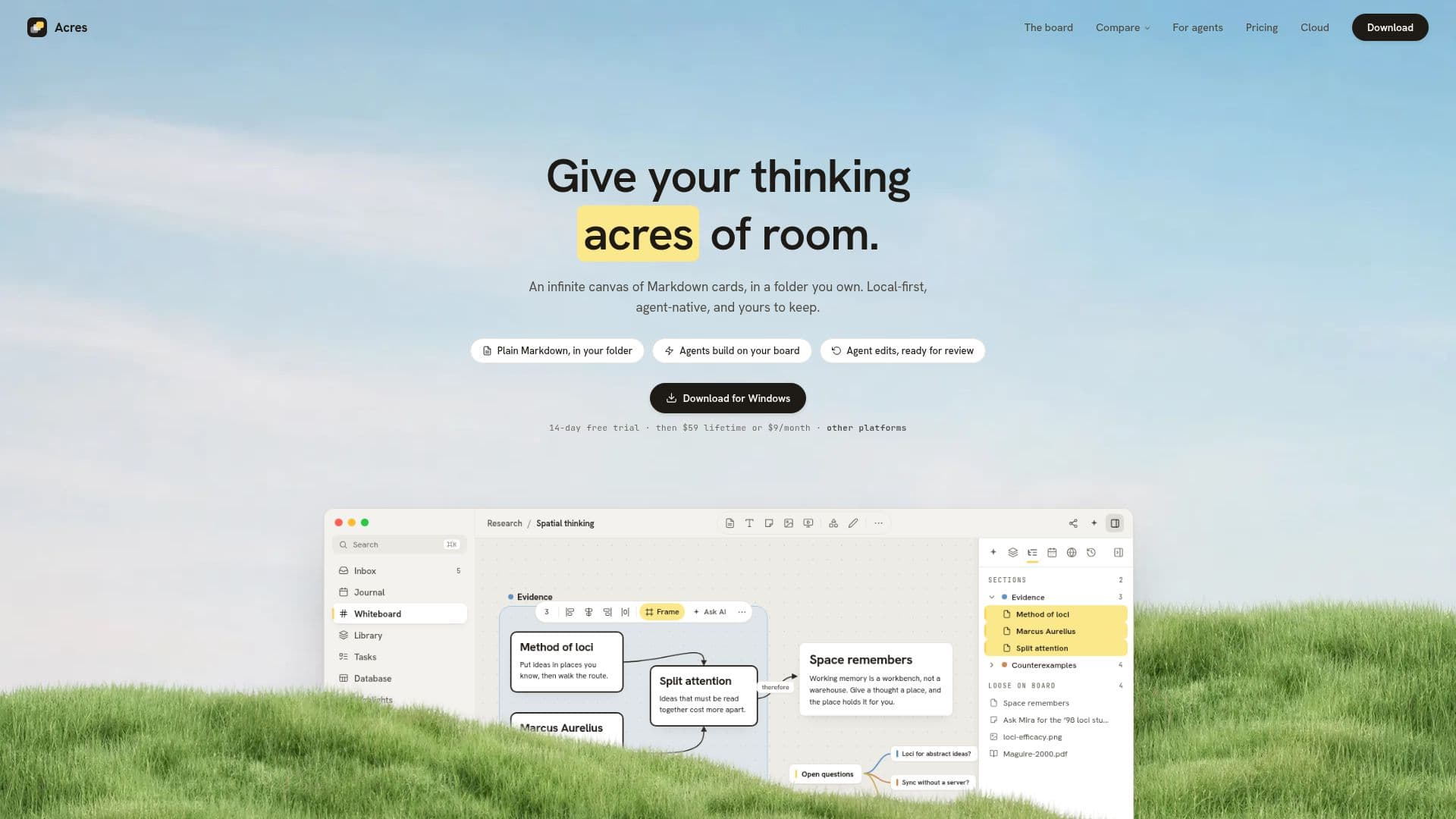
Acres is a versatile visual workspace designed for users who value data privacy and ownership. It offers an infinite canvas where users can create and organize Markdown cards, mind maps, images, and freehand ink. This local-first application ensures that all notes are stored as plain files in a folder you own, allowing for offline access and complete control over your data.
Read More
The platform is equipped with built-in AI capabilities, enabling users to integrate their own AI provider keys or use local models through Ollama and LM Studio. This feature allows for enhanced productivity, as AI agents can assist in organizing and managing the workspace effectively.
Acres is available for a one-time purchase of $59, which includes lifetime local use and every future update. Alternatively, users can opt for the Acres Plus subscription at $9 per month, which includes app access, Sync, and Publish features. The 14-day free trial allows potential users to explore the platform without any commitment.
The application is compatible with macOS and Windows, offering a seamless experience across devices. Users can activate up to three devices simultaneously, ensuring flexibility and convenience. The platform supports end-to-end encrypted Sync and Publish, providing secure cloud storage options.
Acres is ideal for individuals who require a robust note-taking system that prioritizes privacy and offline functionality. Its unique combination of visual organization tools and AI integration makes it a valuable asset for personal and professional use.
- CategoryAI Note-Taking Apps
- Pricing ModelOne-time purchase or subscription
- DeploymentLocal-first
- PlatformsmacOS, Windows
Acres's Core Features
Infinite canvas for visual notes
Local-first storage of Markdown cards
Built-in AI integration
Offline access and data ownership
One-time purchase or subscription model
End-to-end encrypted Sync and Publish
Compatible with macOS and Windows
14-day free trial available
How to use Acres?
Configure: Set up your workspace and preferences
Use: Create and organize notes on the infinite canvas
Integrate: Connect AI models for enhanced functionality
Optimize: Utilize Sync and Publish for cloud storage
Acres's Use Cases
- Visual Note-Taking
- AI Integration
- Offline Access
- Data Privacy
- Cross-Platform Use