
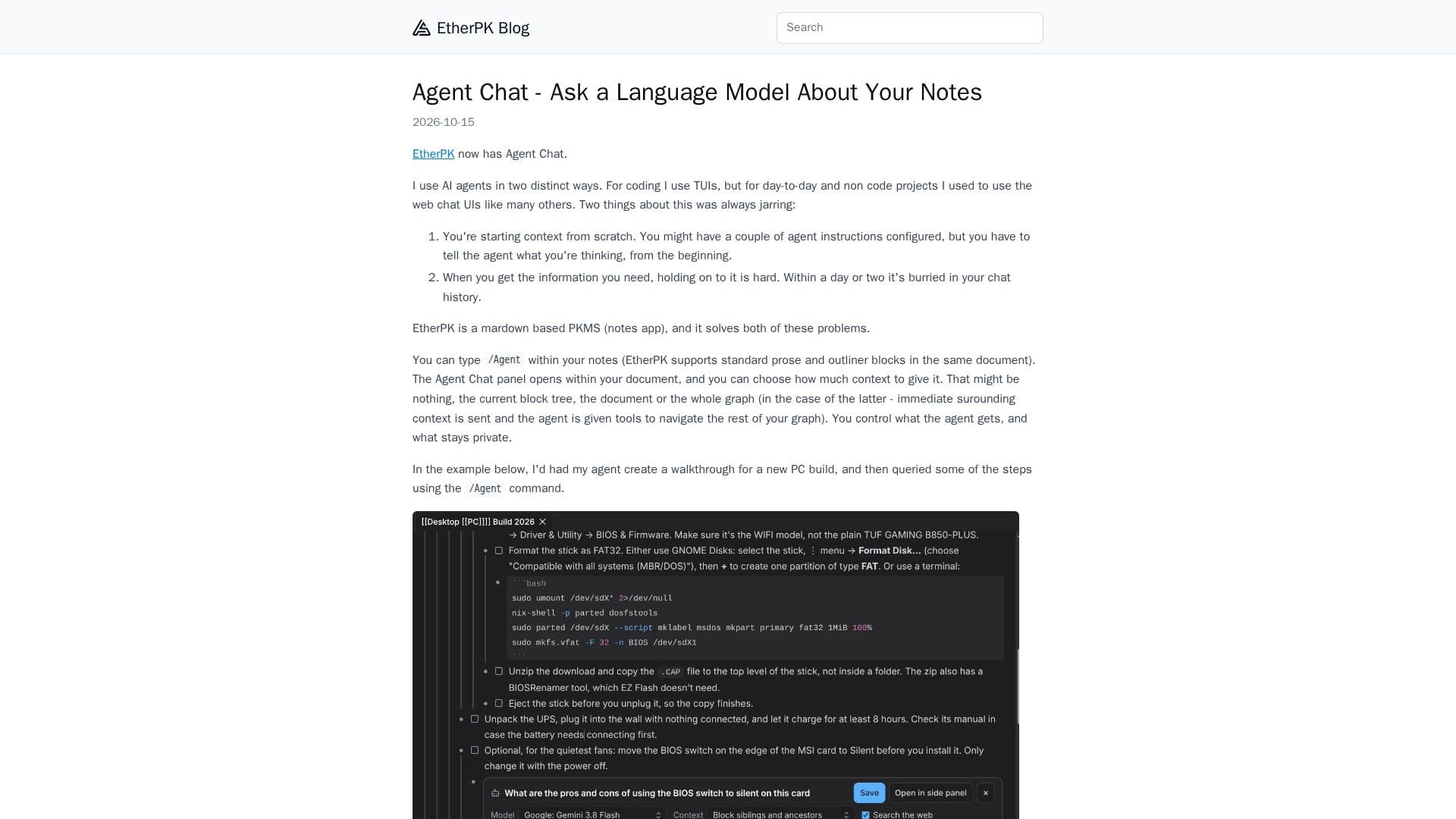
Description
Agent Chat is a feature of EtherPK, a markdown-based personal knowledge management system (PKMS). It allows users to interact with a language model directly within their notes. By typing /Agent, users can open a chat panel within their document and choose the amount of context to provide, ranging from nothing to the entire document or graph. This flexibility ensures that users can control what the AI reads and what remains private.
Read More
The tool supports various AI providers such as Anthropic, OpenAI, and Google Gemini, among others. Users can bring their own API keys, ensuring that EtherPK's servers are not involved in the data exchange. This setup enhances privacy and security, as the keys are encrypted and stored locally on the user's device.
Agent Chat is particularly useful for creating and querying detailed walkthroughs or project steps. Users can save selected chat turns into their documents, with responses appearing as outline blocks. Images from chats are saved into the graph's assets, making it easy to integrate visual content into notes.
The tool also offers a sidebar chat option for convenience and supports image attachments, allowing the AI to compare photos with existing notes. Users can search the web during chats, with the option to toggle this feature on or off.
Agent Chat is designed for users who need to manage complex projects or information within their notes. It provides a seamless way to interact with AI, enhancing productivity and information retention. The feature can be disabled if not needed, ensuring that it integrates smoothly into the user's workflow.
- CategoryAI Note-Taking Apps
- Pricing ModelFreemium
- DeploymentCloud
- PlatformsWeb
Agent Chat's Core Features
Integrates AI chat within markdown notes
Flexible context sharing options
Supports multiple AI providers
Local API key storage
Response saving into documents
Image attachment and comparison
Web search capability
Sidebar chat option
How to use Agent Chat?
Configure: Set up API keys for AI providers
Use: Type /Agent to open chat within notes
Optimise: Choose context and save responses
Manage: Disable feature if not needed
Agent Chat's Use Cases
- Project Management
- Note-Taking
- Research Assistance
- Image Analysis
- Privacy-Conscious AI Use