ToolPotion
AI Advisor
Submit a Tool (Free)

Kite

AI AppsAI UI & UX Design Tools#84Freemium · Web, macOS, Windows

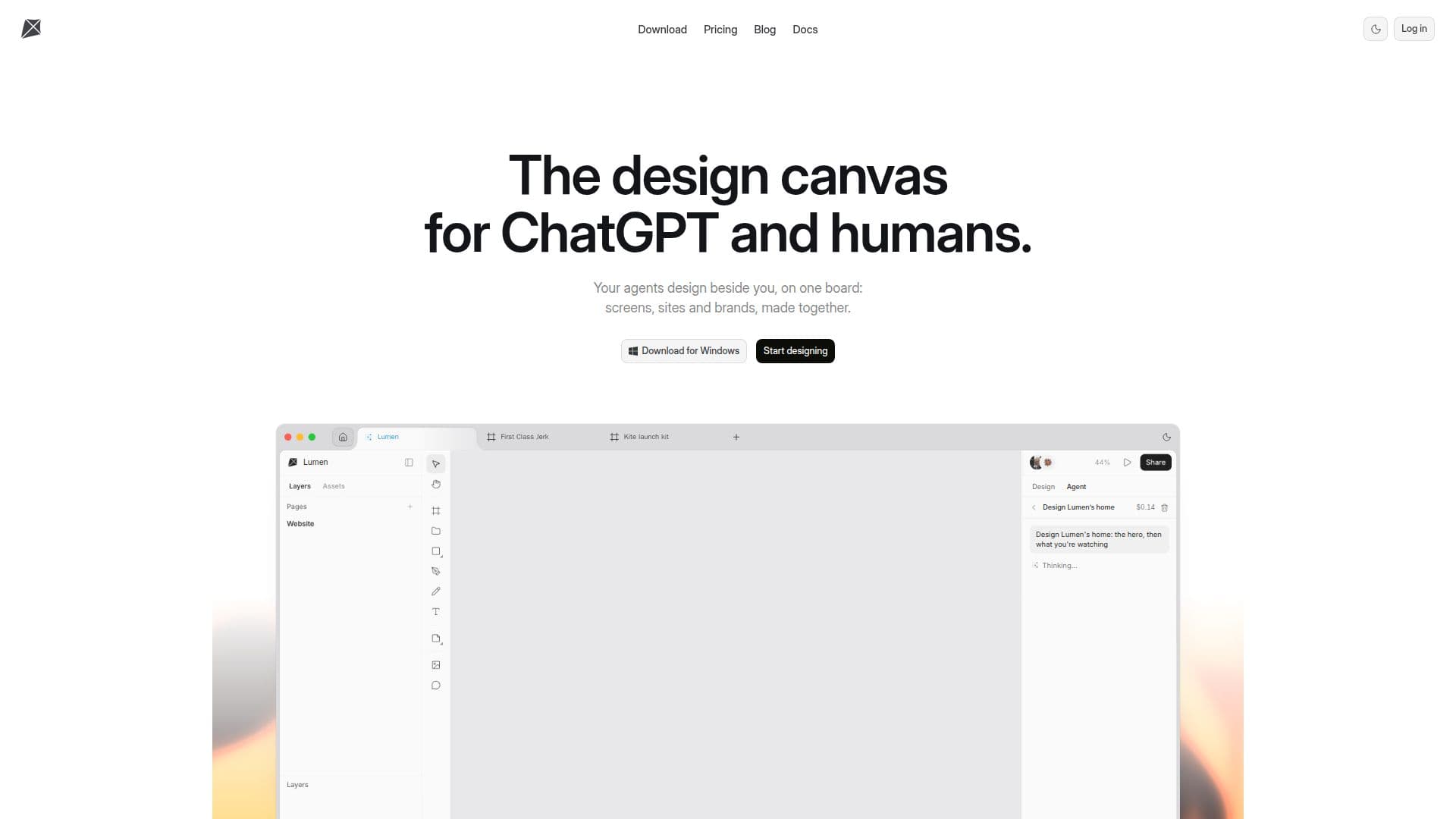
Kite is an AI design tool where AI agents like Claude, ChatGPT, and Cursor collaborate with human teams on a single canvas. It supports real HTML and CSS designs, integrates with existing design systems, and allows agents to take jobs from comments. Available for free, it offers a seamless co-design experience in the cloud or via desktop app.

Visit Website
Share
Kite screenshot
Kite screenshot

Kite is an innovative AI design tool that enables AI agents and human teams to collaborate on a single design canvas. It allows agents such as Claude, ChatGPT, and Cursor to work directly within your design files, adhering to your established design system and responding to tasks assigned via comments. This platform is built on the premise that design is evolving, with agents handling the drawing and people focusing on strategic decisions.

Read More

The core of Kite's functionality lies in its ability to generate real HTML and CSS, which AI agents can natively read and write. This ensures that designs created by agents are directly usable and consistent with web standards. The tool offers a comprehensive suite of design features, including vector editing with a pen tool, point editing, and boolean operations. It supports components with variants, properties, and instance swapping, as well as variables with modes for elements like light and dark themes, which can be set per frame.

Collaboration is central to Kite, featuring auto layout for responsive designs, live cursors for real-time co-editing, and comment threads pinned directly to designs with email notifications. Teams can organize their work within workspaces, assigning owner, editor, and viewer roles, and share files via unique links. For agents, Kite provides both a hosted MCP server for remote connections and a local MCP server built into the Kite for Mac desktop app, offering 61 tools for agents to read, draw, edit, and check their work.

Kite integrates smoothly with existing workflows, allowing users to paste frames to and from Figma as editable layers. It also offers a browser extension, Kite Capture, to copy any web page into Kite as editable layers. The platform supports custom fonts, Google Fonts, and desktop fonts. Files are stored in the cloud, accessible from any browser or the Kite for Mac and Windows desktop applications. Pro plans include version history with autosaves and named versions.

Kite operates on a "bring your own agent" model, meaning there are no AI credits to purchase; agents run on the user's existing plan (e.g., Claude, ChatGPT). This approach ensures users only pay for human editors, not for AI usage. The platform offers a free plan with unlimited editors and viewers, 3 files, and 200 agent actions per day. Paid plans, Pro and Team, provide unlimited files, workspaces, and agent actions, along with advanced features like version history, SSO, admin controls, and dedicated support.

  • CategoryAI UI & UX Design Tools
  • Pricing ModelFreemium
  • DeploymentCloud, Desktop app
  • PlatformsWeb, macOS, Windows

  • AI Agent Collaboration: Claude, ChatGPT, Cursor, or any MCP client can design on the canvas.

  • Real HTML and CSS Output: Designs are generated as native HTML and CSS.

  • Vector Editing Tools: Includes pen tool, point editing, and boolean operations.

  • Components with Variants: Create reusable components with properties and instance swapping.

  • Design Variables with Modes: Supports variables for themes like light and dark modes.

  • Auto Layout: Rows, columns, and grids that adapt to content.

  • Hosted and Local MCP Servers: Connect agents from anywhere or locally on a Mac.

  • 61 Agent Tools: Agents can read, draw, edit, and check their own work.

  • Jobs from Comments: Agents can take design tasks from @-mentions in comments.

  • Multi-Agent Collaboration: Several agents can work simultaneously in one file.

  • Cloud Storage and Desktop Apps: Files live in the cloud, accessible via browser or desktop.

  • Version History: Autosaves and named versions for Pro plan users.

  • Export Options: PNG, JPG, WebP, AVIF, SVG, PDF, HTML, React, Tailwind.

  • Figma Integration: Paste frames to and from Figma as editable layers.

  • Live Cursors and Selections: Real-time collaboration with team and agents.

  • Custom and Google Fonts: Upload custom fonts or use any Google font.

  • Kite Capture Browser Extension: Copy web pages into Kite as editable layers.

  1. Connect Agents: Add Kite from your agent's connector directory (e.g., Claude, ChatGPT) or connect via command.

  2. Create or Import Designs: Start a new file, paste Figma frames, or use Kite Capture to import web pages as layers.

  3. Collaborate with Agents: @-mention an agent in a comment to assign design tasks directly on the canvas.

  4. Design with Team: Utilize live cursors, comments, and shared workspaces for real-time human collaboration.

  5. Manage Design Systems: Define colors, typography, and components as variables and skills for agents to follow.

  6. Export and Share: Export designs in various formats (HTML, CSS, images) or share files via links with specific roles.

  • Collaborative UI/UX Design
  • Automated Layout Generation
  • Design System Implementation
  • Rapid Prototyping
  • Web Page Conversion
  • Figma Workflow Integration
  • Code-Based Design
  • Visual Asset Creation
  • Design Feedback and Iteration
  • Brand Guideline Enforcement

From Kite

Kite Reviews

Loading...

Popular AI Tools Like Kite

Gesso

AI Apps

Gesso is an AI design canvas that allows users to collaborate with AI agents like ChatGPT and Claude to create posts, decks, and websites. It enables editing of every layer…

AI UI & UX Design Tools

Ranked #51 in AI UI & UX Design Tools

View Tool

AI Apps

AI design canvas that allows users to collaborate with AI agents like ChatGPT and Claude to create posts, decks, and websites. It enables editing of every layer…Gesso is an AI design canvas that allows users to collaborate with AI agents like ChatGPT and Claude to create posts, decks, and websites. It enables editing of every layer…

AI UI & UX Design Tools
Ranked #51 in AI UI & UX Design Tools

Thanor: the Library offers design directions for AI-built websites, providing complete art directions including palette, type scale, and motion curves. Connect it to Claude,…

AI UI & UX Design Tools

Ranked #96 in AI UI & UX Design Tools

View Tool

Offers design directions for AI-built websites, providing complete art directions including palette, type scale, and motion curves. Connect it to Claude,…Thanor: the Library offers design directions for AI-built websites, providing complete art directions including palette, type scale, and motion curves. Connect it to Claude,…

AI UI & UX Design Tools
Ranked #96 in AI UI & UX Design Tools

UX Pilot

AI Apps

UX Pilot is an AI-powered UX/UI design platform that turns ideas, sketches, or PRDs into wireframes, high-fidelity screens, complete user flows, and production-ready code, with…

AI UI & UX Design ToolsMarketing & Creative Agencies

Ranked #12 in AI UI & UX Design Tools

View Tool

AI Apps

AI-powered UX/UI design platform that turns ideas, sketches, or PRDs into wireframes, high-fidelity screens, complete user flows, and production-ready code, with…UX Pilot is an AI-powered UX/UI design platform that turns ideas, sketches, or PRDs into wireframes, high-fidelity screens, complete user flows, and production-ready code, with…

FeaturedAI UI & UX Design ToolsMarketing & Creative Agencies
Ranked #12 in AI UI & UX Design Tools

pen.dev

AI Apps

pen.dev is a design canvas built around AI agents, made by the team formerly known as Pencil. It lets designers and developers create interfaces on an infinite canvas, prompt…

AI UI & UX Design Tools

Ranked #19 in AI UI & UX Design Tools

View Tool

AI Apps

Design canvas built around AI agents, made by the team formerly known as Pencil. It lets designers and developers create interfaces on an infinite canvas, prompt…pen.dev is a design canvas built around AI agents, made by the team formerly known as Pencil. It lets designers and developers create interfaces on an infinite canvas, prompt…

AI UI & UX Design Tools
Ranked #19 in AI UI & UX Design Tools

Onlook is a visual code editor designed for designers and product managers to craft, edit, and ship web experiences using AI. It allows teams to work directly in real codebases,…

AI UI & UX Design Tools

Ranked #30 in AI UI & UX Design Tools

View Tool

Visual code editor designed for designers and product managers to craft, edit, and ship web experiences using AI. It allows teams to work directly in real codebases,…Onlook is a visual code editor designed for designers and product managers to craft, edit, and ship web experiences using AI. It allows teams to work directly in real codebases,…

AI UI & UX Design Tools
Ranked #30 in AI UI & UX Design Tools

Flowstep

AI Apps

Flowstep is an AI design tool that generates production-ready UI from text prompts on an infinite canvas. Iterate via chat, copy to Figma, export React code, or connect an IDE via…

AI UI & UX Design Tools

Ranked #24 in AI UI & UX Design Tools

View Tool

AI Apps

AI design tool that generates production-ready UI from text prompts on an infinite canvas. Iterate via chat, copy to Figma, export React code, or connect an IDE via…Flowstep is an AI design tool that generates production-ready UI from text prompts on an infinite canvas. Iterate via chat, copy to Figma, export React code, or connect an IDE via…

FeaturedAI UI & UX Design Tools
Ranked #24 in AI UI & UX Design Tools

Fudge

AI Apps

Fudge is a design memory tool that enhances your AI agent's design capabilities. It provides a growing library of website designs for your AI to study, enabling better design…

AI UI & UX Design Tools

Ranked #67 in AI UI & UX Design Tools

View Tool

AI Apps

Design memory tool that enhances your AI agent's design capabilities. It provides a growing library of website designs for your AI to study, enabling better design…Fudge is a design memory tool that enhances your AI agent's design capabilities. It provides a growing library of website designs for your AI to study, enabling better design…

AI UI & UX Design Tools
Ranked #67 in AI UI & UX Design Tools

Uizard

AI Apps

Uizard is an AI-powered UI/UX design tool that turns text prompts, screenshots, and hand-drawn sketches into editable mockups and multi-screen prototypes, built to be as easy to…

AI UI & UX Design Tools

Ranked #209 in AI Apps

View Tool

AI Apps

AI-powered UI/UX design tool that turns text prompts, screenshots, and hand-drawn sketches into editable mockups and multi-screen prototypes, built to be as easy to…Uizard is an AI-powered UI/UX design tool that turns text prompts, screenshots, and hand-drawn sketches into editable mockups and multi-screen prototypes, built to be as easy to…

FeaturedAI UI & UX Design Tools
Ranked #209 in AI Apps
1 of 8