
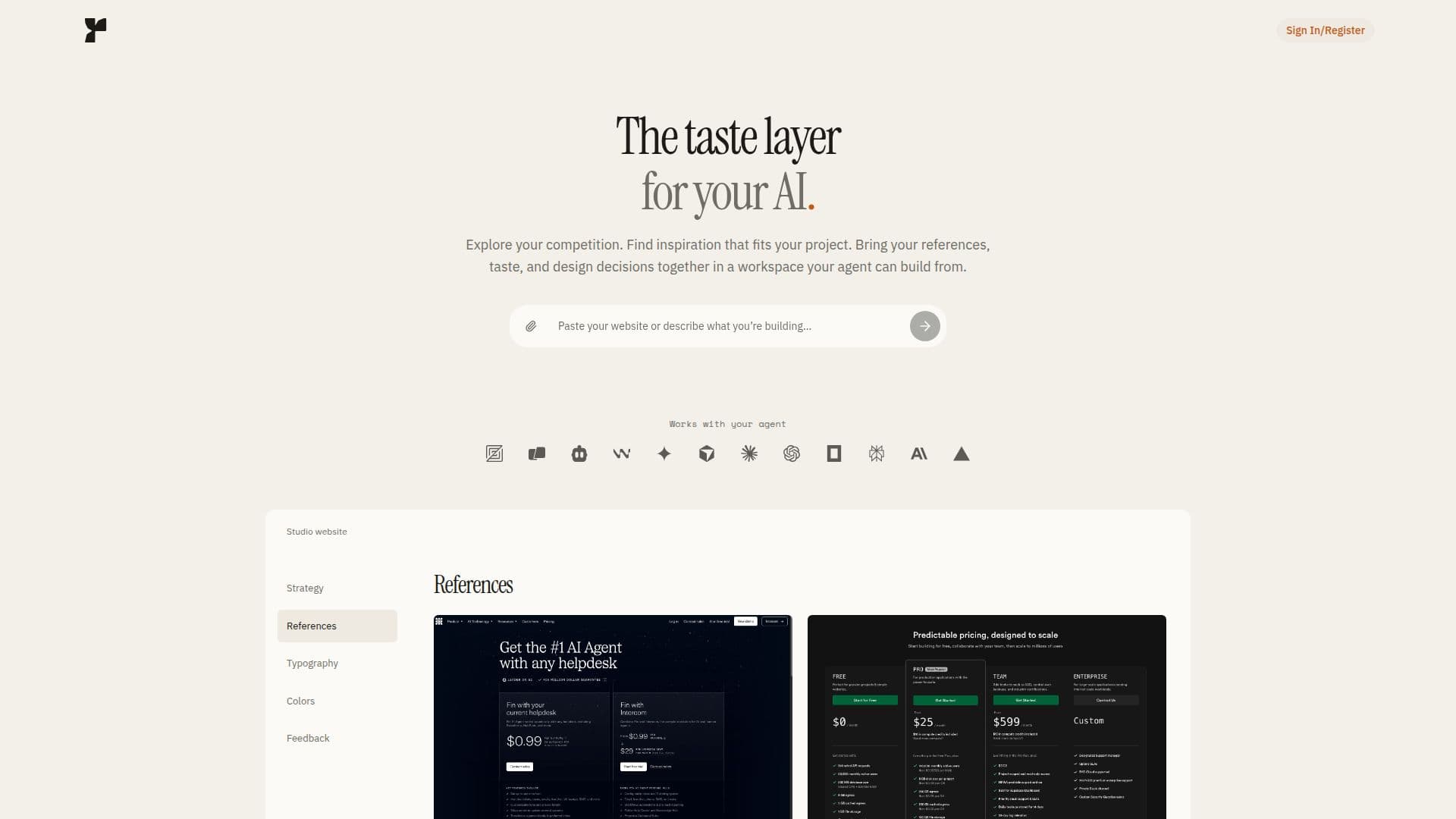
Description
Fudge is a unique tool designed to enhance the design capabilities of your AI agent. By providing a growing library of real website designs, Fudge allows your AI to make informed design decisions, ensuring that the websites it builds are not just functional but also aesthetically pleasing. The tool offers a workspace where users can bring together references, fonts, colors, assets, and design guidelines, creating a comprehensive design context for the AI to work with.
Read More
Fudge works seamlessly with AI coding tools like Codex, Cursor, and Claude Code through MCP servers. Users can explore their industry, compare competition, and discover new design ideas by inspecting layouts, fonts, colors, and other design details from real websites. This helps in shaping the direction of their projects and ensuring that their AI agent builds with the desired taste and decisions.
The platform offers three pricing plans: Individual, Team, and Lifetime. The Individual plan costs $49 per month for one user, the Team plan costs $99 per month for two members, with additional members costing $39 each, and the Lifetime plan is a one-time payment of $399 for individual access. All plans include unlimited workspaces, MCP queries, and agent chat, along with other features like the Explorer Chrome extension and design guidance.
Fudge is ideal for individuals and teams working on web design projects who want to leverage AI to enhance their design process. It allows users to keep refining their workspace, ensuring that their AI agent can consult the latest design choices during each build. The tool also provides feedback on users' websites, identifying design and accessibility issues with suggested fixes.
- CategoryAI UI & UX Design Tools
- Pricing ModelPaid
- DeploymentCloud
- PlatformsWeb
Fudge's Core Features
Growing library of website designs
Workspace for references, fonts, colors, and assets
Integration with AI coding tools via MCP
Industry and competition exploration
Design and accessibility feedback
Unlimited workspaces and MCP queries
Explorer Chrome extension
Design guidance and agent chat
How to use Fudge?
Configure: Set up your workspace with references and design elements
Use: Connect Fudge to your AI coding tool via MCP
Optimise: Refine your workspace and update design choices
Build: Allow your AI agent to use the workspace for design decisions
Fudge's Use Cases
- Design Exploration
- Workspace Creation
- AI Integration
- Website Feedback
- Design Refinement