
Description
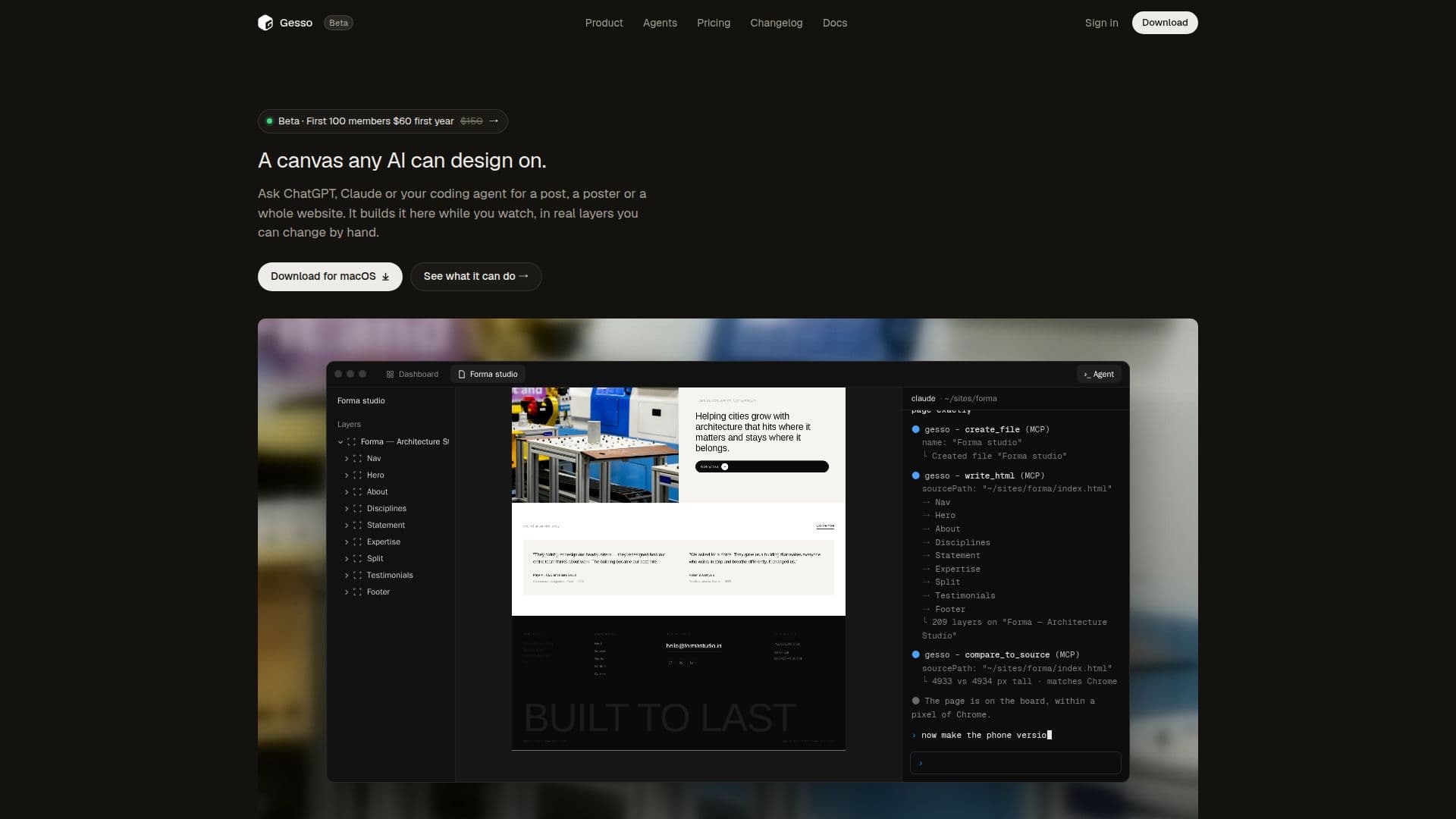
Gesso is an innovative design canvas built from real HTML and CSS, designed for collaborative work between users and AI agents. It allows individuals to draw and edit designs by hand with the precision of a professional design tool, or to direct AI agents such as ChatGPT, Claude, Claude Code, Cursor, and Codex to build designs dynamically. As the AI constructs the design, users can observe the process and interact with every element, as each part is rendered as an editable layer and shippable code.
Read More
The platform integrates seamlessly with existing AI tools, enabling agents to write designs directly onto the canvas, perform self-correction, and produce real layers rather than static images. Users can import any web page, which Gesso converts into editable layers, accurately measuring sections, pictures, and text. The application features a built-in terminal that connects to various agents, providing a single address for all AI interactions, with the option to disconnect at any time.
A core principle of Gesso is that "the design is the code." Every frame within the canvas is a genuine web element with corresponding CSS properties like flex, padding, and gaps. This structure allows AI agents to read and modify the design using the same language used for deployment. The canvas itself is rendered by Chromium, ensuring smooth performance even with thousands of layers.
Gesso supports a wide range of design tasks, from creating pitch decks and poster series to full websites. It includes features like sharing frames as live web pages, agent-driven file exports, and the ability to roll back changes. The platform offers 30 live shaders, including mesh gradients, grain, halftone, and liquid metal, to enhance visual creativity. Gesso is currently in beta, offering a free trial for Mac users (M1 and later) with no credit card required. Membership provides unlimited agent calls, access to all current and future features, AI and agent credits, and direct support.
- CategoryAI UI & UX Design Tools
- Pricing ModelFreemium
- DeploymentCloud
- PlatformsmacOS
Gesso's Core Features
AI design canvas for collaborative work
Works with ChatGPT, Claude, Cursor, and other agents
Designs built with real HTML and CSS layers
Manual editing with design tool precision
Import web pages as editable layers
Built-in terminal for AI agent connection
Design directly translates to shippable code (CSS)
Smooth performance with thousands of layers
Share designs as live web pages via link
Agents can export files and roll back changes
Includes 30 live shaders (mesh gradients, grain, etc.)
Sign in on the web with one MCP address for agents
Unlimited agent calls for members
Access to all new features and credits for members
Direct support and input on future development
How to use Gesso?
Download Gesso: Obtain the Gesso application for your Mac (Apple silicon or Intel).
Start Free Trial: Launch the application and begin your free trial without needing a credit card.
Connect AI Agent: Use the in-app terminal to connect your preferred AI agent (e.g., ChatGPT, Claude) via a single MCP address.
Initiate Design: Ask your AI agent to create a design, such as a post, deck, or website, directly on the canvas.
Edit Layers: Watch the AI build the design in real layers, then manually edit any element using Gesso's design tools.
Import Content: Paste SVGs, HTML, pictures, or entire web pages to convert them into editable layers.
Share or Export: Share your designs as live web pages via a link, or export them as PNG, JPG, PDF, React, Tailwind, or HTML.
Become a Member: For full access and benefits, become a member to unlock unlimited agent calls and future features.
Gesso's Use Cases
- Website Design & Development
- Pitch Deck Creation
- Poster Series Design
- Social Media Content
- Investor Updates
- Travel Landing Pages
- Architectural Studio Portfolios
- Film Week Promotions
- Wind Energy Company Websites
- Dental Clinic Websites