ToolPotion
AI Advisor
Submit a Tool (Free)

pen.dev

AI AppsAI UI & UX Design Tools#21Freemium · macOS, Windows, Linux

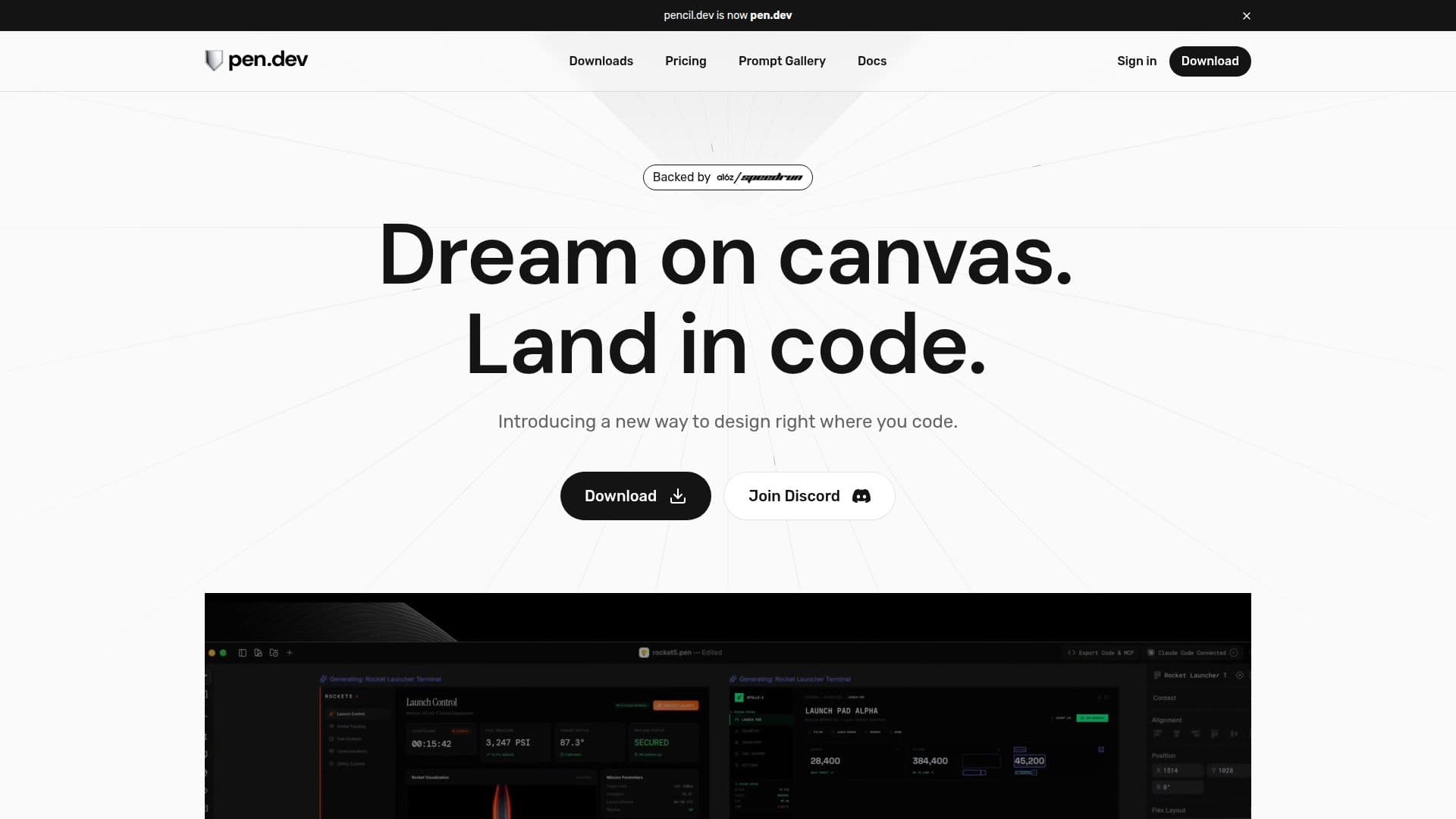
pen.dev is a design canvas built around AI agents, made by the team formerly known as Pencil. It lets designers and developers create interfaces on an infinite canvas, prompt agents to build screens, import pages from Figma or the web, and export straight to HTML and CSS. It connects to Claude, GPT, Gemini and other models.

Visit Website
Share
pen.dev screenshot
pen.dev screenshot

pen.dev is an agentic design canvas from High Agency Inc., the maker previously known as Pencil (pencil.dev). The product now describes itself as built for constructing software rather than just static screens: designers and developers work on an open canvas where AI agents can design alongside them, refine existing work, or build new screens from a prompt.

Read More

The canvas keeps designs in an open file format called .pen, a plain JSON file that both people and agents can read and edit, stored inside the same codebase as the product it describes. Work happens either by hand, using tools familiar from Figma and Sketch such as the pen tool, gradients, components and flex layout, or by directing an agent to draft, refine or extend a screen. A built-in browser and a Chrome extension let users import any webpage, app or design straight onto the canvas as editable layers, and Figma files, including vectors, text and styles, import directly.

Users bring their own model to the canvas: pen.dev works with Claude, GPT, Grok, Qwen, Gemini, Kimi, DeepSeek and Minimax, connected through an existing ChatGPT or Claude subscription, an API key, or MCP, WebMCP or the command line. The same MCP link lets tools such as Claude Code, Codex, Cursor or Antigravity design headlessly through pen.dev's CLI, without opening the canvas at all.

Other canvas features include real-time shader effects called Vibe Shaders, AI-assisted icon and illustration drawing called AI Pen, shared component libraries across files, and a custom WebGL rendering pipeline built to stay smooth with thousands of layers or tens of gigabytes of content. Finished work exports as PNG, JPEG, WEBP or PDF at any scale, as HTML and CSS or Tailwind in one click, or as a shareable link that opens the latest version in any browser. A slides and presentation mode is built in for turning canvas work into a deck.

pen.dev is currently free; the company says it will describe any paid plan clearly before charging for it. It ships as a downloadable desktop app plus browser and editor extensions for Chrome, VS Code, Cursor and OpenVSX, and is backed by a16z's Speedrun program. It suits product designers and small software teams who want to move between visual design and working code without switching tools, more than teams looking for a pure graphic-design product.

  • CategoryAI UI & UX Design Tools
  • Pricing ModelFreemium
  • DeploymentDesktop, IDE Extension, CLI
  • PlatformsmacOS, Windows, Linux

  • Open .pen file format that agents can read and edit natively

  • Bring-your-own-model support for Claude, GPT, Gemini, Grok, Qwen, Kimi, DeepSeek and Minimax

  • MCP, WebMCP and CLI connections for headless design from Claude Code, Cursor or Codex

  • Built-in browser and Chrome extension to import any webpage as editable layers

  • Figma import that preserves vectors, text and styles

  • Custom WebGL canvas built to stay smooth with thousands of layers

  • Vibe Shaders for real-time visual effects and gradients

  • AI Pen for generating icons and illustrations with agents

  • One-click export to HTML/CSS/Tailwind or PNG/JPEG/WEBP/PDF

  • Slides and presentation mode for turning canvas work into a deck

  1. Download: Get the pen.dev desktop app or add the Chrome, Cursor or VS Code extension.

  2. Start a canvas: Open a blank canvas or import a design from Figma, a webpage or your own codebase.

  3. Connect a model: Sign in with a Claude or ChatGPT subscription, add an API key, or link an agent through MCP.

  4. Design or prompt: Draw manually with the pen tool and components, or ask an agent to build or refine a screen.

  5. Add effects: Apply shaders, gradients and AI-drawn icons where needed.

  6. Export or share: Export to HTML/CSS, image formats or PDF, or send a link to the latest version.

  • Agentic UI design
  • Design-to-code handoff
  • Web page cloning
  • Headless design via MCP

From Pencil

pen.dev Reviews

Loading...

Popular AI Tools Like pen.dev

UX Pilot

AI Apps

UX Pilot is an AI-powered UX/UI design platform that turns ideas, sketches, or PRDs into wireframes, high-fidelity screens, complete user flows, and production-ready code, with…

AI UI & UX Design ToolsMarketing & Creative Agencies

Ranked #8 in AI UI & UX Design Tools

View Tool

AI Apps

AI-powered UX/UI design platform that turns ideas, sketches, or PRDs into wireframes, high-fidelity screens, complete user flows, and production-ready code, with…UX Pilot is an AI-powered UX/UI design platform that turns ideas, sketches, or PRDs into wireframes, high-fidelity screens, complete user flows, and production-ready code, with…

FeaturedAI UI & UX Design ToolsMarketing & Creative Agencies
Ranked #8 in AI UI & UX Design Tools

Uizard

AI Apps

Uizard is an AI-powered UI/UX design tool that turns text prompts, screenshots, and hand-drawn sketches into editable mockups and multi-screen prototypes, built to be as easy to…

AI UI & UX Design Tools

Ranked #231 in AI Apps

View Tool

AI Apps

AI-powered UI/UX design tool that turns text prompts, screenshots, and hand-drawn sketches into editable mockups and multi-screen prototypes, built to be as easy to…Uizard is an AI-powered UI/UX design tool that turns text prompts, screenshots, and hand-drawn sketches into editable mockups and multi-screen prototypes, built to be as easy to…

FeaturedAI UI & UX Design Tools
Ranked #231 in AI Apps

Flowstep

AI Apps

Flowstep is an AI design tool that generates production-ready UI from text prompts on an infinite canvas. Iterate via chat, copy to Figma, export React code, or connect an IDE via…

AI UI & UX Design Tools

Ranked #24 in AI UI & UX Design Tools

View Tool

AI Apps

AI design tool that generates production-ready UI from text prompts on an infinite canvas. Iterate via chat, copy to Figma, export React code, or connect an IDE via…Flowstep is an AI design tool that generates production-ready UI from text prompts on an infinite canvas. Iterate via chat, copy to Figma, export React code, or connect an IDE via…

FeaturedAI UI & UX Design Tools
Ranked #24 in AI UI & UX Design Tools

Figma Draw is an AI-powered design tool that helps users create layouts, graphics, and interactive prototypes quickly. It integrates with Figma Make, allowing for seamless design…

AI UI & UX Design ToolsMarketing & Creative Agencies
View Tool

AI-powered design tool that helps users create layouts, graphics, and interactive prototypes quickly. It integrates with Figma Make, allowing for seamless design…Figma Draw is an AI-powered design tool that helps users create layouts, graphics, and interactive prototypes quickly. It integrates with Figma Make, allowing for seamless design…

AI UI & UX Design ToolsMarketing & Creative Agencies
See the Top 250 AI Apps

Figma

AI Apps

Figma is a collaborative design platform that integrates design, code, and AI. It enables teams to work together seamlessly from concept to production, enhancing creativity and…

AI UI & UX Design Tools

Ranked #1 in AI UI & UX Design Tools

View Tool

AI Apps

Collaborative design platform that integrates design, code, and AI. It enables teams to work together seamlessly from concept to production, enhancing creativity and…Figma is a collaborative design platform that integrates design, code, and AI. It enables teams to work together seamlessly from concept to production, enhancing creativity and…

AI UI & UX Design Tools
Ranked #1 in AI UI & UX Design Tools

Paper

AI Apps

Paper is a modern design tool that connects teams, code, and data on a single canvas. It enables seamless design-to-code workflows, ensuring nothing is lost in translation.

AI UI & UX Design Tools

Ranked #29 in AI UI & UX Design Tools

View Tool

AI Apps

Modern design tool that connects teams, code, and data on a single canvas. It enables seamless design-to-code workflows, ensuring nothing is lost in translation.Paper is a modern design tool that connects teams, code, and data on a single canvas. It enables seamless design-to-code workflows, ensuring nothing is lost in translation.

AI UI & UX Design Tools
Ranked #29 in AI UI & UX Design Tools

Empowers users to transform ideas into reality using AI-powered design tools. It allows for faster generation, iteration, and building, all within a collaborative…Figma Make empowers users to transform ideas into reality using AI-powered design tools. It allows for faster generation, iteration, and building, all within a collaborative…

AI UI & UX Design Tools
See the Top 250 AI Apps

UXMagic

AI Apps

UXMagic is an AI UI generator that turns text, sketches, screenshots, or URLs into Figma-ready UI designs and exportable HTML/React code. Built for designers, product managers,…

AI UI & UX Design Tools

Ranked #36 in AI UI & UX Design Tools

View Tool

AI Apps

AI UI generator that turns text, sketches, screenshots, or URLs into Figma-ready UI designs and exportable HTML/React code. Built for designers, product managers,…UXMagic is an AI UI generator that turns text, sketches, screenshots, or URLs into Figma-ready UI designs and exportable HTML/React code. Built for designers, product managers,…

AI UI & UX Design Tools
Ranked #36 in AI UI & UX Design Tools
1 of 8