Description
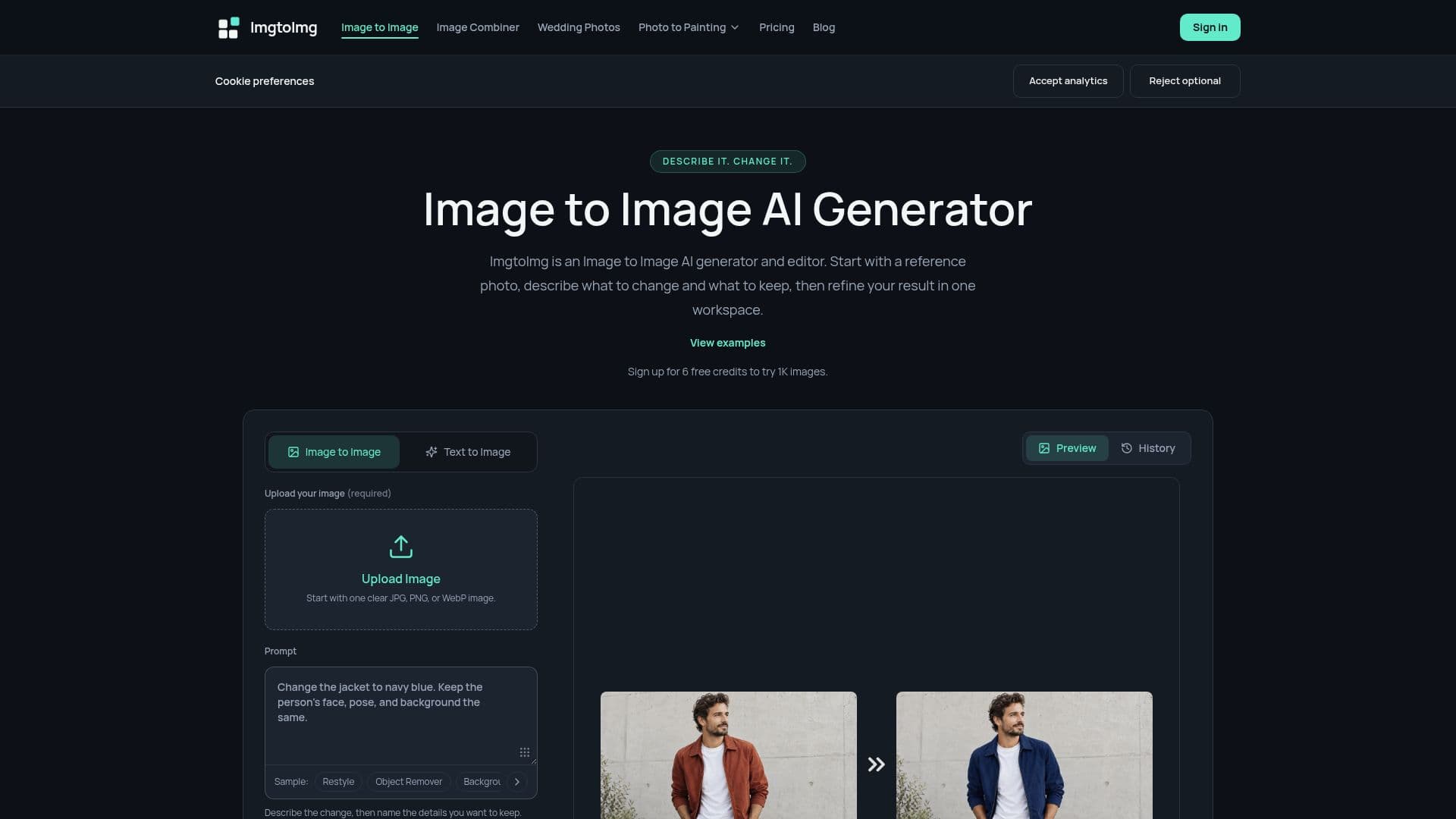
ImgtoImg is an AI-powered image-to-image generation and editing tool designed for content creators, e-commerce teams, and designers. It allows users to upload an existing photo and describe desired changes using a text prompt, such as altering backgrounds, colors, or artistic styles. The platform then generates new versions of the image, providing a high degree of control over the editing process.
Read More
The tool operates in three simple steps: upload an image (JPG, PNG, or WebP), enter a detailed prompt specifying what to change and what to keep, and then review, edit, or download the generated result. Users can choose from multiple AI models, set aspect ratios, and select resolutions up to 4K. Each generation, follow-up edit, or variation consumes credits, with costs clearly displayed before processing.
ImgtoImg offers flexible, one-time credit packs instead of subscriptions, ensuring purchased credits never expire. New users receive 6 free credits to try 1K resolution images, with paid packs supporting higher resolutions and watermark-free downloads. The platform also features an AI Image Combiner for merging two source images into a new composition and an AI Wedding Photo Generator for creating conceptual wedding portraits from a single photo.
Key capabilities include generating product backgrounds, changing clothing colors, transforming photos into watercolors, removing objects, adjusting interior lighting, and converting sketches into interior concepts. While the AI guides changes based on prompts, exact preservation of faces, text, or logos is not guaranteed, encouraging users to review results carefully, especially for commercial work. Generated images from paid accounts can be used commercially, subject to terms and third-party rights. The platform emphasizes user control and flexibility, making it suitable for a wide range of creative and professional image editing needs.
- CategoryAI Image Generators
- Pricing ModelOne-time Purchase
- DeploymentCloud
- PlatformsWeb
ImgtoImg's Core Features
Image-to-Image AI Generation
Photo Editing with Text Prompts
Background, Color, and Style Changes
Multiple AI Models (GPT Image 2, GPT Image 2.5, Nano Banana 2.1)
Adjustable Aspect Ratios
Resolution Settings (1K, 2K, 4K)
Support for JPG, PNG, WebP Formats
One-Time Credit Packs (No Subscription)
Credits Never Expire
Commercial Use Rights (with paid access)
AI Image Combiner (merge two images)
AI Wedding Photo Generator (from one photo)
Object Removal
Interior Lighting Adjustment
Sketch to Interior Concept Transformation
How to use ImgtoImg?
Upload Image: Select a clear JPG, PNG, or WebP image you have permission to use.
Enter Prompt & Generate: Describe desired changes, choose a model, aspect ratio, resolution, and output count. Review credit cost and generate.
Review, Edit & Download: Check the result for unwanted changes. Use 'Edit this version' for adjustments or download as PNG, JPG, or WebP.
Purchase Credits: Buy a one-time credit pack for more generations, higher resolutions, and watermark-free downloads.
ImgtoImg's Use Cases
- Product Backgrounds
- Clothing Color Changes
- Photo to Watercolor
- Object Removal
- Interior Lighting Adjustment
- Sketch to Interior Concept
- Combine Two Images
- AI Wedding Photo Generation
- Campaign Image Settings
- Artistic Style Exploration