Description
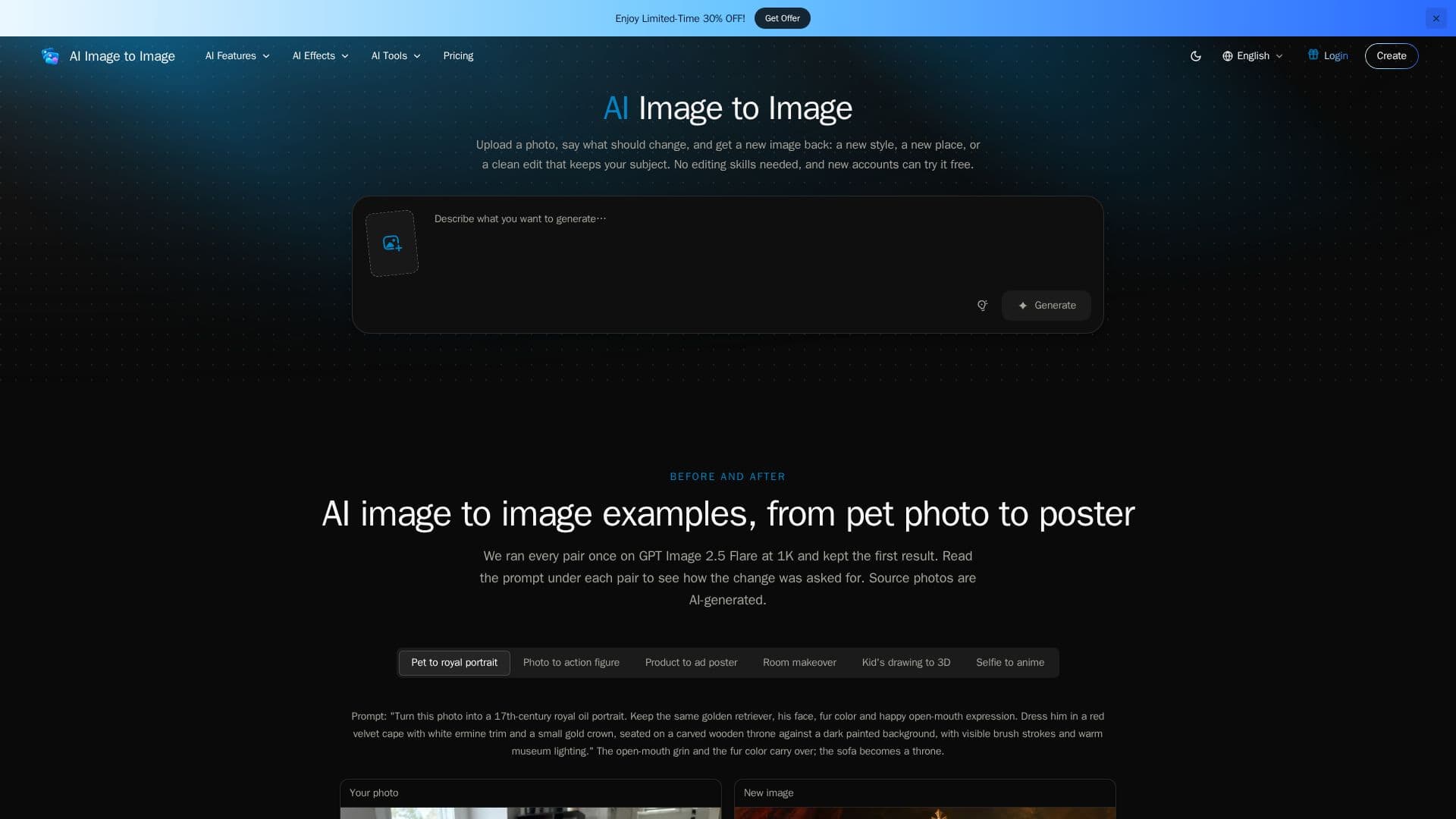
AI Image to Image is an independent online product designed for generating and editing images and videos using artificial intelligence. It allows users to upload an existing photo and provide a text prompt to describe the desired modifications. This process, often referred to as "img2img," enables transformations such as restyling a snapshot into various art forms (watercolor, anime, oil paint), moving a subject to a new scene, or performing precise edits like changing colors or adding objects.
Read More
The platform differentiates itself from traditional photo editors by allowing users to describe the desired outcome, leaving the pixel-level work to the AI models. It also differs from text-to-image generators, which start from a written description only, by grounding the generation in an initial image. Users can combine several photos by uploading them and referencing them in the prompt.
AI Image to Image offers a selection of models, each suited for different tasks. For instance, GPT Image 2.5 Flare is the default for everyday edits, Nano Banana Pro is recommended for complex compositions and brand work, and Nano Banana 2.1 excels at character consistency. Models like GPT Image 2 and Seedream 5.0 Pro are optimized for precise edits and legible text, while FLUX 3 Klein provides fast, low-cost drafts. The platform also supports video generation with models like Wan 3.0, Veo 3.1, Kling 4.0, Seedance 2, and MiniMax H3 Max.
New accounts receive 10 free credits, sufficient for a few initial images, allowing users to try the service before committing to a paid plan. Paid plans remove watermarks, enable higher resolutions (2K and 4K), and allow for multiple images per run. Pricing is credit-based, with each model having a specific credit cost displayed before generation. Commercial use licenses are included with all paid plans. Uploaded photos and results are typically deleted after 30 days or retained with an active subscription, with options for earlier deletion.
- CategoryAI Image Generators
- Pricing ModelFreemium
- DeploymentCloud
- PlatformsWeb
AI Image to Image's Core Features
Image to Image Generation: Transform existing photos with text prompts.
Video Generation: Animate photos and create videos from images.
Multiple AI Models: Choose from GPT Image 2.5 Flare, Nano Banana Pro, Seedream 5.0 Pro, and more.
Restyle Photos: Convert snapshots into various art styles like watercolor, anime, or oil paint.
Scene Modification: Change backgrounds or move subjects to new environments.
Text-Based Editing: Make precise edits by describing changes in a prompt.
Combine Multiple Photos: Integrate elements from several images into one output.
Text Integration: Add legible headlines, price tags, and labels to images.
Character Consistency: Maintain character appearance across multiple images.
High-Resolution Output: Generate images up to 4K resolution (model-dependent).
Credit-Based System: Pay for generations using credits, with costs shown upfront.
Free Trial: New accounts receive 10 free credits.
Watermark Removal: Watermarks removed with any purchase.
Commercial Use License: Included with all paid plans.
Data Privacy: Uploads and results deleted after approximately 30 days or with subscription.
How to use AI Image to Image?
Upload Photo: Drop the picture you want to change into the platform. Upload multiple photos if combining elements.
Describe Change: Write a prompt detailing what to keep and what to modify in the image.
Choose Model: Select an AI model that best suits your editing needs, or use the default GPT Image 2.5 Flare.
Generate Image: Run the generation process and receive your new image.
Review and Refine: If details drift, re-run the generation or switch to a different model.
AI Image to Image's Use Cases
- Restyling Photos
- Changing Scenes
- Precise Image Editing
- Combining Images
- Adding Text to Images
- Maintaining Character Consistency
- Drafting Visual Concepts
- Creating Ad Posters
- Interior Design Visualization
- Animating Photos