Description
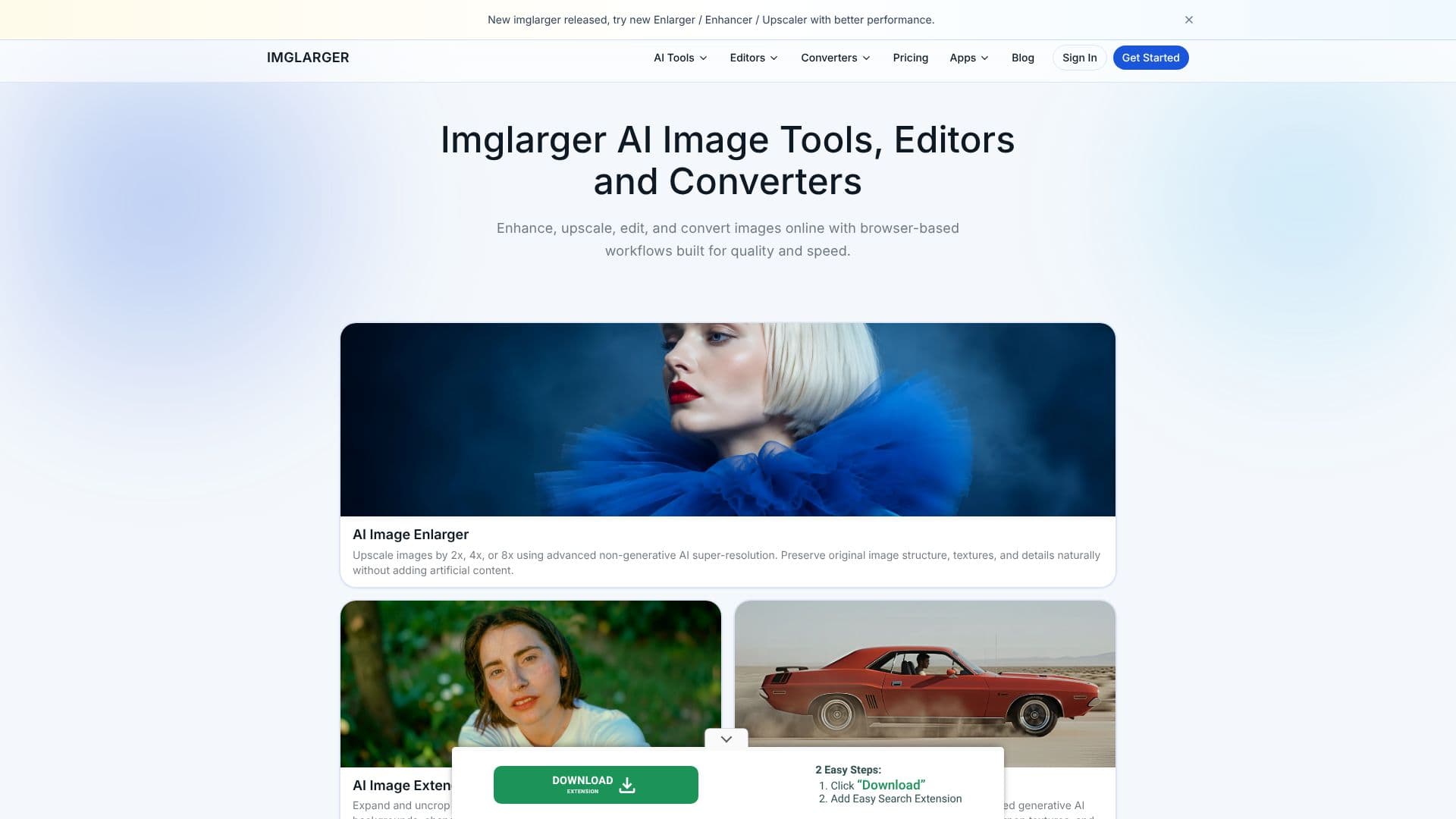
ImgLarger provides a comprehensive online platform for transforming and enhancing digital images using advanced AI technology. The suite includes tools for image enlargement, enhancement, editing, and conversion, all accessible directly through a web browser. This approach eliminates the need for software installation, offering a convenient and efficient workflow for users.
Read More
The AI Image Enlarger utilizes non-generative AI super-resolution to upscale images by 2x, 4x, or 8x, meticulously preserving original image structure, textures, and details without introducing artificial elements. For expanding image boundaries, the AI Image Extender employs generative AI outpainting to seamlessly extend backgrounds and alter aspect ratios, creating realistic new content.
Users can enhance blurry or low-quality photos with the AI Photo Enhancer, which leverages generative AI models to restore details, reduce noise and blur, sharpen textures, and improve overall visual quality. The AI Image Upscaler offers fast resolution enhancement and detail sharpening, while the AI Sharpener specifically targets blur reduction and edge definition for crisp images.
Beyond enhancement, ImgLarger features a Background Remover that accurately removes image backgrounds in seconds, ideal for product photography and portraits. The platform also includes a robust online image editor for free use, allowing users to crop, resize, rotate, adjust brightness, contrast, and apply filters without registration. Image conversion is simplified with a free online tool supporting various formats like WEBP, JPG, PNG, and HEIC.
ImgLarger is designed for a wide range of users, from photographers and graphic designers seeking to improve image quality and resolution, to individuals looking to revive old photos or prepare images for online content. The platform emphasizes ease of use, speed, and quality, making professional-grade image manipulation accessible to everyone. Data safety is also a priority, with all uploaded files automatically deleted after 24 hours post-processing.
- CategoryAI Image Upscalers
- Pricing ModelFreemium
- DeploymentCloud
- PlatformsWeb, Mobile App (iOS)
ImgLarger AI Tools's Core Features
AI Image Enlarger for 2x, 4x, 8x upscaling
Generative AI Image Extender for outpainting and background extension
AI Photo Enhancer for restoring blurry and low-quality images
AI Image Upscaler for fast resolution enhancement
AI Sharpener for reducing blur and improving edge definition
AI Background Remover for accurate background removal
Online Image Editor with crop, resize, rotate, and color adjustments
Free online Image Converter for various formats (JPG, PNG, WEBP, HEIC)
Batch processing for multiple images simultaneously
Data safe guarantee with automatic file deletion after 24 hours
How to use ImgLarger AI Tools?
Upload Image: Select the desired AI tool and upload your image.
Configure Settings: Choose enlargement factor, extension method, or editing options.
Process Image: Click 'Start' or the relevant button to begin AI processing.
Review and Download: Preview the enhanced image and download the result.
ImgLarger AI Tools's Use Cases
- Image Upscaling
- Photo Restoration
- Background Removal
- Image Extension
- Image Sharpening
- Format Conversion
- Batch Processing
- Low-Quality Photo Enhancement