
ToolPotion
AI Advisor
Submit a Tool (Free)

ImageCompressor.si

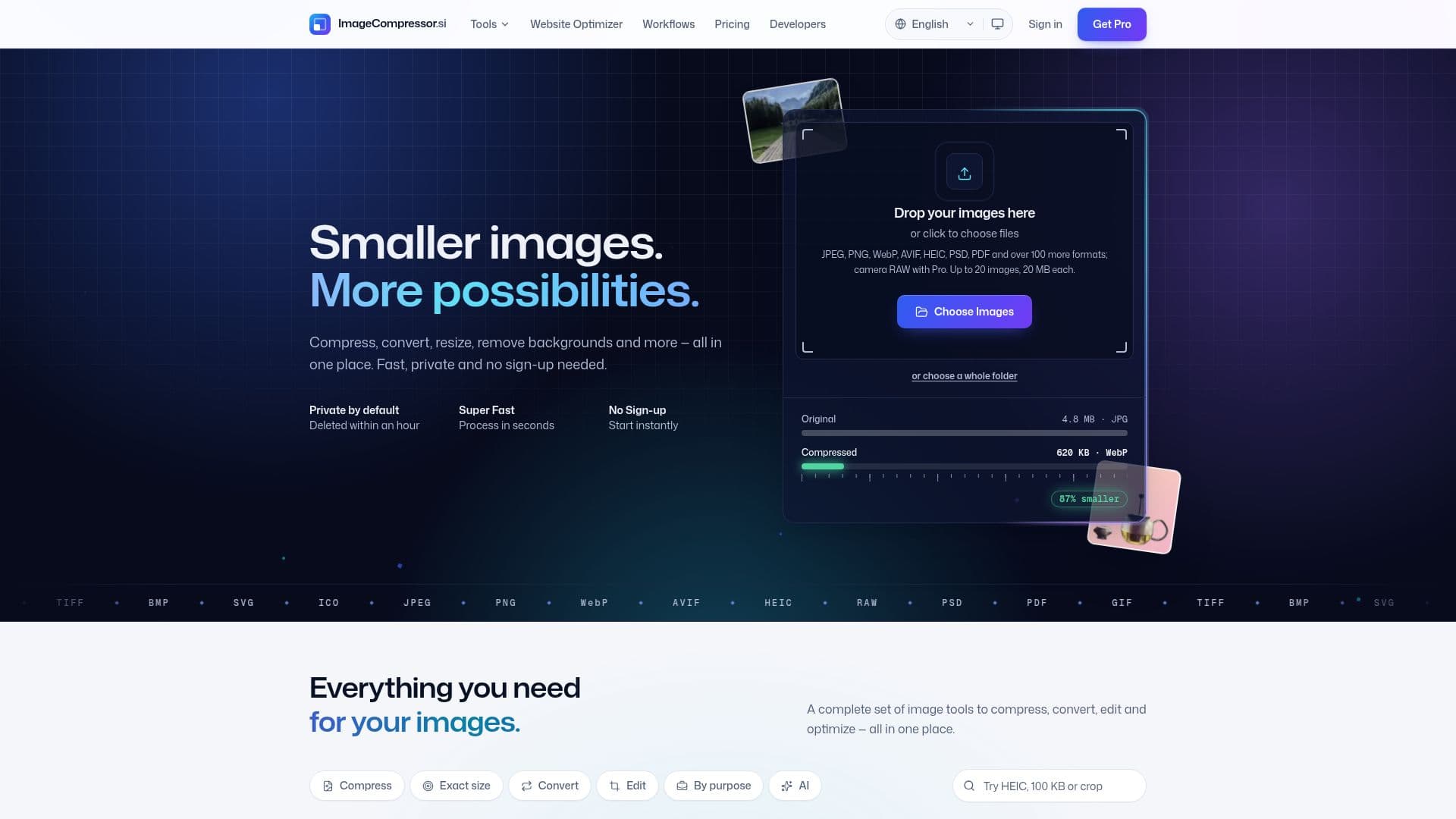
ImageCompressor.si offers a comprehensive suite of free online tools for image optimization, conversion, and editing. Users can compress images to exact sizes, convert between over 100 formats, resize, crop, and remove backgrounds. It also provides AI-powered features like image upscaling and text extraction, alongside a website optimizer for bulk image processing, all without requiring sign-up.

Visit Website
Share
ImageCompressor.si screenshot

ImageCompressor.si provides a robust and free online platform for all image processing needs, featuring 287 distinct tools. The service allows users to compress images to specific file sizes, such as 20 KB, 50 KB, or 1 MB, making it ideal for web forms, email attachments, and ID photos. It supports over 100 input formats, including JPEG, PNG, WebP, AVIF, GIF, TIFF, BMP, SVG, HEIC, PSD, and PDF, with output options like JPEG, PNG, WebP, AVIF, GIF, TIFF, BMP, ICO, JPEG XL, PDF, TGA, or PSD.

Read More

Beyond basic compression, ImageCompressor.si offers extensive conversion capabilities, enabling users to change formats like HEIC to JPG, PNG to JPG, or JPG to WebP. The platform also includes essential editing tools such as resizing by pixels or percentage, cropping with ratio locks, rotating, and adding watermarks. Users can create photo collages and remove sensitive EXIF metadata like GPS coordinates and camera details before sharing images.

For advanced users and developers, ImageCompressor.si provides an API with TypeScript and Python SDKs, allowing programmatic access to its features. This includes endpoints for compression, inspection, background removal, ID photo creation, favicon generation, HTML-to-image conversion, website screenshots, GIF editing, face detection and blurring, image upscaling, and OCR. A free tier offers 1,000 API requests and 100 AI requests per month.

The Website Optimizer feature scans entire websites, analyzing images, CSS, and scripts to provide optimized files in a ZIP package with a replacement map. This helps improve page loading times and search rankings. The platform also offers AI-powered tools for background removal, 2x image upscaling that reconstructs detail, face blurring, and converting images to text.

ImageCompressor.si prioritizes user privacy and security. All images are uploaded over an encrypted connection and processed on EU-based servers. Original files are not kept, and results are automatically deleted within one hour. Images are never used for AI model training or shared with third parties. The service operates without ads and offers a free tier for most tools, with a Pro plan available for higher limits and advanced features like image workflows.

  • CategoryImage Generation & Editing
  • Pricing ModelFreemium
  • DeploymentCloud
  • PlatformsWeb

  • Compress images to exact KB sizes (e.g., 20 KB, 50 KB, 1 MB)

  • Convert between over 100 image formats (e.g., HEIC to JPG, JPG to WebP)

  • Resize images by pixels or percentage, with aspect ratio control

  • Crop images with custom rectangles, ratio locks, or circular cuts

  • Remove backgrounds from images, with transparent, colored, or custom backgrounds

  • Upscale images 2x using an AI model to reconstruct detail

  • Blur or pixelate faces detected in photos

  • Convert images to text (OCR) in English and Slovenian

  • Optimize entire websites by scanning pages and converting images to WebP

  • Add watermarks (text or logo) to images in batches

  • Create photo collages from multiple images

  • Strip EXIF metadata, including location and camera details

  • Batch process up to 20 images at a time (free) or 500 (Pro)

  • Developer API with TypeScript and Python SDKs for programmatic access

  • Image workflows for chaining multiple processing steps (Pro feature)

  1. Add Images: Drag and drop, paste, or select image files for upload over an encrypted connection.

  2. Pick Quality or Target Size: Use a quality slider or specify an exact target size in KB or MB.

  3. Apply Tools: Select from various tools like compression, conversion, resizing, cropping, or AI features.

  4. Configure Settings: Adjust specific parameters for each tool, such as output format, dimensions, or background color.

  5. Download Results: Save individual processed files or download a batch as a single ZIP archive.

  6. Utilize API (Optional): Integrate with the REST API using SDKs for automated image processing in your applications.

  • Website Image Optimization
  • Email Attachment Compression
  • ID Photo Preparation
  • Social Media Image Sizing
  • Image Format Conversion
  • Background Removal for Products
  • Photo Metadata Stripping
  • Automated Image Processing
  • Document Image Extraction
  • Favicon Generation

ImageCompressor.si Reviews

Loading...

Popular AI Tools Like ImageCompressor.si

LeanImg

AI Apps

LeanImg offers a suite of free online image tools that allow users to compress, resize, crop, convert, upscale, and remove backgrounds from images. These tools operate directly in…

Image Generation & Editing

Ranked #43 in Background Removers

View Tool

AI Apps

Offers a suite of free online image tools that allow users to compress, resize, crop, convert, upscale, and remove backgrounds from images. These tools operate directly in…LeanImg offers a suite of free online image tools that allow users to compress, resize, crop, convert, upscale, and remove backgrounds from images. These tools operate directly in…

Image Generation & Editing
Ranked #43 in Background Removers

Imgkits

AI Apps

Browser-based AI platform with tools for image generation, editing, enhancement, and video creation. Built for creators, marketers, and small businesses who want quick edits with…

Image Generation & EditingMarketing & Creative Agencies

Ranked #36 in Image Generation & Editing

View Tool

AI Apps

Browser-based AI platform with tools for image generation, editing, enhancement, and video creation. Built for creators, marketers, and small businesses who want quick edits with…

Image Generation & EditingMarketing & Creative Agencies
Ranked #36 in Image Generation & Editing

Pixverter

AI Apps

Pixverter is a free online image converter that handles various tasks directly in your browser. It allows users to convert, compress, and resize images, remove backgrounds using…

AI Photo Editors
View Tool

AI Apps

Free online image converter that handles various tasks directly in your browser. It allows users to convert, compress, and resize images, remove backgrounds using…Pixverter is a free online image converter that handles various tasks directly in your browser. It allows users to convert, compress, and resize images, remove backgrounds using…

AI Photo Editors
See the Top 250 AI Apps

ConvertFiles.ai offers a free online image file converter supporting various formats like PNG, JPEG, WEBP, and HEIC. Easily transform your images without quality loss, with…

Other AI Tools
View Tool

Offers a free online image file converter supporting various formats like PNG, JPEG, WEBP, and HEIC. Easily transform your images without quality loss, with…ConvertFiles.ai offers a free online image file converter supporting various formats like PNG, JPEG, WEBP, and HEIC. Easily transform your images without quality loss, with…

Other AI Tools
See the Top 250 AI Apps

PKD Ventures offers a comprehensive suite of over 90 free online tools for everyday file tasks. These include converters, compressors, and enhancers for images, PDFs, documents,…

Productivity
View Tool

Offers a comprehensive suite of over 90 free online tools for everyday file tasks. These include converters, compressors, and enhancers for images, PDFs, documents,…PKD Ventures offers a comprehensive suite of over 90 free online tools for everyday file tasks. These include converters, compressors, and enhancers for images, PDFs, documents,…

Productivity
See the Top 250 AI Apps

PixelMax

AI Apps

PixelMax is a free AI-powered photo editor that allows users to edit, enhance, and transform images quickly. With tools for background removal, photo enhancement, and style…

AI Photo EditorsRetail & Consumer Goods

Ranked #110 for Removing objects from photos

View Tool

AI Apps

Free AI-powered photo editor that allows users to edit, enhance, and transform images quickly. With tools for background removal, photo enhancement, and style…PixelMax is a free AI-powered photo editor that allows users to edit, enhance, and transform images quickly. With tools for background removal, photo enhancement, and style…

AI Photo EditorsRetail & Consumer Goods
Ranked #110 for Removing objects from photos

PixVibe

AI Apps

PixVibe is a versatile image processing tool that allows users to remove backgrounds, convert formats, compress, resize, crop, and upscale images directly in their browser. It…

AI Photo Editors

Ranked #181 for Removing objects from photos

View Tool

AI Apps

Versatile image processing tool that allows users to remove backgrounds, convert formats, compress, resize, crop, and upscale images directly in their browser. It…PixVibe is a versatile image processing tool that allows users to remove backgrounds, convert formats, compress, resize, crop, and upscale images directly in their browser. It…

AI Photo Editors
Ranked #181 for Removing objects from photos

This online image editor offers professional, AI-powered tools for image processing. Features include AI expansion, smart cropping, format conversion, compression, watermarking,…

AI Image Upscalers
View Tool

This online image editor offers professional, AI-powered tools for image processing. Features include AI expansion, smart cropping, format conversion, compression, watermarking,…

AI Image Upscalers
See the Top 250 AI Apps
1 of 8