
Description
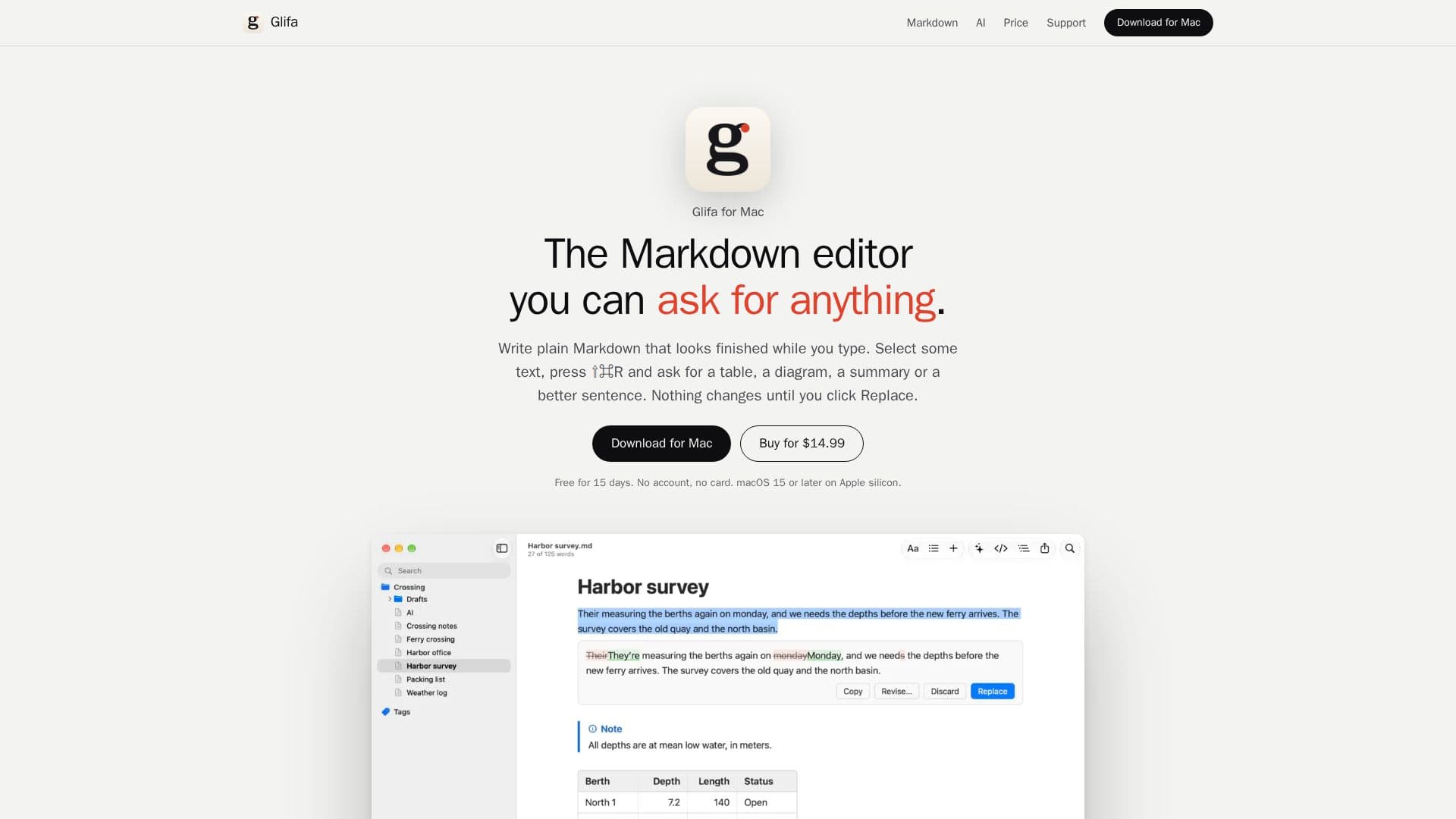
Glifa is a Markdown editor designed for Mac users, offering a seamless writing experience enhanced with integrated AI features. It allows users to write in plain Markdown while seeing a finished-looking document as they type. A core functionality is the ability to select text and use a keyboard shortcut (⇧⌘R) to prompt the AI for various tasks, such as generating tables, diagrams, summaries, or refining sentences. The AI's proposed changes are displayed with clear markings, and nothing is finalized until the user explicitly clicks "Replace," ensuring full control over the content.
Read More
The editor supports a wide range of Markdown elements, including tables, TeX math, Mermaid diagrams, code blocks, callouts, footnotes, tasks, and links between notes. Users can edit tables directly within the document, adding or moving rows and columns and setting alignment. Code is highlighted in over a hundred languages, and footnotes are automatically numbered. Glifa also offers features like Focus Mode, Typewriter Mode, and Reading Mode to enhance the writing and reading experience.
One of Glifa's distinctive aspects is its flexible AI integration. It does not run its own AI servers; instead, it allows users to connect their own API keys from various providers like Anthropic, OpenAI, Google Gemini, Mistral, OpenRouter, Groq, and Cerebras, or any service compatible with the OpenAI API. For certain models like Claude Code and Codex, Glifa uses existing command-line tool sign-ins. Additionally, it supports running models locally on the Mac, such as Apple Intelligence, LM Studio, and Ollama, ensuring that text remains on the user's device. Users can also create custom AI actions using Markdown files with specific instructions.
Glifa emphasizes user control and privacy. All notes are stored as plain .md files in user-chosen folders, allowing for easy syncing, backup, and use with other applications. It can open Obsidian vaults directly, preserving wikilinks, embeds, backlinks, and tags without conversion. The application also includes version control features, allowing users to compare current documents with older versions and review changes made by other applications or agents. It offers robust export options to PDF, HTML, Word, RTF, and images, with support for Pandoc for additional formats.
Glifa is a one-time purchase, priced at $14.99 at launch (later increasing to $19.99), and includes all 1.x updates. It can be used on up to 3 Macs. The AI functionality does not incur extra fees from Glifa, though external AI providers may charge for their services. A 15-day free trial is available without requiring an account or credit card.
- CategoryAI Writing Assistants
- Pricing ModelOne-time purchase
- DeploymentDesktop app
- PlatformsmacOS
Glifa's Core Features
AI-powered content generation: Ask for tables, diagrams, summaries, or first drafts
Interactive AI suggestions: Review and accept/reject changes with marked differences
Plain Markdown editor: Write and edit .md files with live formatting
Custom AI actions: Create personalized AI prompts using Markdown files
Flexible AI provider integration: Use personal API keys for various AI services
Local AI model support: Run models like Apple Intelligence, LM Studio, and Ollama on your Mac
Obsidian vault compatibility: Open and work with Obsidian vaults directly
Version control: Compare documents with older versions and review external changes
Rich Markdown support: TeX math, Mermaid diagrams, code blocks, callouts, footnotes, tasks
Export options: Export to PDF, HTML, Word, RTF, images, and Pandoc formats
Theming: Eleven built-in themes and support for Typora themes
File management: Works with ordinary folders, no database, supports sync services
Search and navigation: Open Quickly, Find in Folder, Document List, Outline
Focus and writing modes: Focus Mode, Typewriter Mode, Reading Mode
Multi-language support: Available in eleven languages for the UI and content
How to use Glifa?
Download Glifa: Install the application on your Mac (macOS 15 or later on Apple silicon).
Start a new document: Open Glifa and begin writing in Markdown.
Integrate AI: Go to Settings > AI to configure your preferred AI provider using an API key or select a local model.
Generate content: Select text or an empty line, press ⇧⌘R, and type your request (e.g., "Turn these notes into a table").
Review and replace: Examine the AI's proposed changes, which are marked, and click "Replace" to accept them.
Create custom actions: Add Markdown files with instructions to the AI Actions folder to create personalized AI commands.
Manage documents: Organize your .md files in folders, which Glifa works with directly, or open Obsidian vaults.
Export your work: Use the export options to save your documents in various formats like PDF, Word, or HTML.
Glifa's Use Cases
- Drafting documents
- Data visualization
- Content summarization
- Text refinement
- Translation
- Markdown editing
- Note organization
- Accessibility improvement
- Document review
- Academic writing