Description
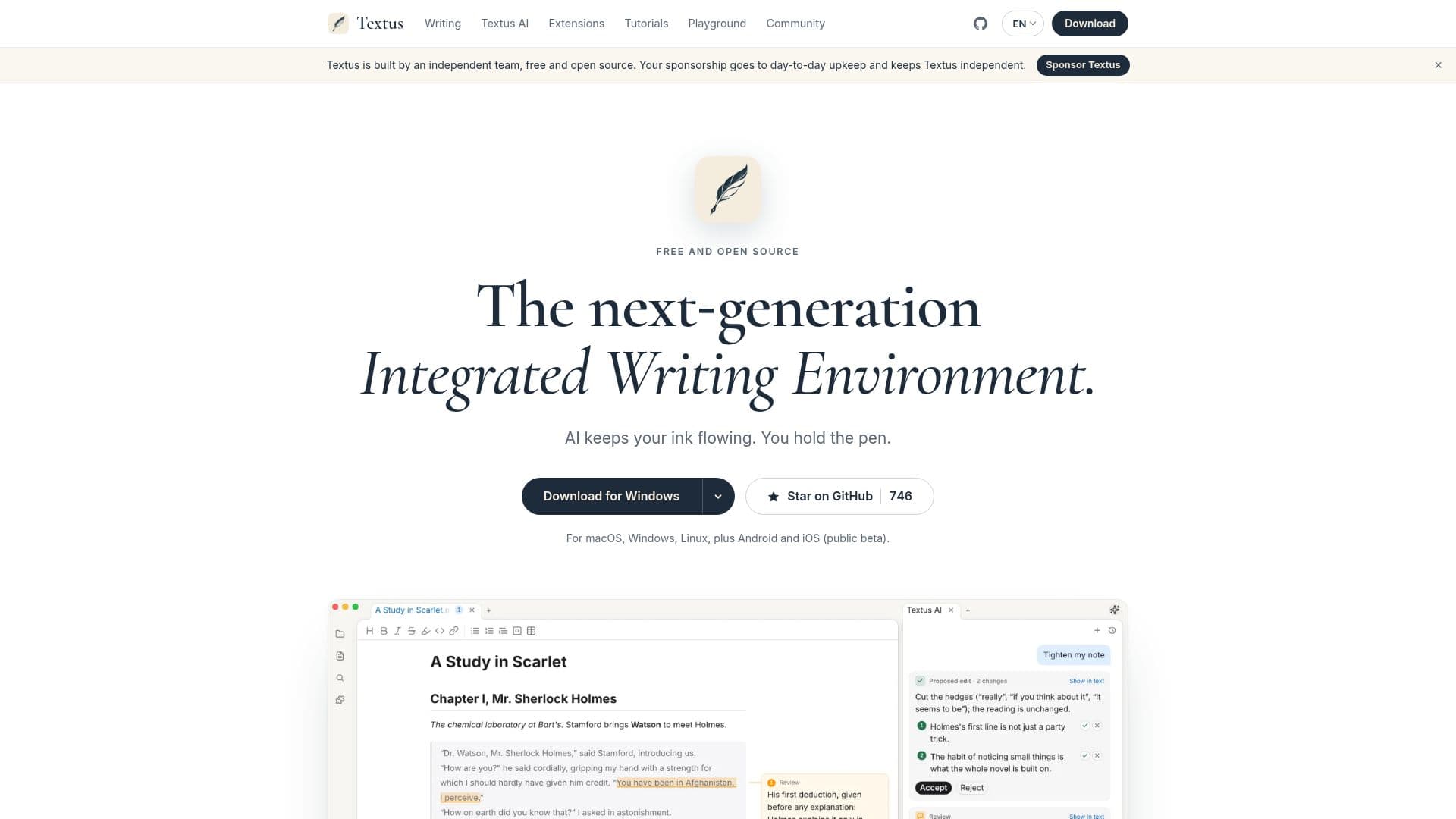
Textus is presented as a next-generation Integrated Writing Environment, offering a comprehensive suite of tools for writers. It is a free and open-source Markdown editor, available across a wide range of operating systems including macOS, Windows, Linux, Android, and iOS (currently in public beta). The core of Textus's appeal lies in its integrated AI writing assistant, designed to keep the "ink flowing" while the user retains full creative control.
Read More
The AI assistant within Textus provides several key functionalities to support the writing process. It includes a robust grammar and spelling checker that aims to catch every slip, acting as a reliable proofreader. Beyond basic corrections, the AI offers suggestions for improving writing and generating fresh ideas, aiding in content development. A continuation feature helps predict what the user wants to write next, facilitating a smoother flow. For refining text, the revision tool polishes writing sentence by sentence, ensuring clarity and conciseness. Additionally, Textus offers "Skills" for tasks like tightening prose, translating, or changing the tone with a single click.
One of the notable aspects of Textus is its adaptability and privacy-focused design. It supports integration with over 20 Large Language Models (LLMs) and any LLM that offers an OpenAI-compatible API, including popular choices like OpenAI, Claude, Google Gemini, DeepSeek, and Mistral. Users can connect their own provider accounts or even run a local model via Ollama, ensuring that their words never leave their computer if desired. The platform emphasizes user privacy, storing API keys and sign-ins locally on the user's device, with AI requests traveling directly from the device to the chosen provider. Textus operates with no account required, no tracking, no analytics, no telemetry, and no ads, reinforcing its commitment to an open-source and private writing experience.
Beyond AI assistance, Textus offers a rich set of editor features. It supports plain Markdown files with advanced elements like tables, task lists, footnotes, math, and Mermaid diagrams. Users can export their work to various formats including PDF, Word (DOCX), HTML, ODT, RTF, and EPUB. Additional extensions enhance functionality, such as Mind Map for outlining, Vim Modes for advanced editing, Graph View for visualizing notes and links, Workspace for managing folders, Marp for creating slides, and Zotero for citation management. A version history feature ensures every save is kept, allowing users to revert to any previous state. Textus is MIT-licensed, making its codebase publicly verifiable.
- CategoryAI Writing Assistants
- Pricing ModelFree
- DeploymentCloud, Self-hosted
- PlatformsmacOS, Windows, Linux, Android, iOS
Textus's Core Features
Free and open-source Markdown editor
AI writing assistant built-in
Grammar and spelling checker
Writing suggestions and idea generation
Continuation assistance for writing flow
Sentence-by-sentence revision tool
Proofreading, tightening, translation, and tone adjustment skills
Learns user's writing style over time
Supports over 20 LLMs and OpenAI-compatible APIs
Local model support via Ollama for offline use
Plain Markdown file compatibility
Export to PDF, DOCX, HTML, ODT, RTF, EPUB
Mind Map for outlining
Vim Modes for advanced text editing
Graph View for notes and links visualization
Version History for every save
How to use Textus?
Download Textus: Obtain the application for macOS, Windows, Linux, Android, or iOS from the official website or GitHub.
Start Writing: Open the editor and begin creating documents using Markdown syntax.
Utilize AI Assistant: Access the built-in AI for grammar checks, spelling corrections, writing suggestions, and content continuation.
Refine Content: Use the revision tools to polish sentences, adjust tone, or translate text with a single click.
Connect LLM (Optional): Integrate your preferred Large Language Model via API key or sign-in, or run a local model with Ollama.
Export Documents: Save your work in various formats such as PDF, DOCX, HTML, or EPUB.
Explore Extensions: Enhance your workflow with features like Mind Map, Graph View, or Zotero integration.
Textus's Use Cases
- Academic Writing
- Creative Writing
- Technical Documentation
- Content Creation
- Note-Taking & Organization
- Multi-Platform Editing
- Privacy-Focused Writing