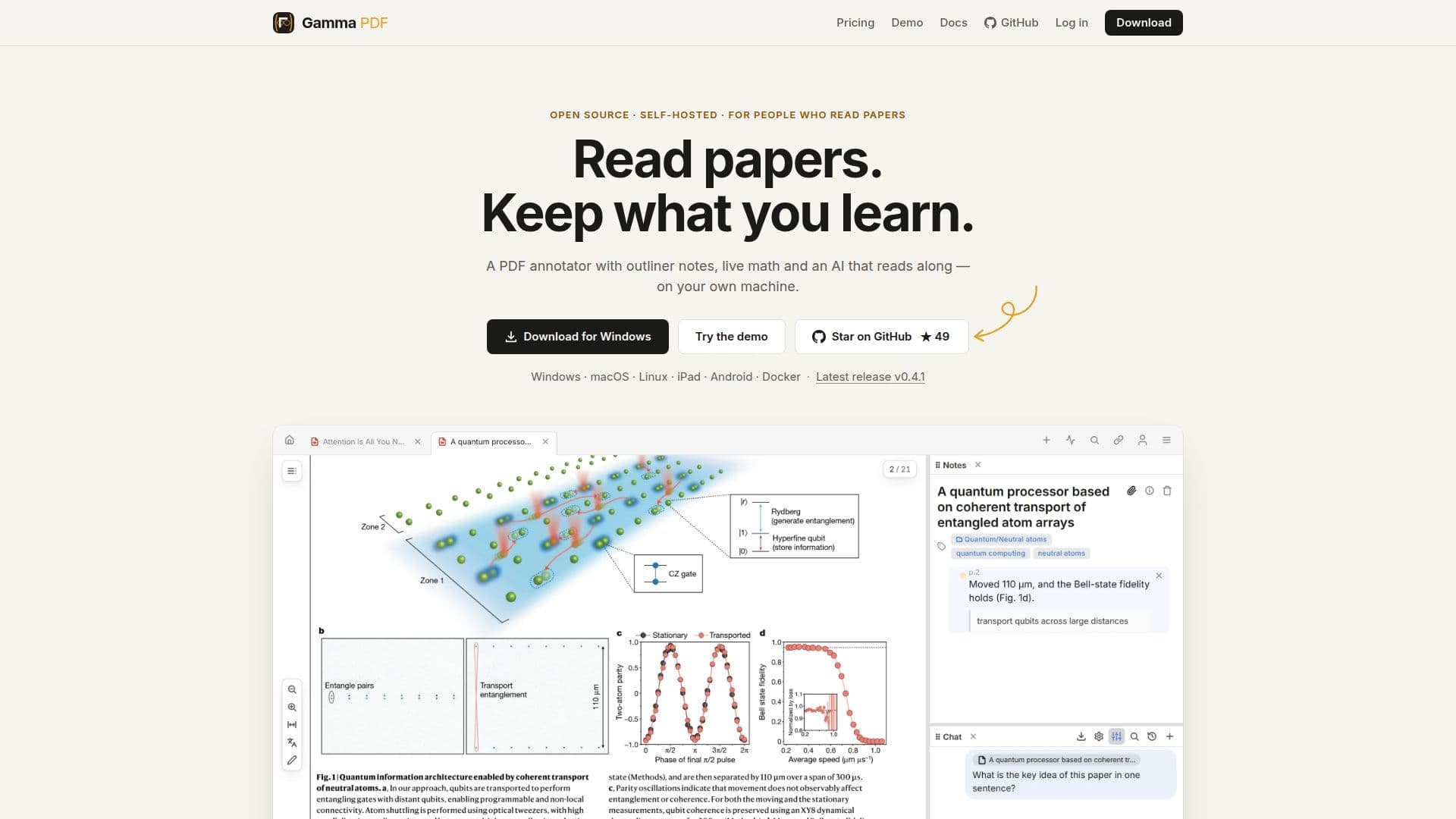
Description
Gamma PDF is an open-source, self-hosted PDF annotation tool specifically built for researchers and academic users. It provides a comprehensive suite of features for interacting with PDF documents, allowing users to highlight text, draw directly on pages, and create detailed notes. A standout feature is its support for live math rendering using KaTeX, enabling researchers to integrate complex equations directly into their notes with real-time previews.
Read More
The platform integrates AI capabilities, allowing users to "Ask the paper" questions and receive answers with clickable citations and line links. This AI chat functionality can connect to various services like ChatGPT, Anthropic (Claude), OpenAI API (GPT), DeepSeek, Kimi, Qwen, GLM, and OpenRouter, or even custom OpenAI-compatible endpoints. Beyond direct interaction, an AI library agent can assist with organizing and editing, performing tasks like browsing pages, reading content, searching the library, and even conducting web research to find related papers.
Gamma PDF emphasizes data ownership and privacy through its self-hosted and open-source nature. Users can run the desktop application for free, keeping their entire library on their own disk, or deploy a Docker image for a whole lab on their own server. While the core application is free, optional paid plans offer hosted library services on Gamma Cloud, providing always-on access for individuals or groups. These plans range from Lite ($2/month) for personal use to Pro ($20/month) for a dedicated server for a group.
The tool supports a wide array of platforms, including Windows, macOS, Linux, iPad (via TestFlight beta), Android (APK and soon Google Play), and server deployments via Docker or Python/Node. It also offers robust import and export functionalities, supporting formats like Zotero, Notability, GoodNotes, Obsidian, Notion, PDF, and BibTeX, facilitating integration into existing research workflows. Features like offline copies, synced folders, and Zotero linking ensure seamless access and synchronization of research materials across devices and other academic tools.
Collaboration is supported through shared workspaces, allowing multiple users to work together on papers and notes. The commenting system enables threaded discussions on highlights and pages, with @mentions and an inbox for tracking replies. Gamma PDF also includes a browser extension for one-click saving of papers from the web and a "Gamma Connector" for assistants like Claude Code, Codex, and DeepSeek Harness, enabling them to interact with your Gamma library and provide context-aware responses.
- CategoryAI Document & PDF Tools
- Pricing ModelFreemium
- DeploymentSelf-hosted, Desktop, Cloud (Coming Soon)
- PlatformsWindows, macOS, Linux, iPad, Android, Server
Gamma PDF's Core Features
Open-source and self-hosted PDF annotator
Highlight and draw directly on PDF documents
Outliner notes with live math rendering (KaTeX)
AI chat to ask questions about papers with citations
Full-library search across notes, PDFs, and text files
Cross-device synchronization and offline access
Integration with multiple AI services (ChatGPT, Claude, OpenAI, DeepSeek, etc.)
AI library agent for organization and editing tasks
Support for Windows, macOS, Linux, iPad, Android, and server deployments
Import/export from Zotero, Notability, GoodNotes, Obsidian, Notion, PDF, BibTeX
Shared workspaces for collaborative annotation
Commenting and inbox for threaded discussions
Browser extension for saving papers
Zotero integration for bibliography management
Customizable keyboard shortcuts
How to use Gamma PDF?
Install Gamma: Download the desktop app for Windows, macOS, or Linux, or install the mobile app for iPad/Android. Server deployment is available via Docker.
Add Papers: Drag and drop PDF files into your library, or use the browser extension to save papers directly from the web.
Annotate Documents: Highlight text, draw with a stylus or mouse, and add text boxes directly onto PDF pages.
Take Notes: Create structured notes with live math, link between pages, and organize them in a nested outline alongside your papers.
Ask AI Questions: Use the AI chat feature to query your papers, receiving answers with clickable citations, or let the AI agent organize your library.
Collaborate & Share: Create shared workspaces to work with others, comment on notes and highlights, and share pages with viewers or editors.
Sync & Export: Keep your library synchronized across devices, and export annotations, notes, or entire libraries to various formats like PDF, Markdown, or BibTeX.
Gamma PDF's Use Cases
- Academic Research
- Collaborative Study
- Document Organization
- Literature Review
- Personal Knowledge Management
- Digital Note-Taking