
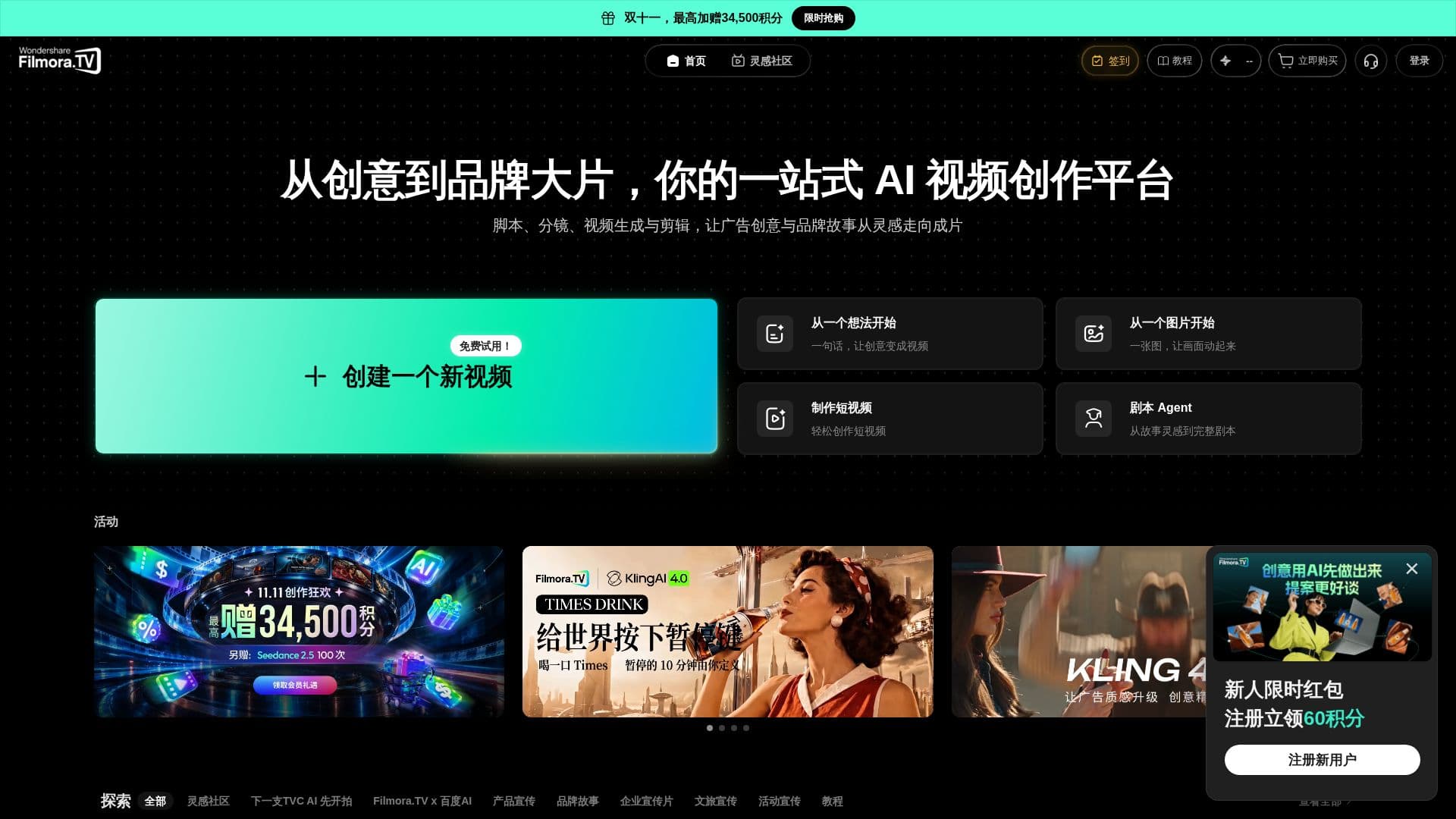
Description
Filmora.TV is an integrated AI video workbench specifically developed for TVC production companies, brand advertising teams, and AI advertising video studios. It empowers professional creators to efficiently convert their initial concepts, scripts, and storyboards into complete visual productions. The platform supports a seamless workflow from AI-powered scene generation and multi-track editing to collaborative team reviews and final project delivery.
Read More
The platform allows users to develop creative ideas within an AI creative canvas, leveraging the workbench's AI models for generating visual content. This includes transforming briefs into advertising scripts, storyboard scripts, shot lists, and visual references, ensuring early-stage creative ideas are clearly articulated and developed in a unified environment. Users can then seamlessly transfer selected AI-generated shots directly to the multi-track timeline for preview, arrangement, cutting, modification, and editing, eliminating the need for repeated downloads and re-uploads between different tools.
Filmora.TV supports multi-track video editing, enabling users to arrange and cut segments, adjust playback speed and volume, and refine shot sequences before review and export. It facilitates team collaboration by centralizing projects, assets, review feedback, and team information within a single workspace. Team members can utilize shared assets, provide direct comments on the canvas, and manage roles and permissions. Multiple members can open the same project simultaneously, though editing is limited to one member at a time.
The platform also offers flexible management of AI credits and member quotas. AI generation tasks consume team-level AI credits rather than individual member credits. Administrators can set member quotas and monitor AI credit usage. If team AI credits or member quotas are insufficient, AI generation cannot proceed. Filmora.TV supports exporting finished videos directly from the timeline, with customizable resolution, aspect ratio, frame rate, and format. It also allows exporting projects as Filmora Pro projects or XML files for further professional post-production in software like Adobe Premiere Pro or DaVinci Resolve.
Filmora.TV is ideal for commercial projects requiring continuous generation, iterative refinement, team review, and multi-version delivery. It distinguishes itself from desktop video editing software like Filmora Pro by focusing on an AI creative canvas and project workflow, while Filmora Pro emphasizes in-depth editing and post-production. The platform supports the entire commercial video workflow from brief, advertising script, storyboard script, and shot planning to AI generation, video editing, team review, and final delivery.
- CategoryAI Video Editors
- DeploymentCloud
- PlatformsWeb
Filmora.TV's Core Features
AI Creative Canvas for Idea Exploration
AI-Powered Script and Storyboard Generation
AI Shot List and Visual Reference Creation
Multi-track Video Editing Timeline
Seamless Transfer of AI-Generated Shots to Timeline
Team Collaboration and Project Management
Centralized Asset and Feedback Management
Role and Permission Management for Teams
Flexible AI Credit and Member Quota System
Direct Video Export with Customizable Settings
Export to Filmora Pro Project Files
Export to XML for Professional Editing Software (e.g., Adobe Premiere Pro, DaVinci Resolve)
Support for Iterative Project Development
Integrated Review and Approval Workflow
Unified Workflow from Brief to Final Delivery
How to use Filmora.TV?
Explore Ideas: Use the AI creative canvas to develop concepts and generate advertising scripts, storyboard scripts, shot lists, and visual references from briefs.
Generate Visuals: Utilize various AI models supported by the platform to generate visual content for each shot or asset, comparing and refining as needed.
Edit Videos: Transfer selected AI-generated shots directly to the multi-track timeline for preview, arrangement, cutting, modification, and editing.
Collaborate with Team: Share projects, assets, and review feedback within the unified workspace, managing roles and permissions for efficient teamwork.
Review and Refine: Collect team and client feedback, compare different versions, and confirm revisions to finalize the project.
Export Final Product: Export the finished video directly from the timeline with desired settings, or export as a project file for further professional post-production.
Filmora.TV's Use Cases
- TV Commercial Production
- Brand Advertising Campaigns
- AI Advertising Video Studio
- Product Promotion Videos
- Corporate Video Creation
- Iterative Video Development
- Team-Based Video Projects