
Description
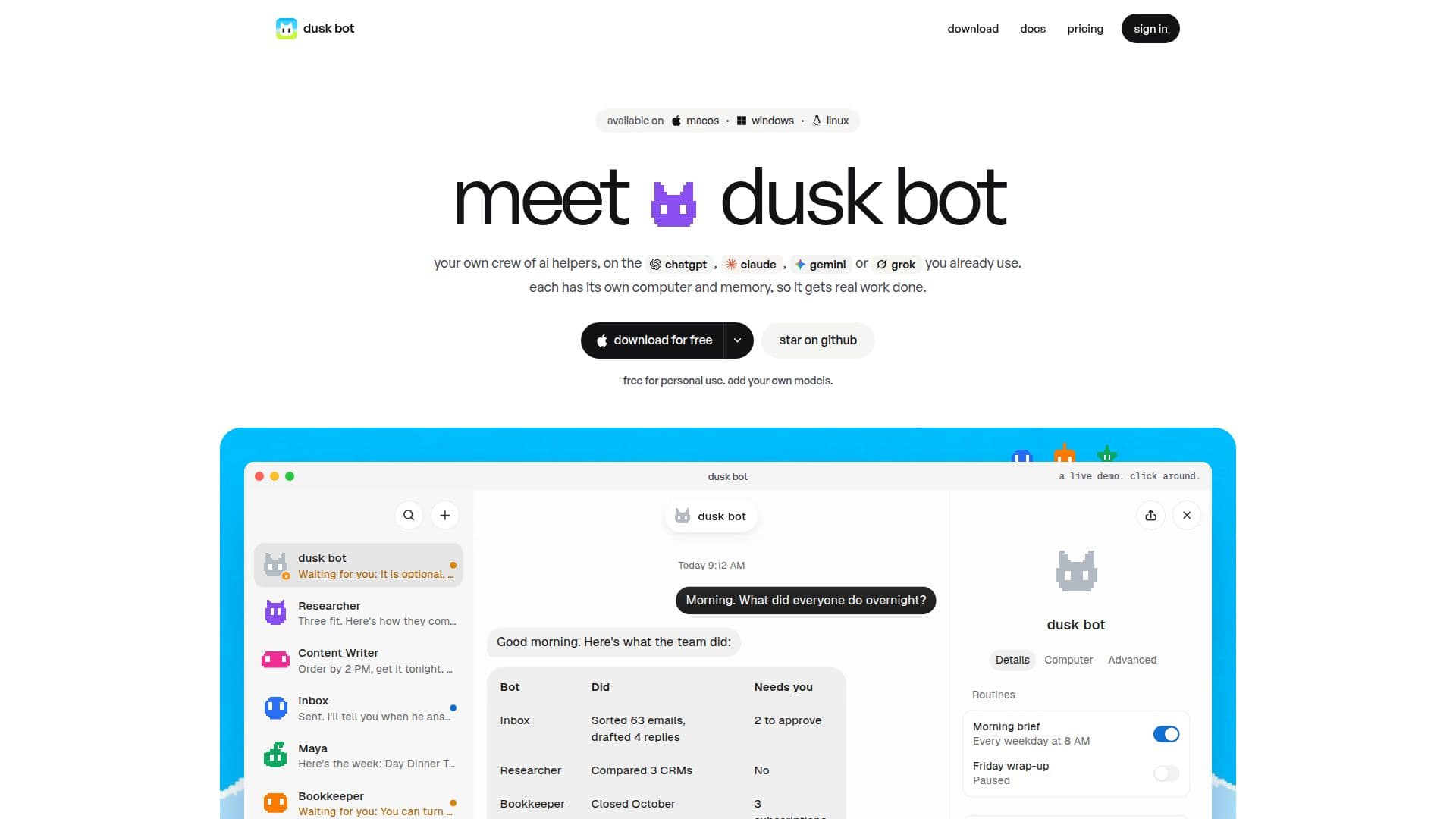
dusk bot provides a desktop application where users can create and manage a team of AI bots. These bots function as virtual teammates, capable of interacting through a chat interface. The platform is designed to integrate with AI accounts users already possess, including popular models like Claude, ChatGPT, Gemini, and Grok, or via custom API keys. This ensures that replies and data processing occur directly between the user's machine and their chosen AI provider, utilizing their existing plans.
Read More
The application offers flexible deployment options: it can run locally on a user's computer, on their own private server, or on a hosted dusk cloud computer. For personal use, the desktop application is entirely free and includes all features. Paid plans, such as "dusk cloud" or "work license," are available for users who require their bots to operate continuously even when their laptop is off, or for business-related use.
dusk bot distinguishes itself from traditional chatbots by providing each bot with its own virtual computer, memory, and the ability to sign into various tools. Bots can run on a schedule, respond to specific triggers, and remember user preferences, enabling them to perform complex tasks autonomously. The platform supports integration with over 60 applications, including Gmail, Google Calendar, Slack, Notion, GitHub, Linear, Figma, and Stripe, allowing bots to interact with these services after a one-time connection.
Data privacy is a core aspect of dusk bot. When running on a user's computer, all bot data, chats, files, and memory remain on the local disk. For dusk cloud users, data resides on a private cloud computer accessible only by the user and their bots. Security measures are in place, with bots programmed to ask for confirmation before executing sensitive actions like sending emails, making purchases, or deleting data. Users can monitor bot activity live and take control at any time.
The platform offers various predefined bot roles, such as a researcher for summarizing tabs, an inbox helper for drafting email replies, a code reviewer for pull requests, a bookkeeper for matching receipts, and a travel planner for monitoring fares. Users can assign specific jobs to individual bots, or group multiple bots together to collaborate on a single thread, stepping in only when a decision is required. This modular approach allows for scalable automation, starting with one bot and adding more as workload increases.
- CategoryAI Agent Builders
- Pricing ModelFreemium
- DeploymentDesktop, Cloud, Self-hosted
- PlatformsmacOS, Windows, Linux
dusk bot's Core Features
Team of AI bots in a chat app
Integrates with existing AI accounts (Claude, ChatGPT, Gemini, Grok, etc.)
Runs on local computer, private server, or dusk cloud
Free for personal use with all features
Bots have individual virtual computers and memory
Bots sign into user's tools and apps
Supports over 60 app integrations (Gmail, Google Calendar, Slack, Notion, GitHub, etc.)
Bots can run on schedules or triggers (routines)
Bots remember user preferences and notes
Bots ask for confirmation before sensitive actions (sending, buying, deleting)
Live monitoring and manual takeover of bot actions
Data stored locally on user's disk or private cloud computer
Predefined bot roles for various tasks (researcher, inbox helper, code reviewer)
Ability to group multiple bots for collaborative tasks
Supports macOS, Windows, and Ubuntu operating systems
How to use dusk bot?
Download and Open: Download the dusk bot application and open it on your computer.
Sign in to AI: Connect your existing AI accounts (e.g., Claude, ChatGPT) or add an API key.
Create a Bot: Name your bot, choose its appearance, and define its job in plain language.
Assign a Task: Give the bot a real task you need done; it will ask for approval on sensitive actions.
Set up Routines: Configure bots to run tasks on a schedule or in response to specific events.
Monitor and Collaborate: Watch bots work, take over when needed, or let multiple bots work together in a group.
dusk bot's Use Cases
- Inbox Triage
- Morning Briefings
- Market Research
- Code Review
- Expense Management
- Travel Planning
- Social Media Content
- File Organization
- Lead Research
- Newsletter Drafting