Description
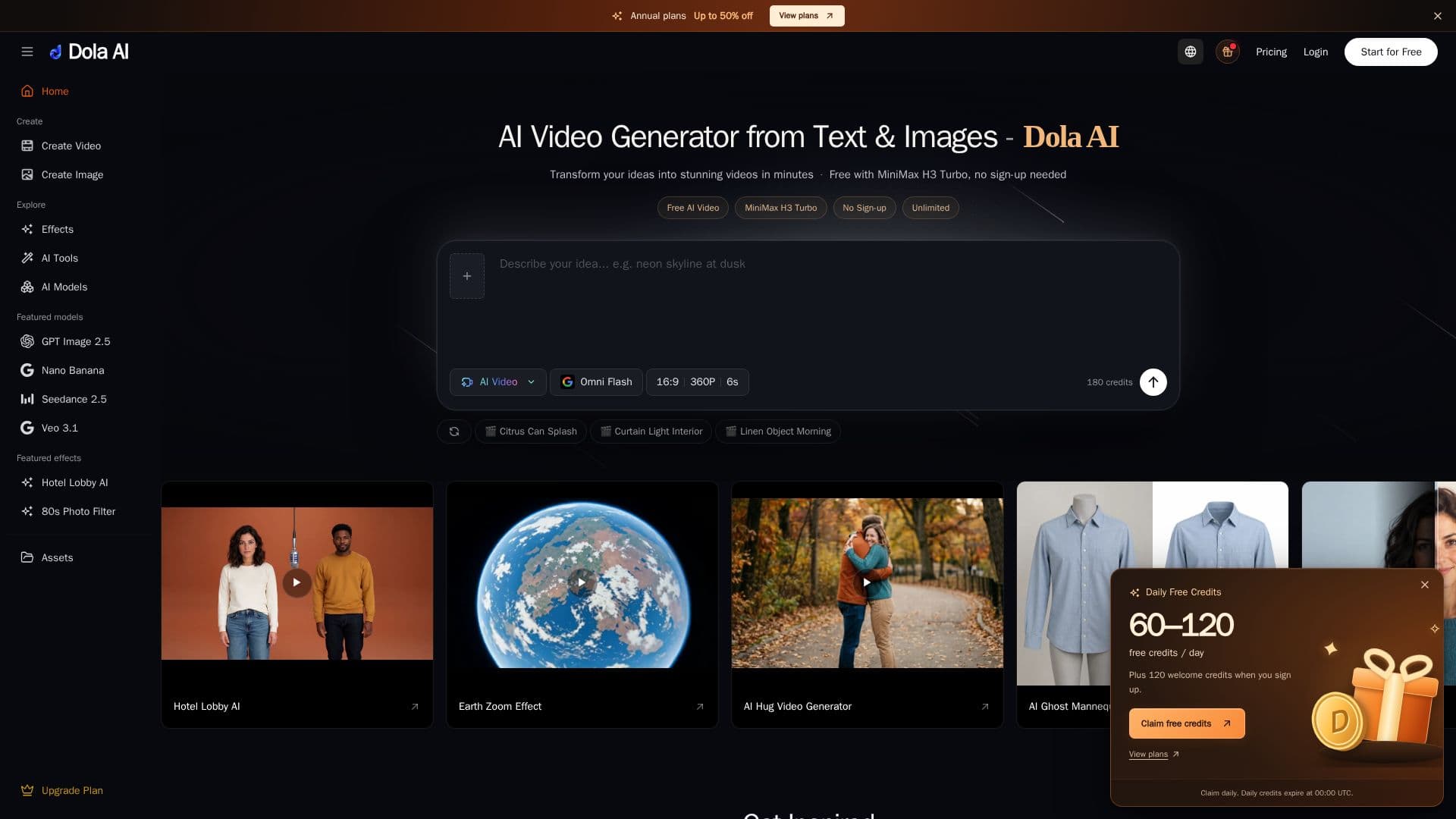
Dola AI Video Generator is an online platform designed for creating short video clips and images using artificial intelligence. Users can transform their ideas into visual content by providing text prompts or uploading reference images. The tool allows for detailed descriptions of the subject, desired movement, and camera direction, offering flexibility in creative output.
Read More
The platform integrates both AI video and image generation capabilities within a single studio environment. This means users can not only animate existing visuals but also create initial frames using the image generator and photo editor before converting them into videos. Dola AI supports various video models, each with specific options for duration, resolution, aspect ratio, and audio support, allowing creators to tailor their output to specific needs.
Access to Dola AI begins with 120 free sign-up credits, supplemented by daily check-in rewards ranging from 60 to 120 credits. These credits are consumed with each generation task, with the cost varying based on the selected model, resolution, quality, video duration, and number of results. While browsing examples and drafting prompts is possible without an account, generating content and uploading references require a signed-in account.
Dola AI caters to a diverse audience, including creators exploring characters, scenes, and visual styles; marketers developing campaign concepts and product imagery; and product and growth teams testing visual directions for launches. The platform aims to simplify the process of creating visual content for social media, product reveals, and story or atmosphere studies.
Users can preview and download their completed images and videos directly from the result panel or their generation history. For commercial use, Dola AI advises reviewing its terms of service and the usage rules of the specific model chosen, emphasizing the importance of having permission for any reference images or assets used.
- CategoryAI Short Video Makers
- Pricing ModelFreemium
- DeploymentCloud
- PlatformsWeb
Dola AI Video Generator's Core Features
AI video generation from text prompts
AI video generation from reference images
AI image generation from text prompts
AI image generation from reference images
Photo editing tools
Multiple AI video models available (e.g., Veo 3.1, MiniMax H3 Turbo)
Multiple AI image models available (e.g., Grok Imagine, GPT Image 2.5)
Free sign-up credits (120 credits)
Daily check-in credit rewards (60–120 credits)
Preview and download generated media
Account history for generated content
Customizable video duration, resolution, and aspect ratio (model-dependent)
Commercial use allowed (subject to terms and model rules)
Canvas workspace access (paid plans)
VIP Fast Generation Queue (paid plans)
How to use Dola AI Video Generator?
Start with an Idea: Begin with a clear concept for your video or image, whether it's a text description or a reference photo.
Write Prompt or Add Image: Describe your scene, subject, movement, and camera direction for text-to-video, or upload an image and specify desired changes for image-to-video.
Choose Model and Settings: Select an available AI model, then adjust settings like duration, resolution, and aspect ratio. Review the credit cost for your generation.
Sign In and Generate: Sign in to your account (required for generation and uploads), confirm the credit quote, and submit your request.
Monitor and Review: Follow the task status in the editor. Once complete, play the video or view the image to check details and consistency.
Download Results: Preview your output in the result panel or generation history, then download the media you wish to keep.
Dola AI Video Generator's Use Cases
- Product Reveals
- Social Media Concepts
- Story and Atmosphere Studies
- Character Animation
- Visual Concept Development
- Marketing Campaign Assets
- Launch Visuals
- Exploratory Visual Styles