
Description
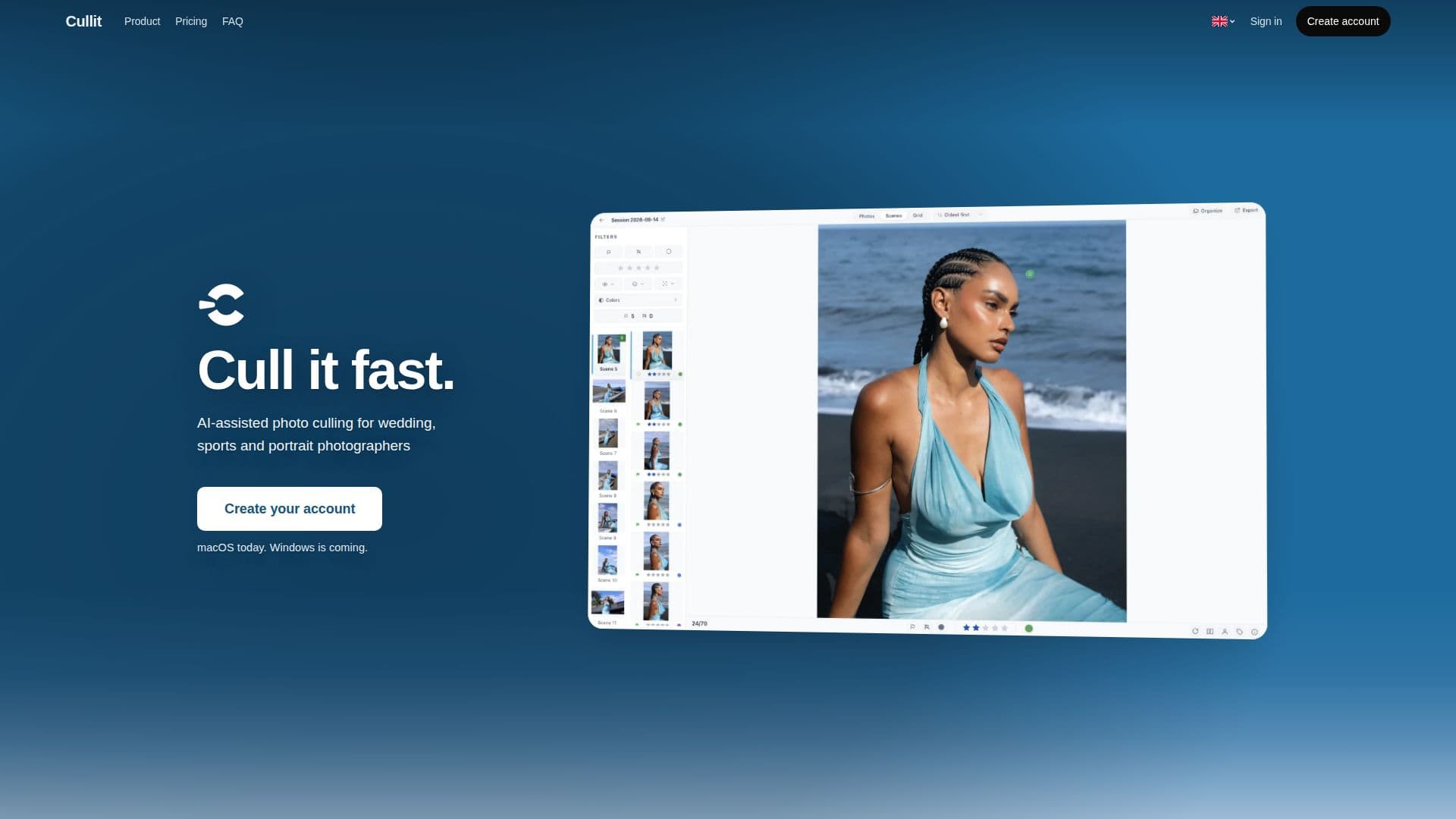
Cullit is a dedicated photo culling application built for macOS, with a Windows version announced as coming soon. It offers an AI-assisted workflow specifically tailored for wedding, sports, and portrait photographers, aiming to significantly reduce the time spent sorting through large volumes of images.
Read More
The core functionality of Cullit revolves around its on-device AI, which analyzes each photograph to flag critical elements such as facial focus, open or closed eyes, and smiles. This AI acts as an assistant, providing insights without making final decisions, allowing photographers to maintain full creative control over their selections. A key privacy feature is that all analysis is performed locally on the user's computer; photos are never uploaded to the cloud or used to train AI models.
Cullit supports a wide range of camera RAW formats from major manufacturers, including CR3, CR2, NEF, ARW, RAF, ORF, RW2, and DNG, alongside common formats like JPEG, PNG, and TIFF. The application integrates seamlessly into existing post-production workflows, allowing users to export their selections, star ratings, and color labels directly to Lightroom Classic, Capture One, or a designated folder, with XMP sidecars.
The culling process in Cullit is structured into three main steps: import, cull, and export. Users can import photos from a folder or directly from an SD card, with instant preview rendering. During the culling phase, the AI highlights faces, assesses sharpness with a focus score, and identifies eye status and smiles. Photographers can then use various tools to judge frames, including flagging, rating, and labeling photos, side-by-side comparisons, and a grid view for batch actions. Organizational features include filtering by sharpness, faces, stars, and color labels, a built-in EXIF viewer, and one-key photo rotation.
Cullit emphasizes speed and efficiency, boasting fast RAW photo viewing and quick navigation between images. It is designed to be light on system resources, consuming only a fraction of a computer's memory. The application also includes features for delivering picks, such as IPTC metadata presets for creator, copyright, and keywords, and batch renaming of original files. Cullit offers a 14-day free trial with full features, requiring a card but charging only after the trial period. The pricing model is subscription-based, with a monthly option billed yearly.
- CategoryImage Generation & Editing
- Pricing ModelSubscription
- DeploymentCloud
- PlatformsmacOS
Cullit's Core Features
On-device AI photo analysis
Flags focus, closed eyes, and smiles
Supports major camera RAW formats (CR3, CR2, NEF, ARW, RAF, ORF, RW2, DNG)
Supports JPEG, PNG, TIFF formats
Exports star ratings and color labels to XMP sidecars
Integrates with Lightroom Classic and Capture One
Non-destructive culling (original files remain on disk)
SD card import functionality
Fast RAW photo viewer
Automatic grouping of photos by scene/capture time
Flag, rate, and label photos
Side-by-side photo comparison
Grid view with batch actions
Filter photos by sharpness, faces, open eyes, stars, color labels, or flags
Built-in EXIF viewer
One-key photo rotation
IPTC metadata presets on export
Batch rename original files
Private: no photo uploads or AI model training with user data
How to use Cullit?
Import Photos: Connect an SD card or select a folder to import images; previews render instantly.
Cull with AI Assistance: Review photos while Cullit's AI highlights faces, focus, eye status, and smiles.
Judge and Organize: Use flags, star ratings, and color labels to keep or reject photos, utilizing side-by-side or grid views for efficiency.
Filter and Refine: Apply filters based on face sharpness, open eyes, ratings, or labels to narrow down selections.
Export Picks: Copy your chosen photos to a folder, Lightroom, or Capture One, complete with XMP sidecars and IPTC metadata.
Cullit's Use Cases
- Wedding Photo Culling
- Sports Event Photography
- Portrait Session Selection
- Event Photography Workflow
- RAW Photo Management
- Batch Photo Processing
- Privacy-Focused Culling
- Pre-Edit Selection