
ToolPotion
AI Advisor
Submit a Tool (Free)

CropDen

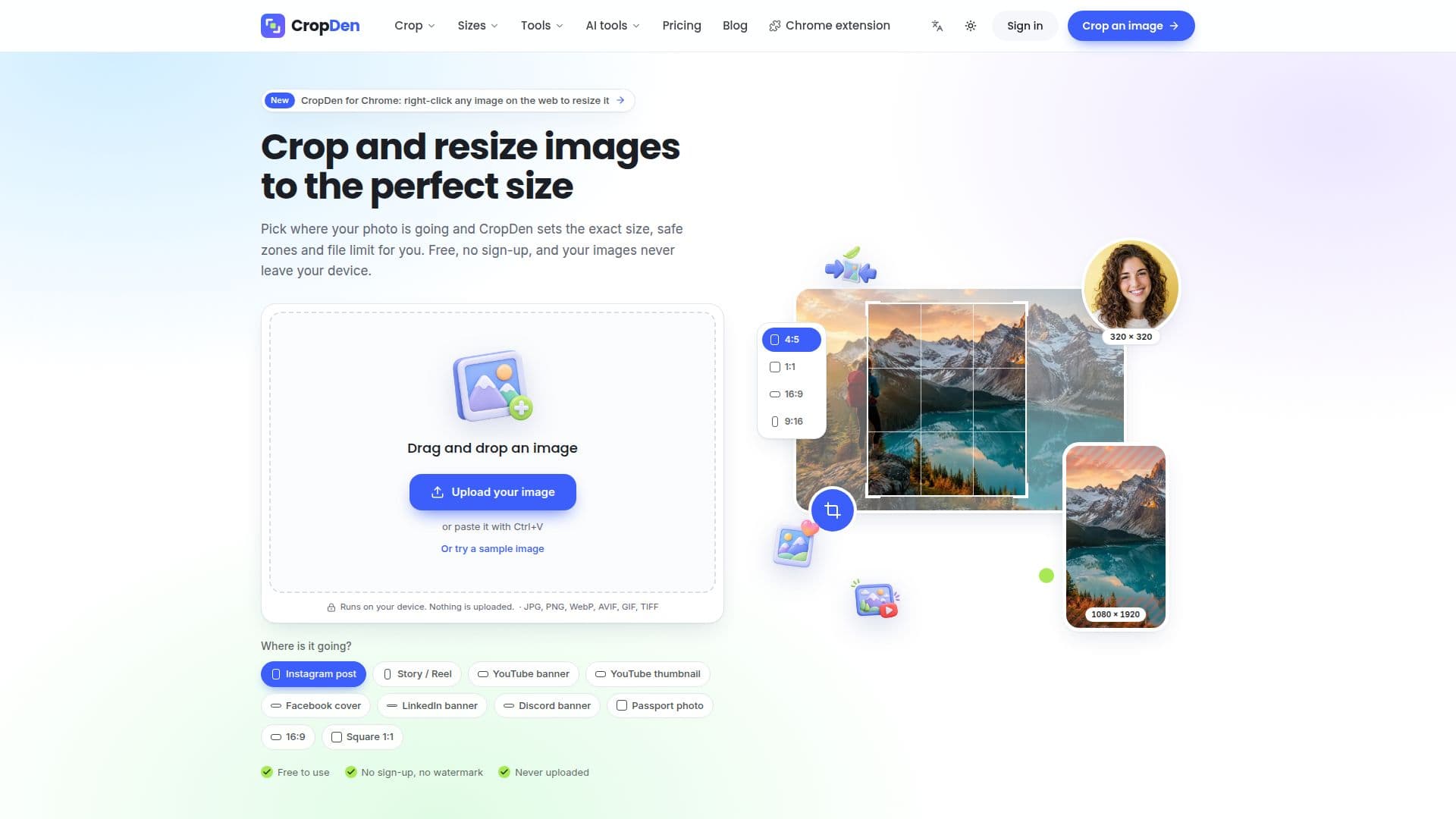
CropDen is a free, private image cropper and resizer that runs directly in your browser, ensuring images are never uploaded. It provides exact social media sizes with safe zones for platforms like Instagram and YouTube, along with tools for compression and conversion. Optional AI features for extending, upscaling, and background removal are available via credits.

Visit Website
Share
CropDen screenshot
CropDen screenshot

CropDen offers a comprehensive suite of image manipulation tools designed for creators, sellers, and anyone needing precise image sizing without the complexity of a full design editor. The core functionality, including cropping, resizing, compression, and conversion, operates entirely within your browser. This client-side processing ensures that your images remain private and are never uploaded to a server, providing a fast and secure experience.

Read More

The platform provides exact size presets for popular social media platforms such as Instagram, YouTube, Facebook, X, LinkedIn, Discord, TikTok, and Twitch, as well as for passport photos. These presets include built-in safe zones and UI overlays, allowing users to visualize how their image will appear on the target platform before downloading. Users can crop images to any aspect ratio, batch resize multiple images, compress files to a target size (e.g., 50 KB), and convert TIFF files to JPG.

CropDen also offers optional AI-powered tools, including an AI image extender, upscaler, and background remover. These advanced features run on a server and require credits, which can be purchased in packs that never expire. The site clearly indicates when an AI tool will send an image to a server, maintaining transparency about data handling.

Supported file formats for opening include JPG, PNG, WebP, AVIF, GIF, and TIFF (with HEIC support in Safari), while saving options are JPG, PNG, or WebP. The tool is accessible on mobile browsers, allowing users to pinch, zoom, and frame images directly on their phones. Additionally, a free Chrome extension is available, extending CropDen's capabilities to right-click menus for quick resizing, saving WebP as JPG/PNG, or compressing images found on web pages.

CropDen operates on a freemium model. All browser-based tools are free to use, require no sign-up, and do not add watermarks. The free tier supports up to 20 files per batch (50 with a free account) and files up to 20 MB. A Pro subscription, priced at $9/month or $65/year, increases batch limits to 500 files and file size limits to 50 MB, and includes priority support. AI tools are credit-based, with packs starting from $5.99. A Day Pass for 24 hours of Pro access is also available for $2.99.

  • CategoryAI Photo Editors
  • Pricing ModelFreemium
  • DeploymentCloud
  • PlatformsWeb

  • Crop images to exact social media sizes

  • Resize images to any aspect ratio

  • Batch resize multiple images

  • Compress images to a target file size

  • Convert TIFF to JPG

  • In-browser processing for privacy (no uploads)

  • Platform-specific safe zones and UI overlays

  • Supports JPG, PNG, WebP, AVIF, GIF, TIFF, HEIC

  • Free Chrome extension for web image manipulation

  • AI image extender (credit-based)

  • AI image upscaler (credit-based)

  • AI background removal (credit-based)

  • Mobile browser compatibility

  • No sign-up or watermark for free tools

  1. Upload Image: Drag and drop, paste, or select an image from your device (JPG, PNG, WebP, AVIF, TIFF).

  2. Choose Size & Frame: Select a platform preset or aspect ratio, then drag and zoom to frame your image, using safe zones as guides.

  3. Download Result: Get the exact pixel-sized image as JPG, PNG, or WebP, optimized to platform file limits.

  4. Access AI Tools (Optional): Select an AI tool (extend, upscale, remove background), use credits, and process your image.

  • Social Media Content Creation
  • Passport Photo Preparation
  • Image Compression
  • File Format Conversion
  • Batch Image Processing
  • Background Removal
  • Image Upscaling
  • Web Image Optimization

CropDen Reviews

Loading...

Popular AI Tools Like CropDen

Clipdrop offers a suite of AI-powered tools to create and edit stunning visuals quickly. Features include background removal, object cleanup, image upscaling, and text-to-image…

AI Photo Editors

Ranked #140 in AI Apps

View Tool

Offers a suite of AI-powered tools to create and edit stunning visuals quickly. Features include background removal, object cleanup, image upscaling, and text-to-image…Clipdrop offers a suite of AI-powered tools to create and edit stunning visuals quickly. Features include background removal, object cleanup, image upscaling, and text-to-image…

FeaturedAI Photo Editors
Ranked #140 in AI Apps

fotosize

AI Apps

fotosize is a free online ID photo maker that runs entirely in your browser, allowing you to crop passport, visa, or ID photos to specific document sizes. It helps frame the head,…

AI Photo Editors
View Tool

AI Apps

Free online ID photo maker that runs entirely in your browser, allowing you to crop passport, visa, or ID photos to specific document sizes. It helps frame the head,…fotosize is a free online ID photo maker that runs entirely in your browser, allowing you to crop passport, visa, or ID photos to specific document sizes. It helps frame the head,…

AI Photo Editors
See the Top 250 AI Apps

Content Aware Scale is a free online tool that resizes photos using seam carving, an alternative to Photoshop's Content-Aware Scale. It intelligently reshapes images by removing…

AI Photo Editors

Ranked #18 in AI Meme Generators

View Tool

Free online tool that resizes photos using seam carving, an alternative to Photoshop's Content-Aware Scale. It intelligently reshapes images by removing…Content Aware Scale is a free online tool that resizes photos using seam carving, an alternative to Photoshop's Content-Aware Scale. It intelligently reshapes images by removing…

AI Photo Editors
Ranked #18 in AI Meme Generators

PixelMax

AI Apps

PixelMax is a free AI-powered photo editor that allows users to edit, enhance, and transform images quickly. With tools for background removal, photo enhancement, and style…

AI Photo EditorsRetail & Consumer Goods

Ranked #110 for Removing objects from photos

View Tool

AI Apps

Free AI-powered photo editor that allows users to edit, enhance, and transform images quickly. With tools for background removal, photo enhancement, and style…PixelMax is a free AI-powered photo editor that allows users to edit, enhance, and transform images quickly. With tools for background removal, photo enhancement, and style…

AI Photo EditorsRetail & Consumer Goods
Ranked #110 for Removing objects from photos

MagicRemover is a free online AI tool that removes objects, people, text, and watermarks from photos. It offers high-quality edits without requiring signup or adding watermarks,…

AI Photo Editors

Ranked #60 for Removing objects from photos

View Tool

Free online AI tool that removes objects, people, text, and watermarks from photos. It offers high-quality edits without requiring signup or adding watermarks,…MagicRemover is a free online AI tool that removes objects, people, text, and watermarks from photos. It offers high-quality edits without requiring signup or adding watermarks,…

AI Photo Editors
Ranked #60 for Removing objects from photos

LeanImg

AI Apps

LeanImg offers a suite of free online image tools that allow users to compress, resize, crop, convert, upscale, and remove backgrounds from images. These tools operate directly in…

Image Generation & Editing

Ranked #43 in Background Removers

View Tool

AI Apps

Offers a suite of free online image tools that allow users to compress, resize, crop, convert, upscale, and remove backgrounds from images. These tools operate directly in…LeanImg offers a suite of free online image tools that allow users to compress, resize, crop, convert, upscale, and remove backgrounds from images. These tools operate directly in…

Image Generation & Editing
Ranked #43 in Background Removers

A free online AI photo and video editor with object removal, background removal, inpainting, upscaling, and image generation, aimed at e-commerce sellers, creators, and everyday…

AI Photo EditorsRetail & Consumer Goods

Ranked #74 for Removing objects from photos

View Tool

A free online AI photo and video editor with object removal, background removal, inpainting, upscaling, and image generation, aimed at e-commerce sellers, creators, and everyday…

AI Photo EditorsRetail & Consumer Goods
Ranked #74 for Removing objects from photos

EzMaker AI

AI Apps

Free online AI photo editor that removes objects and backgrounds, enhances quality, and expands images with no sign-up. For creators, sellers, and marketers who want quick,…

AI Photo EditorsMarketing & Creative Agencies

Ranked #65 for Removing objects from photos

View Tool

AI Apps

Free online AI photo editor that removes objects and backgrounds, enhances quality, and expands images with no sign-up. For creators, sellers, and marketers who want quick,…

AI Photo EditorsMarketing & Creative Agencies
Ranked #65 for Removing objects from photos
1 of 8