
Description
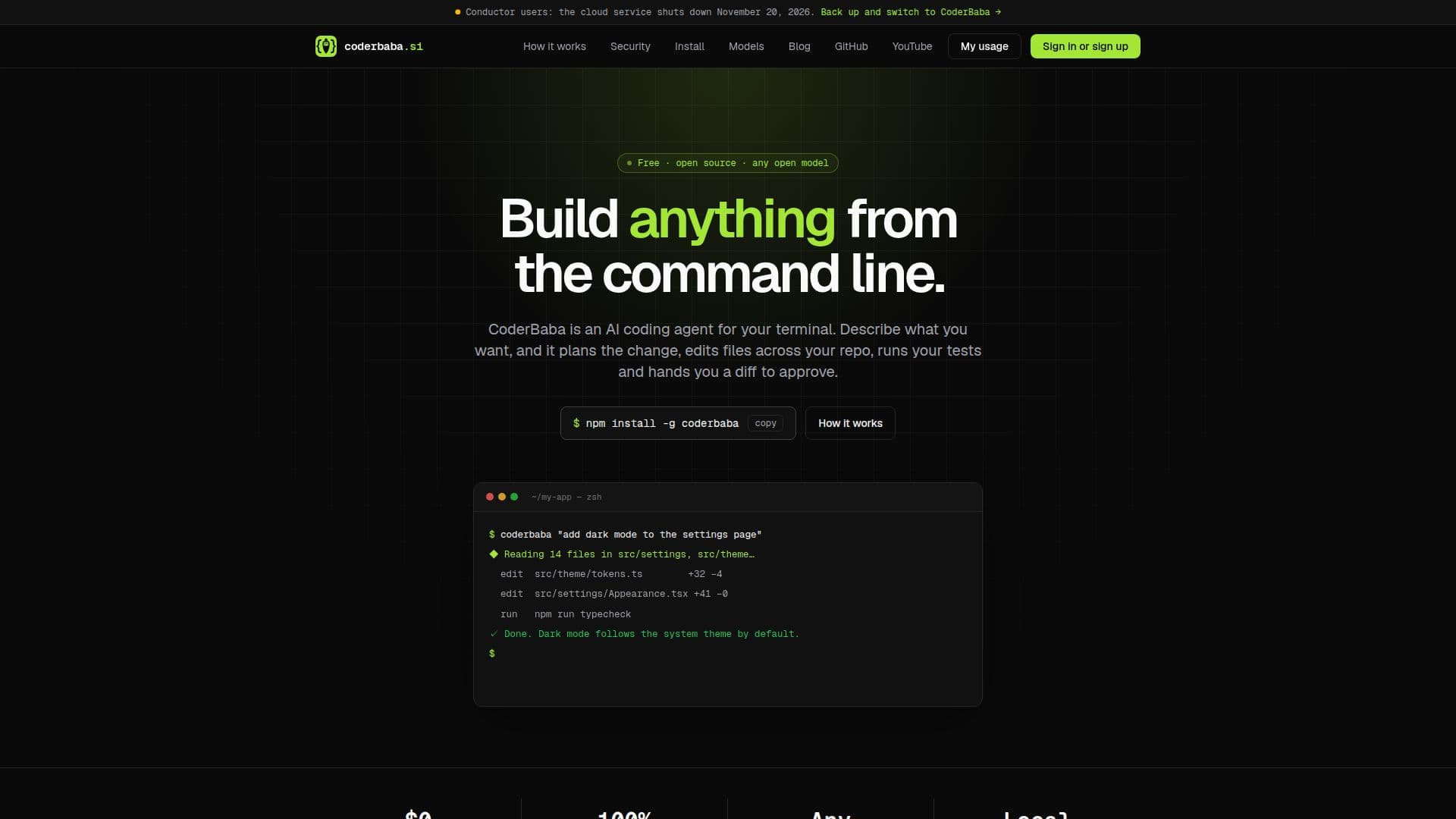
CoderBaba is a free, open-source AI coding agent designed to operate directly from your terminal, empowering developers to build and fix software efficiently. Users describe desired changes in plain English, and CoderBaba takes over, reading the codebase, planning modifications, editing files across the repository, running tests, and iterating until the changes pass. It then presents a clean diff for approval, ensuring developers retain full control over their projects.
Read More
This agent is built to address common developer pain points by offering a robust, transparent, and flexible coding assistant. It's not merely an autocomplete plugin or a chat window for snippets; it's a comprehensive tool for developing new features, fixing bugs, refactoring code, creating scripts, or even starting entire projects from scratch. CoderBaba operates on a "plan, act, verify" loop: it first understands the codebase, then outlines the change, acts by editing files and running commands, and finally verifies its work using existing tests, type checkers, and linters.
One of CoderBaba's standout features is its support for parallel tasks. Each task runs in its own isolated Git worktree on a separate branch, preventing conflicts and allowing developers to work on multiple features, bug fixes, or refactors simultaneously. This approach ensures that when a task is completed, its branch is ready for review and merge like any other, integrating seamlessly into existing Git workflows.
CoderBaba emphasizes open-source principles, offering freedom and flexibility. It is free to use, whether models are run on the user's machine or in CoderBaba's free cloud. It supports any open-source coding model, allowing developers to choose the best fit for their task, from large agentic models like Qwen3-Coder for complex work to smaller, faster models for quick edits. Running models locally ensures code never leaves the user's machine, which is crucial for teams with NDAs or sensitive intellectual property. The entire codebase is open source, providing transparency into its operations and allowing community contributions.
Beyond code generation, CoderBaba also includes a security scanning feature. The `/security` command allows users to scan their applications for vulnerabilities such as injection flaws, missing authentication, leaked secrets, and vulnerable dependencies. It can reproduce findings on localhost to verify their existence and suggest fixes, ensuring security is integrated throughout the development workflow. This feature acts as a first line of defense, catching common, serious mistakes early in the development cycle.
- CategoryAI Coding Assistants
- Pricing ModelFree
- DeploymentLocal, Cloud
- PlatformsmacOS, Windows, Linux
CoderBaba's Core Features
Free and open-source AI coding agent
Operates directly from the command line terminal
Supports any open-source coding model
Runs models locally or in a free cloud service
Plans, edits, and verifies code changes across repositories
Runs tests and type checkers to ensure code quality
Presents changes as a diff for user approval
Supports parallel tasks with isolated Git worktrees
Scans applications for security vulnerabilities
Reproduces security findings on localhost for verification
Suggests and applies fixes for identified security issues
Provides deep codebase understanding for multi-file edits
Offers a model guide for choosing the right open-source model
Integrates with existing Git workflows for review and merge
No subscription or per-task billing
How to use CoderBaba?
Install Node.js: Ensure Node.js version 20 or newer is installed on your machine.
Install CoderBaba: Run `npm install -g coderbaba` in your terminal to add the command.
Open a project: Navigate to your desired Git repository or an empty folder in the terminal.
Describe a task: Execute `coderbaba` followed by a description of what you want to build or fix.
Watch and steer: Follow the transcript as CoderBaba works, redirecting it if needed.
Review the diff: Approve, reject, or request changes to the proposed code modifications.
CoderBaba's Use Cases
- New Feature Development
- Bug Fixing
- Code Refactoring
- Script and Prototype Creation
- Test Coverage Improvement
- Parallel Workflows
- Security Vulnerability Scanning
- Automated Security Fixes
- Codebase Understanding