
Description
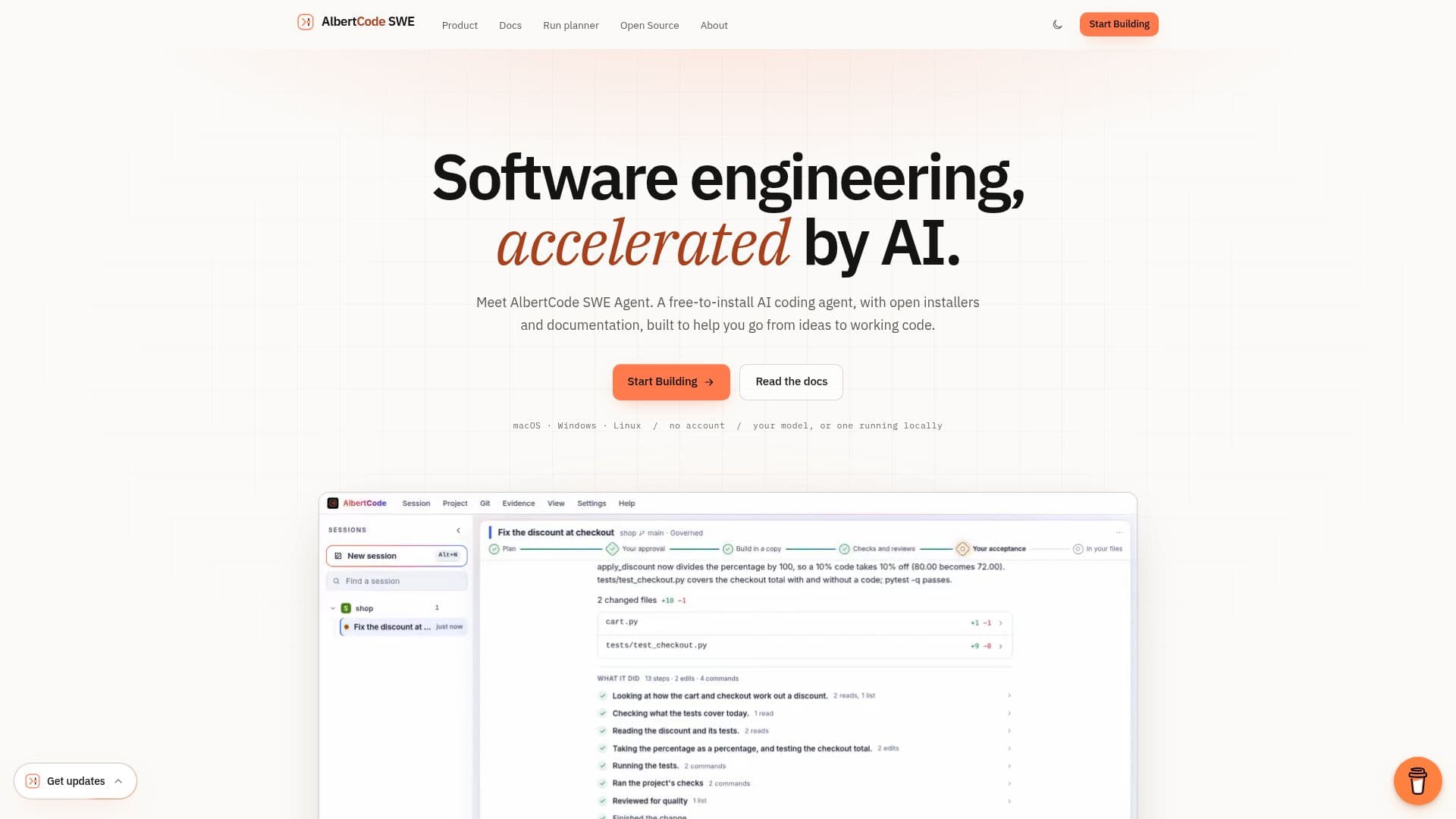
AlbertCode SWE Agent is a sophisticated AI coding agent designed to accelerate software engineering workflows by automating the process of planning, building, and verifying code changes. Unlike traditional AI coding assistants, AlbertCode operates with a strong emphasis on human oversight and verification, ensuring that no changes are applied to your codebase without explicit approval.
Read More
The agent functions by taking a request in plain language and then generating a detailed plan, which includes the goal, files to be modified, testing strategy, and potential risks. This plan is presented to the user for approval (Gate 1). Once approved, AlbertCode builds the proposed change within an isolated copy of your repository, preventing any unintended modifications to your working tree. It then runs your project's own tests (e.g., pytest, npm scripts, go test, cargo, Maven, Gradle, dotnet) and conducts independent security and quality reviews to prove the change's integrity.
After the build and verification steps, the agent presents the resulting diff and test outcomes to the user for a second approval (Gate 2). Only upon acceptance does the change reach your working tree, maintaining Git as your primary undo mechanism. This two-gate approval process — for both the plan and the final diff — ensures that all changes are transparent, thoroughly tested, and explicitly sanctioned by a human engineer.
AlbertCode SWE Agent is free to install and runs entirely on your local machine, supporting macOS, Windows, and Linux. It offers flexible model integration, allowing users to connect hosted providers, OpenRouter, Hugging Face, any compatible API, or even local models like Ollama and LM Studio. This local execution, combined with no telemetry and no account requirements, ensures that your code remains private and never leaves your machine unless explicitly sent to a chosen model provider or MCP server. The agent provides multiple interfaces, including a terminal, a browser workspace, and a VS Code panel, all connecting to the same local service, allowing for seamless task management across different environments.
- CategoryAI Coding Assistants
- Pricing ModelFree to Install
- DeploymentLocal
- PlatformsmacOS, Windows, Linux
AlbertCode SWE Agent's Core Features
Two-Gate Approval Process: Requires human approval for both the change plan and the final diff.
Isolated Repository Copy: Builds changes in an isolated copy of your repository, protecting your working tree.
Runs Your Own Tests: Integrates with and executes your project's existing test suite (e.g., pytest, npm, Maven).
Security and Quality Reviews: Conducts independent reviews of changes for security and quality.
Multiple Interfaces: Accessible via terminal, browser workspace, and VS Code panel.
Local Execution: Runs entirely on your machine, ensuring privacy and control.
Flexible Model Integration: Supports hosted, OpenRouter, Hugging Face, compatible APIs, and local models.
No Account or Telemetry: Operates without user accounts or data collection.
Tamper-Evident Ledger: Maintains a record of plans, test results, reviews, and diffs for every task.
Configurable Contract: Define repository boundaries and rules for agent actions with `albertcode.contract.toml`.
Governed, Direct, and Ask Modes: Choose the level of oversight per request.
Cross-Platform Compatibility: Available for macOS, Windows, and Linux.
Open Installers and Documentation: Publicly available installers and comprehensive documentation.
Offline Operation: Works offline with a local model once installed.
Version Control Integration: Changes are ordinary Git edits, easily reviewed and undone.
How to use AlbertCode SWE Agent?
Install Agent: Paste the one-line command for your system (macOS, Windows, Linux) into your terminal and confirm installation.
Connect Model: Paste an API key for a hosted provider or point the agent to a local model server.
Navigate to Project: Change directory into your project's repository in the terminal.
Request Change: Start the agent and describe the desired code change in plain words (e.g., `/plan <request>`).
Approve Plan: Review the agent's proposed plan (files, steps, tests, risk) and approve it to proceed.
Review Diff: After the agent builds and verifies the change, review the generated diff and test results.
Accept Change: Accept the diff to apply the changes to your working tree, or request further modifications.
AlbertCode SWE Agent's Use Cases
- Automated Code Refactoring
- Feature Development
- Bug Fixing
- Security Vulnerability Patching
- Test-Driven Development Support
- Codebase Exploration
- Developer Onboarding
- CI/CD Integration