
Description
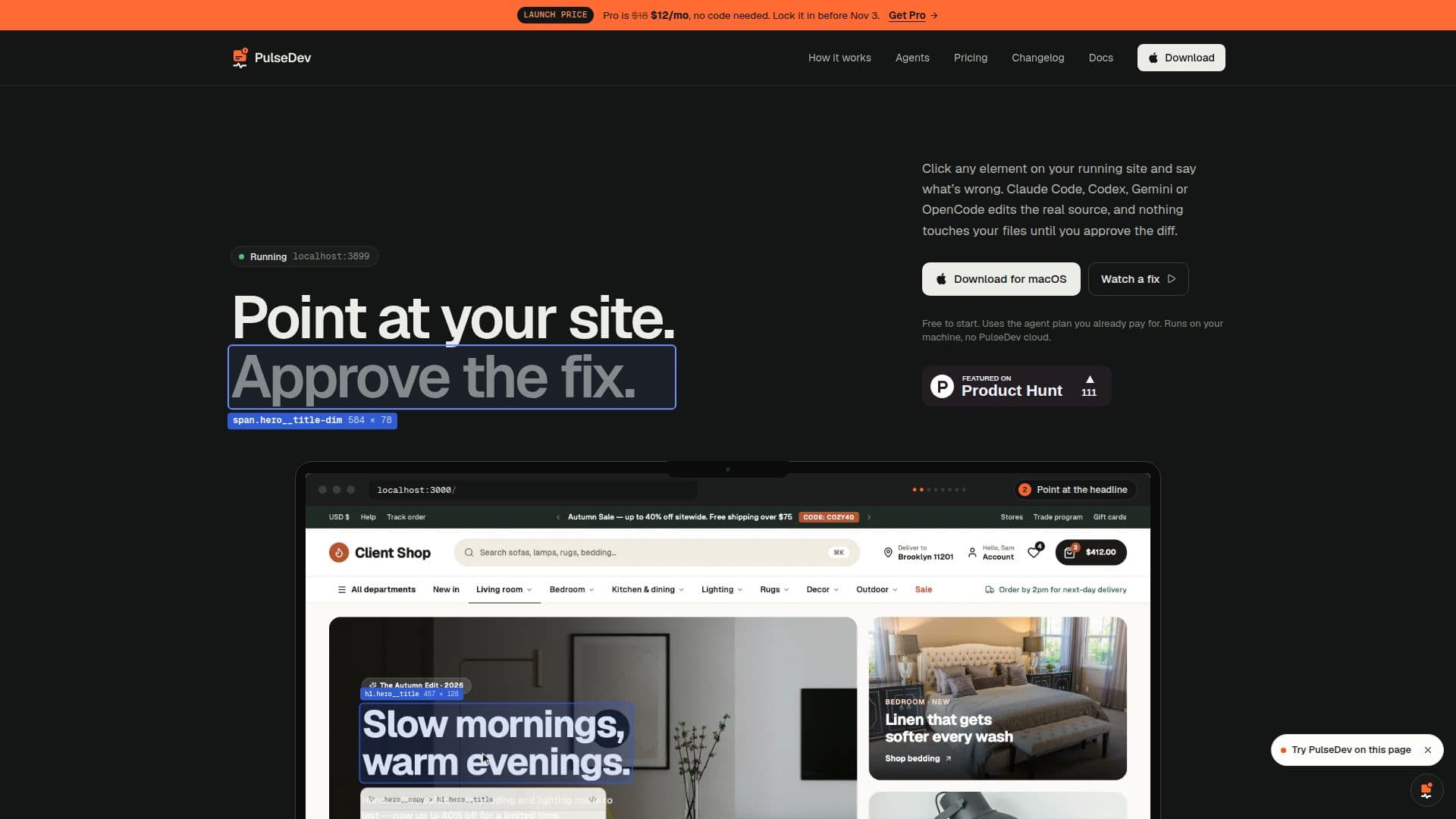
PulseDev is a desktop application designed to streamline the process of identifying and fixing issues on websites. By allowing users to point at any element on their running site and describe the problem, PulseDev facilitates direct interaction with coding agents such as Claude Code, Codex, Gemini CLI, and OpenCode. These agents edit the real source code, but changes are not applied until the user approves the diff, ensuring full control over the modifications.
Read More
The application runs locally on your machine, eliminating the need for a cloud account and ensuring that all tasks, messages, and diffs are stored as JSON files on your device. PulseDev supports various frameworks including Vue, React, and plain HTML, making it versatile for different development environments. It offers a free tier for single-site projects and a Pro plan for $12 per month, which includes unlimited projects and agent runs.
PulseDev's workflow is straightforward: point at the element that needs fixing, describe the desired change, and review the live edit before approving it. This process reduces the need for screenshots and lengthy bug reports, as feedback is directly tied to the element with its selector and page context. The application also features a live agent log, task board, and built-in previews, enhancing the user experience.
Designed for developers who frequently ship sites, PulseDev offers a lifetime plan for early adopters at $149, providing all Pro features without a subscription. The app is currently available for macOS, with a Windows version coming soon. By integrating seamlessly with existing coding agents and running locally, PulseDev offers a secure and efficient solution for managing website fixes.
- CategoryAI Coding Assistants
- Pricing ModelFreemium
- DeploymentLocal
- PlatformsmacOS
PulseDev's Core Features
Local server setup
Integration with Claude Code, Codex, Gemini CLI, OpenCode
Live edit review and approval
Support for Vue, React, plain HTML
Free and Pro pricing plans
Task board and live agent log
Built-in previews
No cloud account required
How to use PulseDev?
Install: Download and set up the PulseDev app
Configure: Add your project and connect your coding agent
Use: Point at site elements and describe issues
Approve: Review and approve changes made by the agent
PulseDev's Use Cases
- Website Debugging
- Code Review
- Local Development
- Framework Support
- Task Management